User Profile

JohnBromilow
Copper Contributor
Joined 4 years ago


User Widgets
Recent Discussions
Re: Help with Group-Object not working as expected
I have done some more investigation and have read that the Format-Table command can cause problems. I have modified the code as follows (removed the Format-Table command): $messages = Get-QuarantineMessage -RecipientAddress $recipients $messages | ft -Property RecipientAddress $messages | Group-Object -Property RecipientAddress | Format-Table -Wrap and the output is now Which is still wrong but seems to be getting closer1KViews0likes1CommentHelp with Group-Object not working as expected
I am trying to count the number of messages stuck in quarantine for specified recipients. I can return the data fine but when I try to group it using Group-Object it returns a strange answer. Here is my code: $messages = Get-QuarantineMessage -RecipientAddress $recipients | Format-Table -Property RecipientAddress $messages $messages | Group-Object -Property RecipientAddress -NoElement This returns: As you can see the variable '$messages' contains two recipient addresses and 16 rows. But when I pipe this through the Group-Object command it returns a blank group with a count of 20. I am expecting Group-Object to return two rows, one for each recipient address and the count should be 11 and 5. Can anyone see what is going wrong here?1.3KViews0likes3CommentsShare file to external contact
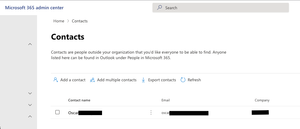
I am trying to setup my O365 tenant to enable users to easily share files with our sister company. I have imported all of their users as Office 365 Contacts and they appear fine in Outlook, however in OneDrive they do not appear when I try to share a file with them. External sharing is enabled and it works if I enter their full email address. Does anyone know if it is possible for OneDrive to look up contacts when sharing a file? I have created an Office 365 Contact for Oscar. But when I search for Oscar when sharing a file in OneDrive he does not appear.718Views0likes0Comments


Recent Blog Articles
No content to show