User Profile

Technician123
Copper Contributor
Joined 4 years ago


User Widgets
Recent Discussions
Changed User Account from Active User to Shared Mailbox but User Keeps Appearing in Active Users Tab
We had a user that left the company. From the Exchange Admin center we convert that user account into a share mailbox. The user now appears in the MS365 Admin center under Shared mailboxes, but also still appears under Active users. Shouldn't the mailbox now be shared and user not appear under Active users? Am I able to now remove the associated Office 365 E3 license with active user account and still have the email data retained via converted shared mailbox?How does Slack integrate with Power Automate?
I see in Power Automate it connects to my Sharepoint account regarding access/permissions. How does the Slack portion integrate in? I do not see my Slack account as the connector/data feeding in. How does it get the content/post content needed within Slack? It appears that it somehow just connects into the workspace once it has the url, then approval in Slack app is needed and once accept it functions.Sharepoint & Power Automate Flows
Is there a way a business could setup a user that has access to Sharepoint & Power Automate to create/manage/organize flows (nothing else)? Right now we have a couple past users accounts that contain the flows, employees are no longer with company, all spread out. Figured it might be worth it to create a Sharepoint/PowerAutomate user account to house all the flows to avoid having it all spread out. Thoughts on this? Is there a way to do this without using an O365 E3 license? (seems like it would need that license, along with the MS Power Automate Free license associated)SolvedUser within Company, Sign-in Blocked - Adding into Sharepoint Error
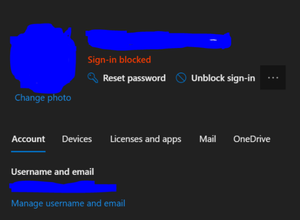
If a user within the company has their sign-in blocked, when marking down that user's account within a SharePoint page, would the error "Your organization's policies do not allow you to share with these users" appear? I believe so, but wanted confirmation from others as well. I think because this users account has sign-in blocked status, O365 is taking it as this user is outside the organization, even though this user is in organization.844Views1like1Comment
Recent Blog Articles
No content to show