User Profile

jonasloesle
Copper Contributor
Joined 5 years ago


User Widgets
Recent Discussions
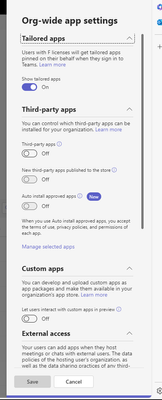
Is it possible to hide all third party apps in the teams app store for end users?
Hi all, I would like ask if it is possible to hide all third party apps in den teams app store for the end users? I deactivated third party apps in the teams admin center days ago but still I can still see the apps in the app store. Does anyone have any ideas?Solved2.3KViews0likes1CommentIs there a way to hide Microsoft 365 apps for the end user?
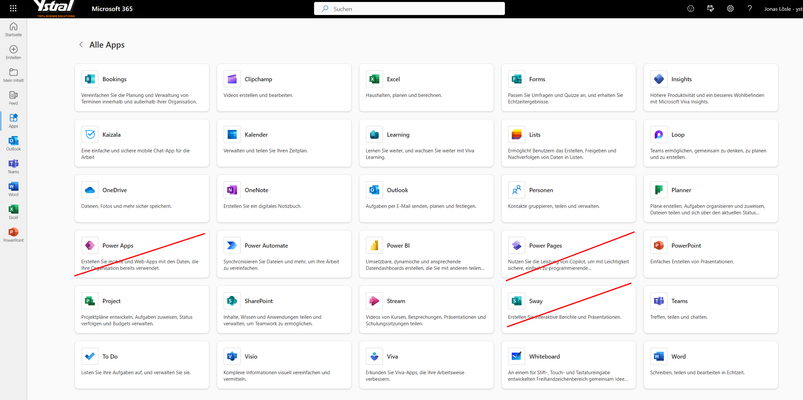
Hello everyone, We were wondering if there is a possibility to hide some M365 for the end users. For example, Sway has no additional value for us, so we wouldn't want to present it to end users. Does anyone here have any experience?Solved1.5KViews0likes3CommentsRe: SharePoint Caching Problems with Lists
pdfrig Is there anything else I need to do besides disabling offline availability. One user is having trouble with a list but when I disable the feature the sync icon is still there. When I clear the cache, the problem is gone for a short time and is back after a reload of the page.12KViews0likes0CommentsStream (Classic) video report shows already migrated videos
Hi guys We are currently migrating stream classic videos to stream on sharepoint. We migrated the first larger container with 150 videos. After completing e want to check whether all videos of the employee concerned have been migrated. So we did the stream classic video report (https://learn.microsoft.com/en-us/stream/streamnew/migration-details#stream-classic-video-report). The report contains the migrated videos. I assumed that they were not listed because the documentation says that it only contains classic videos. The person concerned is no longer an employee of the company so we cannot ask him if all his videos in Stream Classic are gone. Do you have any suggestions on this? Thanks in advance.SharePoint Migration Manager keeps disconnecting after a few hours
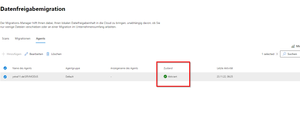
Hello, we have the problem that we install the SharePoint Migrations Manager and we log in with a SharePoint Admin account, then we only have a connection for a few hours. But after some time the migration agent disconnects. So we can't plan and implement migrations. We suspect that it is related to an expired token. We have also tried to deactivate MFA for the SP Admin account. Do you have any idea what this could be or what settings need to be made to have the migration manager permanently connected.1.4KViews1like0CommentsAlarm for downloading large amounts of data?
Hi guys Is it possible to create an alarm in the sharepoint administration area when a person downloads large amounts of data from SharePoint? We try to reduce the risk of employees stealing data. Any ideas or tips on this? Thanks a lot4KViews0likes4CommentsRe: Why can documents be edited in the web application, but read only in the desktop app?
jonasloesle Additional information: If I pause the synchronisation for my OneDrive app, the document can be opened normally from SharePoint. When I reactivate the synchronisation, the document opens in read-only mode again.2.8KViews0likes2CommentsWhy can documents be edited in the web application, but read only in the desktop app?
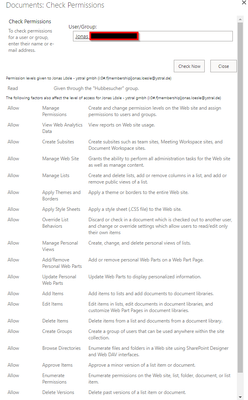
Hello all, We have a library and although I am a site administrator I can open documents in the Office Desktop Apps read only. This affects all documents in the library. In the web application I can edit. We have assigned permissions for individual folders and files for colleagues within the library, but I don't think this has anything to do with my profile for now. A permissions check for my profile shows the following: It's really annoying because we've had these problems before. At that time, Microsoft support said that as long as content permissions are enabled, SharePoint always syncs read-only to the desktop apps. With a lot of work we created a workaround to disable content approval and now we are facing the same problems. Any help is appreciated. Many thanks in advance3KViews0likes4CommentsDisplay user attributes from Azure AD in the user profile in SharePoint.
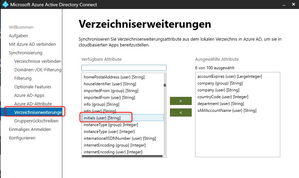
Hi guys, we are synchronising the initials (user) attribute from our AD to Azure AD. Now we want to display the attribute in the people view in SharePoint. How do I get the initials attribute into the user profile in SharePoint, so that I can show the attribute for example via the people webpart?2.8KViews0likes1CommentSynonymous search possible in SharePoint?
We are a mechanical engineering company for special machines. In the future, we will use SharePoint Online for internal document management. Since our customers work a lot with chemical substances and we are an international company, our managing director asked if it is possible to set up a synonymous search in SharePoint. What does that mean? It means that when an employee searches for the keyword "titanium dioxide", for example, SharePoint automatically searches for the German term "Titandioxid" and the chemical name "TiO2". If this were at all possible, I imagine it would be like a table in the background, where it is entered which terms are related to each other. SharePoint would then automatically search for the related terms when a term is entered and display them in the results. I know this is a very specific question, but any ideas or tips on how to implement it? Or is this completely impossible.2.3KViews0likes1Comment

Recent Blog Articles
No content to show