User Profile

Jim_Strowe
Brass Contributor
Joined 5 years ago


User Widgets
Recent Discussions
Re: Teams is unable to access your calendar
On the bulletin and how many others have pointed out MS usually sends me an email saying X (or whatever) in your system is configured a certain way after THIS date it won't work. Burying this critical notice in a bulletin was a lousy idea prone to being missed in the tidal wave of notices I get from MS. I fixed it but thanks for absolutely nothing MS. (oh and their L1 tech support made Comcast support in the states look GOOD.430Views1like0CommentsRe: Teams is unable to access your calendar
Folks, for me it was the EWS (exchange web services) being set to ON for the user but OFF for the org. The whole KB article pointed out they REVERSED THE BEHAVIOR of the setting. i.e.last week disabled for ORG and ON for user would work. This week it won't work. You have to use EWS Enabled TRUE for org AND user It's not instant gratification when you make the change it may take more than a few hours.1.5KViews1like0CommentsTeams is unable to access your calendar
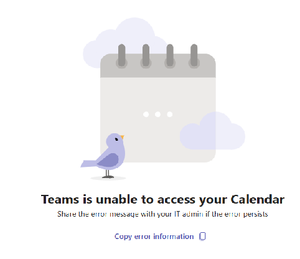
I started the below error on a lot of computers today. My co-worker did not get the error UNTIL he updated to the same version of Teams as me You have Microsoft Teams version 25072.1609.3541.7814. You've got the latest version. It was last checked on 4/7/2025. The issue is with multiple windows 11 users and their local teams installation. Brand new issue and trust me I'm the admin there were no changes by me. (in Exchange or Teams) I've run the Exchange connectivity test (ok) The MS remote connectivity test fails with this error Make sure user has Exchange Web Services EWS and REST API protocols enabled. The Microsoft 365 Teams Calendar App diagnostics referenced in the link requires a Microsoft 365 admin account to be executed This worked Friday, it does this today. What changed?Solved
Recent Blog Articles
No content to show