User Profile

LuisElCaminante
Brass Contributor
Joined 5 years ago


User Widgets
Recent Discussions
Change login email or account transfer
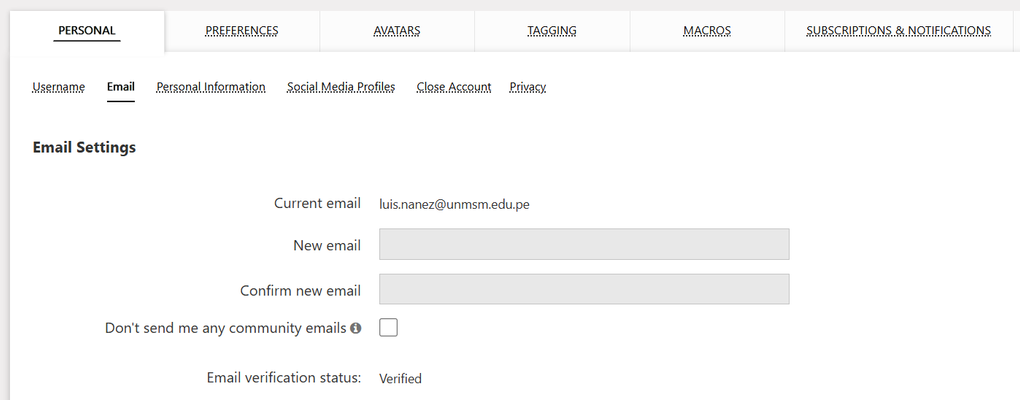
Hello, good morning, The email with which I created this account in TechCommunity is from my university, but I already graduated and the university disabled our email, so I don't have it anymore. It doesn't let me change the email as in the image I share. How could I change the access email of this account or, in any case, how could I receive help to make a transfer of all the information, questions and achievements obtained here to a new account with a personal email? I would like to move absolutely everything so as not to lose anything. Thank you very much for your time and help.Re: I try to know which character I am facing
Thank you very much, sorry for the code, it looks messy like that because I was trying to figure out what was going on. I inserted a lot of intermediate variables, to try to understand, which I also ended up confusing. Thank you very much, you gave me light to give me a solution to the problem.406Views0likes0CommentsRe: Sum Formulas
Those cells, even if they have a formula, IF in your case, just add them as parameters to your SUM function, as you would any static value. It will add whatever your IF function returns in those cells, whether it is 5 or 15, it will add whatever that cell gives. I hope this helps.2.7KViews0likes0CommentsI try to know which character I am facing
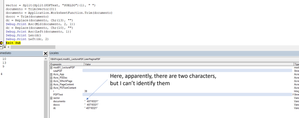
Hello, I am reading pdf information and I already got the text I was looking for, but this one has two characters at the beginning that I can't delete. Apparently, they are not simple spaces, because the TRIM function did not work for me. I am inquiring about which characters are with ASC, and supposedly they are 10 and 13. Then I replace them with Replace and it doesn't seem to work. Any idea how to fix this please? Thank you very much for your help and time.Solved534Views0likes2CommentsTable cell value from VBA
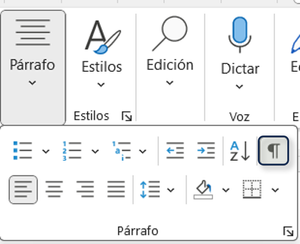
Hello, I have a question. When I get the value of a cell from a table in Word, it always brings it with an unknown character. If we activate "Show All" we see that there is a respective symbol for each cell, although each part of a document has its own symbol, like space, section break, page break, paragraph, etc. In fact, I get, for the example of this post, the value of a paragraph and it gives it to me clean, without any character. So, I don't understand what is that character that brings the value of the cell, do you know what is that character and do you know what other way there is to extract the value cleaner without that character? I show you in the screenshot the solution I gave to this problem (it is as a comment), but I would like to know if you have another way to solve this issue.Solved1.3KViews0likes2Comments"Word has the file open"
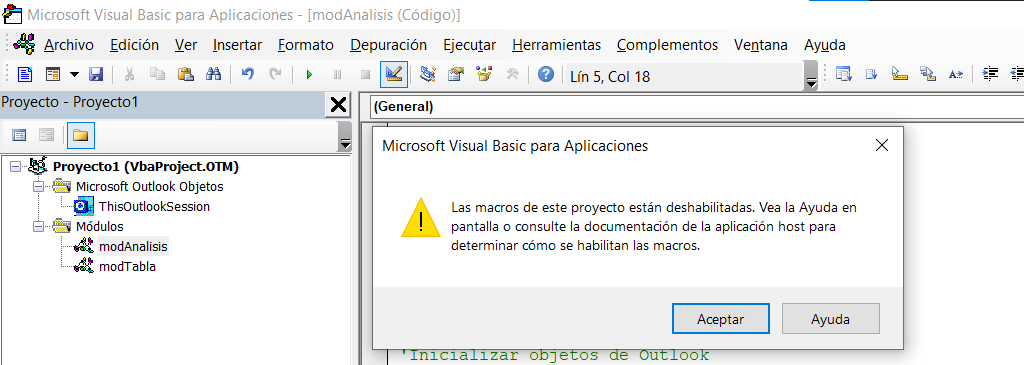
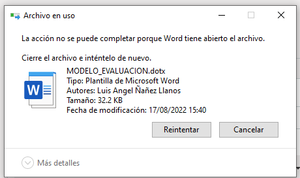
Hello, good morning, I am working with VBA, Microsoft Excel and Word. In it, I have created a word as a template (.dotx), but the changes that I needed as I was automating I have made them in the (docx) and this last one I want to save it on the other file (overwrite), but it does not allow me, because it tells me that the file is in use, but I already verified: 1. The .dotx is not open 2. The documents I originated from that template are closed. I also tried to save the .dotx elsewhere, delete the one I use and move the one I saved elsewhere instead, but I have the same problem, attached image. What is going on, what do you mean by "is in use", because at least I don't see it, for sure from my ignorance. Someone could explain me maybe in a more technical way this point please to understand the issue. And I would also appreciate how I can fix it please, I do not know what to do and I need the new template I created, thank you very much for your time and support.702Views0likes0CommentsRe: Lock shapes in PowerPoint, Word and Excel
Thank you very much Martin_Weiss and SnowMan55, I had overlooked that option in the shapes, I was expecting to see something similar to what PowerPoint has, but now I know how I could mimic that feature in Excel. Thank you very much, thank you very much.11KViews0likes0CommentsRe: Lock shapes in PowerPoint, Word and Excel
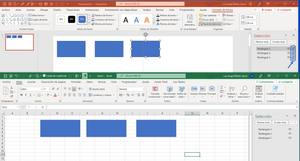
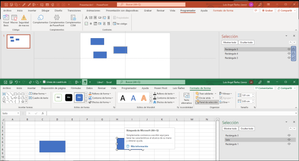
Hi Martin_Weiss, thank you very much for your time. I apologize, I realize that the image was not uploaded and perhaps that is why it was not understood, sorry. I share the image. I am referring to the ability to lock shapes (as in the image), currently it can only be done in PPT, but I don't know how to do it with VBA, I don't find it in the documentation. In Excel we can do something similar, but only referring to not move in case I make change in the rows or columns as its size, what I want is that you can't do anything with shapes (as can be done now with the shapes in PPT, as in the image). Thank you very much friend Martin.11KViews0likes0CommentsLock shapes in PowerPoint, Word and Excel
Hello! A relatively new feature in PowerPoint is that you can lock or unlock shapes, although this is only unique to PowerPoint, there is no such feature in Excel or Word. I want to work with this feature with VBA (macros), I have searched the documentation, but can't find anything to help me. I don't know if VBA properties were not added for this feature or something similar because of the desire to make VBA disappear in the near future. Does anyone know how to work this feature with VBA please? and will it be possible with VBA to do it with the shapes that I could have in Excel or Word? Thank you very muchSolved13KViews0likes6CommentsShow moderator view with VBA PowerPoint macros
Please how can I present in moderator mode without having to go to the three points when I am already presenting? Although I have already selected what Office tells me (see image 1) when I present nothing happens, it remains the same as if I had not marked them. In addition to marking these options, do I have to make any additional payment? Also, I would like to please know how to do it using VBA PowerPoint with some procedure. I have also searched the VBA documentation for PowerPoint presentation object, but I can't find a solution. I would greatly appreciate your help please with this problem.639Views0likes0CommentsShow moderator view with VBA PowerPoint macros
Please how can I present in moderator mode without having to go to the three points when I am already presenting? Although I have already selected what Office tells me (see image 1) when I present nothing happens, it remains the same as if I had not marked them. In addition to marking these options, do I have to make any additional payment? Also, I would like to please know how to do it using VBA PowerPoint with some procedure. I have also searched the VBA documentation for PowerPoint presentation object, but I can't find a solution. I would greatly appreciate your help please with this problem.642Views0likes0Comments- 1.8KViews0likes0Comments



Recent Blog Articles
No content to show