User Profile

Ayan_Chakraborty
 Microsoft
Joined 5 years ago


User Widgets
Recent Discussions
Re: ToDo automatically assigning dates - incorrectly
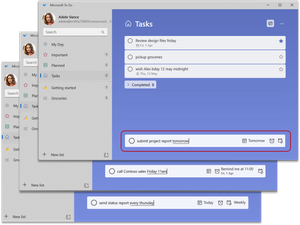
Hi KT42Groot, We have recently released Smart recognition of due dates and reminders in To Do Windows. Thanks for sharing the scenario where we have done a wrong recognition. We understand that sometimes the date or time can be part of the actual task title and not meant to be a due date or reminder. You can turn off the smart date and time recognition on a case-by-case basis by pressing backspace on the highlighted word from your keyboard. We will unrecognize it and the word will become part of your task title. You can also delete or modify the due date, reminder, and repeat information anytime using the buttons in the task input bar.2.7KViews0likes2Comments