User Profile

gianni_acke
Copper Contributor
Joined 5 years ago


User Widgets
Recent Discussions
ondrive personal files link invalid
Hello Community One of or users has a wrong link to the onedrive personal folder. We do not allow to use the desktop app so everything is web based When we go to office.com and clicked on ondedrive the tonedrive open perfect in the browser But when we clicked on the personal link in the nav left then it's go wrong. The url should be https://companyname-my.sharepoint.com/personal/username/_layouts/15/onedrive.aspx?view=0 But it's linked to https://companyname-my.sharepoint.com/personal/username/Documentsµµµ And then we got a error that the page not excist When i enter the correct link manual in the browser then i got the correct onedrive personal file's When i look into the sharepoint settings it's and clicked there it's all go to the correct site. It's looks like it's just the url on the navigation in onedrive to the personal site that is not correct So how can i link the nav tab back to _layouts/15/onedrive.aspx?view=0 instead of /Documents? Any ideas how to fix this(powershell is no problem). Kind regards,802Views0likes0CommentsShare mail to channel, We're still setting up your team. Please try again later.
Hello We have 1 user in or organization that cannot share a email with here team. She is a team owner but when she try to post a mail to that 1 channel she get this warning. We're still setting up your team. Please try again later. I already tried to to log off and on , delete teams cache,remove from the team and re added after 24h but nothings works. In all other teams and channels she have no problems. When i try to post a email to that channel i have no problems at all. Any1 other ideas?? Thx902Views0likes1Commentcloud pc EID reader
Hello , We started a pilot project an will be used cloud PC so the user can use separate protected environment on the laptop . So i deployed my first cloud pc but i counter 1 issue which is very important. We need to login with the user EID to authenticate on a browser session and also to start a citrix vpn. But i cannot see how to port my EID reader to the cloud pc. Is there any option beside the default(printer,clipboard) to connect a EID reader to the cloud pc? And no we have no other way's to authenticate on that site(it's not in or hands) (365 Business) Thx GIanni,983Views0likes1CommentRe: sorry, we couldn't find your file. Was it moved, renamed or deleted
PDostiyar i did what you say but that did not fixed the problem. I did some more test en it's looks like it's only happens on windows 10 app and only on a new document template. when i go to office.com and start a new empty document from there we have no problem. When i start from the windows app i got the error. When i start a other template from the windows 10 app i got no problems18KViews1like1Commentsorry, we couldn't find your file. Was it moved, renamed or deleted
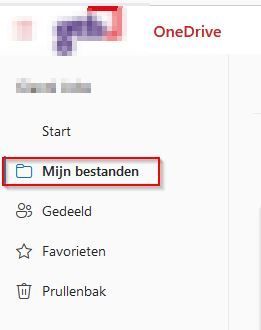
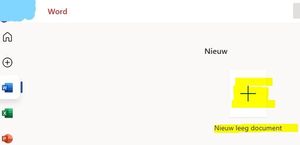
Hello We have 1 user that have problems with o365 When she started a new empty word document from the desktop app she get the title error. When we go look into her onedrive then we see that the document is created. So we got document1.docx ,2.docx, 3.docx, 4.docx and so on. When she open a word document from onedrive there are no problems. When se open a new word document from an document se opend in onedrive there a also no problems. So only when se start a new empty from the app she got these error. Some screenshots but in ducth anyone know this problem? Regards Gianni19KViews1like3Comments
Recent Blog Articles
No content to show