User Profile

RafaelVarela
Brass Contributor
Joined 5 years ago


User Widgets
Recent Discussions
Re: Exchange SMTP Auth Fails with: 451 4.7.0 Temporary server error. Please try again later. PRX5
I can confirm that the issue is related to the user belonging to some roles. After removing all the roles my user was able to send messages through SMTP. I still have to add the roles back one by one to catch the culprit. For now I can only say that it's not related to the Exchange Admin Role.6.2KViews0likes0CommentsRe: Exchange SMTP Auth Fails with: 451 4.7.0 Temporary server error. Please try again later. PRX5
Thank you very much for your post, I have (almost) the same problem. I say "almost" because in my case it's not a global admin account, but after some trial & error definitely it seems that it is related to what you are describing. You said that this bug has been publicly noted. Do you have any additional reference?5.1KViews0likes0CommentsRe: Hide the 'works with' information on the Office 365 profile card
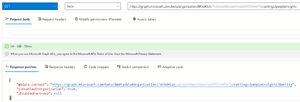
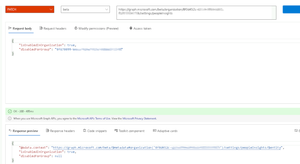
PeterNjorogeMS Thank you for your message. I'm aware of that part of the documentation and I did provided the group ID in my test. What you see in my previous message is a copy of the response of the server, not my request. The Organization and Group Id are ofuscated for the sake of security. Here you have an screenshot with the request and the response:21KViews1like40CommentsRe: Hide the 'works with' information on the Office 365 profile card
I tried to disable de People Insights for one group with no success, both in PowerShell and in Graph Explorer. In Graph Explorer the response of the API allways return a NULL un the "disabledForGroup" field. { "@odata.context": "https://graph.microsoft.com/beta/$metadata#organization('8f0d452c-************')/settings/peopleInsights/$entity", "isEnabledInOrganization": true, "disabledForGroup": null } In Powershell i don't get any errrors, but it does nothing: PS C:\> Connect-MgGraph -Scopes "User.ReadWrite","User.ReadWrite.All" Welcome To Microsoft Graph! PS C:\> Update-MgOrganizationSettingPersonInsight -OrganizationId 8f0d452c-******** -DisabledForGroup 0f670099-******** PS C:\> Get-MgOrganizationSettingPersonInsight -OrganizationId 8f0d452c-******** Id DisabledForGroup IsEnabledInOrganization -- ---------------- ----------------------- True21KViews1like42CommentsRe: Hide the 'works with' information on the Office 365 profile card
Unfortunately Microsoft Tech Support told me that it is not possible to hide or delete any property on the contact card in SharePoint Online / Delve. They also said that the "Works with" feature cannot be changed. Even through the privacy of the statistics, we cannot hide attributes with information from the profile card. I asked them to consider escalating the issue to be implemented as a future enhancement.25KViews0likes0CommentsRe: Hide the 'works with' information on the Office 365 profile card
Sorry for the delay. Today I've just disabled the item insights for a group to test the results/consequences on a limited scope but these changes can take up to 24 hours to be applied across all Microsoft 365. I hope I will provide you with more information in a couple days.26KViews0likes4CommentsRe: Hide the 'works with' information on the Office 365 profile card
AFAIK the people cards can only be customized by adding additional attributes but not by deleting the defaults. Maybe it can be done by disabling the item insights for the entire organization or only for some user groups: https://docs.microsoft.com/en-us/graph/insights-customize-item-insights-privacy I'll give it a try and get back here to let you know the result26KViews0likes6Comments
Recent Blog Articles
No content to show