User Profile

ktchoumak
Copper Contributor
Joined 5 years ago


User Widgets
Recent Discussions
Task from deleted device moved to newly added one.
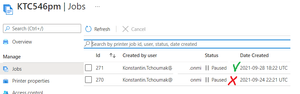
Is this expected behavior? Reproduce: 1. Add UP Printer A on windows 10 2. Print text file to Printer A 3. Printer's queue has a task as well as on Azure portal 3. Remove Printer A from windows machine 4. Add UP Printer B on the same machine 5. Print text file to Printer B. In Printer's properties One document in queue. On Azure portal 2 documents including one from Printer A 9. Printer A on portal does not have any jobs anymore.696Views0likes1CommentList of printers limited by number of printers page by 100!
Getting list of universal printers from Azure by next code: var queryOptions = new List<QueryOption> { new QueryOption("$top", "300") }; var printerItems = await ApplicationGraphClient.Print.Printers .Request(queryOptions) .Filter(filter) .Select(x => new { x.Id, x.DisplayName }) .GetAsync(); If I increase above 100 like 300 - it still returns 100 items. Is this hardcoded for UP API? If I use 10 - it works - so code is valid. P.S. I know I can use pagination but I'm interested to increase the page size1.1KViews0likes3CommentsRe: How call to register printer with using provider is not calling popup dialog for Azure Login?
Thanks for answer - I found solution: use custom provider: public class myProvider : Microsoft.Graph.IAuthenticationProvider { string Token { get; set; } public myProvider (string bearerToken) { Token = bearerToken; } public Task AuthenticateRequestAsync(HttpRequestMessage request) { request.Headers.Authorization = new AuthenticationHeaderValue("Bearer", Token); return Task.FromResult(false); } }806Views1like0CommentsRe: Grant API permissions for APP using Powershell
$tenantId = $args[0] $appName = $args[1] $subscriptionId = $args[2] $secret = $args[3] $cert = $args[4] $replyUrl = "https://www.kofax.com/products/mobile-capture-platform" Connect-AzAccount -Tenant $tenantId -Subscription $subscriptionId $graphId='"00000003-0000-0000-c000-000000000000"' $printerCreate = '"90c30bed-6fd1-4279-bf39-714069619721"' $item5 = @" {"id": $printerCreate,"type": "Scope"} "@ $printJobManageAll='"58a52f47-9e36-4b17-9ebe-ce4ef7f3e6c8"' $item9 = @" {"id": $printJobManageAll,"type": "Role"} "@ $printTaskDefinition='"456b71a7-0ee0-4588-9842-c123fcc8f664"' $itemA = @" {"id": $printTaskDefinition,"type": "Role"} "@ $resources = @" [{ "resourceAppId": $graphId, "resourceAccess": [$item5,$item9,$itemA]}] "@ | ConvertTo-Json $myApiAppRegistration = az ad app create --display-name $appName --password $secret --reply-urls $replyUrl --required-resource-accesses $resources --available-to-other-tenants false $myApiAppRegistrationResult = ($myApiAppRegistration | ConvertFrom-Json) $appId=$myApiAppRegistrationResult.appId $objectId=$myApiAppRegistrationResult.objectId $secret=$myApiAppRegistrationResult.passwordCredentials4.5KViews0likes0CommentsRe: Graph API access without using client id and secret key
var powerShellClientId = "1950a258-227b-4e31-a9cf-717495945fc2"; // use this one IPublicClientApplication appDp = PublicClientApplicationBuilder .Create(powerShellClientId) .WithTenantId(tenantId) .WithRedirectUri("https://login.microsoftonline.com/common/oauth2/nativeclient") .WithDesktopFeatures() .Build(); var scope = new string[] { "https://graph.microsoft.com/.default" }; var authToken = await appDp.AcquireTokenInteractive(scope) .ExecuteAsync();8KViews0likes0CommentsRe: Get bearier token for Azure Graph api
ktchoumak I do not understand why Microsoft using such low informative way in it's snippets? https://github.com/AzureAD/microsoft-authentication-library-for-dotnet/wiki/Client-credential-flows Here is main wrapper: private static async Task<AuthenticationResult> GetToken(string tenantId, string appId, string clientSecret) { // this object will cache tokens in-memory - keep it as a singleton var singletonApp = ConfidentialClientApplicationBuilder.Create(appId) .WithClientSecret(clientSecret) .Build(); // If instead you need to re-create the ConfidentialClientApplication on each request, you MUST customize // the cache serialization (see below) // when making the request, specify the tenanted authority // uses the token cache automatically, which is optimized for multi-tenant access var authResult = await singletonApp.AcquireTokenForClient(scopes: new[] { "https://graph.microsoft.com/.default" }) .WithAuthority(AzureCloudInstance.AzurePublic, tenantId) // do not use "common" or "organizations"! .ExecuteAsync(); return authResult; }2.6KViews0likes0CommentsGet bearier token for Azure Graph api
I found 3 ways: 1. from MSDN example: result = await app.AcquireTokenForClient(scopes) https://github.com/Azure-Samples/active-directory-dotnetcore-daemon-v2/blob/master/1-Call-MSGraph/daemon-console/Program.cs 2. // https://docs.microsoft.com/en-us/graph/auth-v2-service private static async Task<AccessToken> WebRequestTokenBearer(string tenantId, string appId, string client_secret) { string url = "https://login.microsoftonline.com/"+ tenantId + "/oauth2/v2.0/token"; var values = new Dictionary<string, string> { { "client_id", appId }, { "scope", "https://graph.microsoft.com/.default" }, { "client_secret", client_secret }, { "grant_type", "client_credentials" } }; var data = new FormUrlEncodedContent(values); using var client = new HttpClient(); var response = await client.PostAsync(url, data); string jsonToken = response.Content.ReadAsStringAsync().Result; AccessToken result = JsonConvert.DeserializeObject<AccessToken>(jsonToken); return result; } 3. Once call Graph API method using delegation permission its possible to retrieve token from GraphServiceClient graphClient = new GraphServiceClient(GetDelegatedAuthProvider()); var request = graphClient.Me.Request(); HttpRequestMessage httpRequest = request.GetHttpRequestMessage(); httpRequest.Method = HttpMethod.Get; var response = await request.Client.HttpProvider.SendAsync(httpRequest); string token = response.RequestMessage.Headers.Authorization.Parameter; Method 1,2 giving the same length but different hash but third a way bigger and require to apply Azure Login popup dialog. Which one is correct?2.7KViews1like1CommentHow call to register printer with using provider is not calling popup dialog for Azure Login?
I have a client app where I can get berier token and pass it to service to Register printer. But how to register printer without using delegating provider? private static IAuthenticationProvider GetDelegatedAuthProvider() { IPublicClientApplication app = PublicClientApplicationBuilder .Create(Config.ClientId) .WithTenantId(Config.Tenant) .WithRedirectUri("https://login.microsoftonline.com/common/oauth2/nativeclient") .WithDesktopFeatures() .Build(); return new InteractiveAuthenticationProvider(app); } if I use application provider then printer registration fails: Microsoft.Graph.ServiceException: Code: 403 Message: The token does not have one or more required security scopes. What should I do prevent using delegating provider for operations requiring delegation permissions in the service?864Views0likes2Comments
Recent Blog Articles
No content to show