User Profile

NWRSC
Copper Contributor
Joined 5 years ago


User Widgets
Recent Discussions
Valid email sent to group identified as SPAM and sent to Account Junk Folder
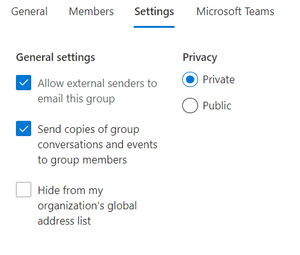
I have a group set up to accept email from external senders, and to forward the email to group members. However, the email is coming in, then being directed to the junk folder of the administration account, and not going to the inbox of the that account or the testuser account (both legitimate mailboxes.) What the heck is happening? Here's the trace information: Sender: cxxxxxxy@gmail.com Recipient: axxxxx@nxxxxx.ca Received -> Processed -> Delivered Status: The message was forwarded to the Inbox folder of the following address:<br/><br/><b>Redirected to:</b> axxxxx@nxxxxx.ca Date (UTC) | Event | Detail | ------------------------------------ 4/24/2021, 8:23 PM | Receive | Message received by: YQXPR01MB4278.CANPRD01.PROD.OUTLOOK.COM using TLS1.2 with AES256 4/24/2021, 8:23 PM | Expand DL | The message was sent to a distribution list (DL) that was expanded to the recipients of the DL. 4/24/2021, 8:23 PM | Redirect | The message was directed to axxxxx@nxxxxx.ca. 4/24/2021, 8:23 PM | Spam | No detail information available. 4/24/2021, 8:23 PM | Redirect | The message was directed to axxxxx@nxxxxx.ca. 4/24/2021, 8:23 PM | Spam | No detail information available. 4/24/2021, 8:23 PM | Deliver | The message was delivered to the Junk Email folder.1.8KViews0likes0CommentsRe: Delete one of two accounts in Teams
If you are talking about a user account, if you are an Office 365 Admin, then go to https://Admin.office.com (Admin center) > Users to manage user settings such as adding or deleting users, changing passwords or assigning licenses. Alternatively you can also go through the portal https://portal.azure.com > Active Directory > Users. Choose the account you wish to delete and remove it from there. MG15KViews0likes0Comments
Recent Blog Articles
No content to show