User Profile

scotter60
Brass Contributor
Joined 5 years ago


User Widgets
Recent Discussions
How do I hide sources in the iOS & Android feeds?
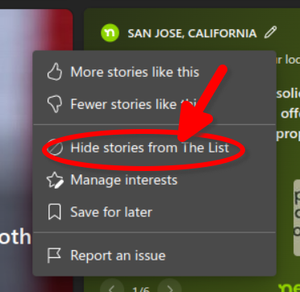
I want to be able to do this: There is no setting like this in Edge for iOS beta, or in the dev and beta channels in Android. At the very least, my choices should sync across devices. I can hide any given source just fine on the desktop brower, why not on mobile?789Views0likes0CommentsUnable to review apps in the Microsoft Store
I believe I've written reviews on some of the apps I've purchased in the Microsoft Store in the past, but lately I've been unable to. I cannot for the life of me find where to go on a given app page to write a review. I can read reviews by others, but I can't write my own. There is no link/button to click on to start. https://www.microsoft.com/store/productId/9N8F961BK1HC that I'd like to review. Is it just me, or are other Insiders having this problem? Thanks. Scott Insider Preview (beta channel). Build 22610Solved4.6KViews3likes5CommentsRe: I'm always amused by this question, since they no longer make my PC,
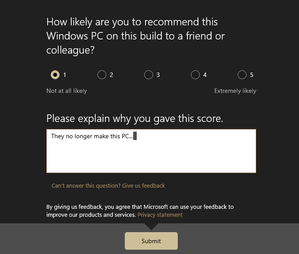
I'm just saying that it's ridiculous for MS to ask me if I would recommend my discontinued PC to someone else. No MS, I would recommend a NEW PC with the current Insider build, not my PC which they no longer make.1.2KViews1like1CommentRe: Not seeing weather in taskbar in build 22523.1000
KapilArya OK, but here is the taskbar center-aligned, and it's still not there. In the meantime, I received a response from Microsoft in Feedback Hub: That's all well and good Jennifer, but this wasn't made clear in the original annoumcement, and you make no mention of when the rollout will be complete. So it seems my primary issues is that it's not been rolloed out to everyone, followed by the bug mentioned in the update link you posted here. Thanks for your reply. KapilArya.785Views0likes0CommentsRe: [SOLVED ]-Start Menu Won't Launch After Installing Windows 11 Cumulative Update (kb500563
I fixed it. First, I reinstalled the update, so I'd be current on everything. Then I did the following, which was a fix I l earned on reddit: Open Control Panel via search. Navigate to Clock and Region->Date and Time->Change Time Settings Change the date and time to a future date (I picked a week later.) Go to the Internet Time tab and disable time sync Re-enable time sync. Start menu now works. This worked for me, YMMV. Thanks for the responses evryone.3.1KViews0likes5Comments[SOLVED ]-Start Menu Won't Launch After Installing Windows 11 Cumulative Update (kb500563
EDIT: SOLVED. See my reply below. I followed thehttps://blogs.windows.com/windows-insider/2021/09/16/announcing-windows-11-insider-preview-build-22000-194/, but the problem remained. I have since uninstalled KB5005635 again, and now the Start Menu works as it should. But I'm otherwise without this cumulative update. Any suggestions? Thanks. Scott Windows 11 Pro Beta Channel Build 22000.194Solved3.3KViews1like9Comments


Recent Blog Articles
No content to show