Forum Widgets
Latest Discussions

Restrict a SP library for uploaders
Want to create a SP library where people will be uploading documents from different departments. Is there a way that i can lockdown a view where anybody coming in can only see their own uploads? Maybe use the last modified column or create a person column? I know I can do this with folders and mail groups, but trying to get away from that and also making it easier for my auditors to go through the documents easier without going through folder-ception. Maybe I can work on restricting the public view? The owner and small group does need the ability to see them all. tynerdyplayerDec 17, 2025Copper Contributor13Views0likes1Commentversioning fails when copying
I apologize if this is answered elsewhere but I couldn't find it. So we have multiple libraries of which 1 is 'controlled' and has versioning turned on. I am trying to use the versioning to maintain released file history. When I have a file in the controlled library that I want to update I can download it, work on it and when ready to 'release' it I check it out from the library, upload the new version (overwrite the existing with the new version), and check it back in. That seems to work and I can add in the comment field the new Rev #/letter and such. But if I have the updated file in a different sharepoint library (a working library) and I copy it to the controlled library, it again prompts if I want to overwrite, but in that case I lose the prior history of the controlled file (it is completely wiped out and only the new copy exists). I know that 'copying' a file only copies the most current version of that file, but I'm not sure why the 2 different methods of 'over-writing' a new version of a controlled file should act so differently. I know that the 'proper' method is to check out and replace the contents of the file and check in, but that doesn't work so well with pdf files and such. ALSO, but similar, when I upload to the controlled library the file new or changed file is checked out and must be checked in (which is good so I can add the Rev info and such), but when I copy from another library to the controlled library the new (or overwritten) file is NOT checked out and hence I do not have an opportunity to make a comment on the check in process. Am I missing something, or is this how it is supposed to work?SolvedmtarlerDec 17, 2025Silver Contributor11KViews1like18Comments
SharePoint List - item visible but clicking on it does not open it in popup (similar to edit screen)
-this is a sharepoint online site (which gets created when we make ms teams channel) -there is mutliple list and libraries inside this sharepoint site -there is a list lets call that 'abc' list - it has approx 15 -20 columns- text, number, url, lookup , (nothing fancy, content types not there, just imagine a business user setup this list to put in some process relatged info..they are NOT sp advanced user ) -there are around 15 list items (yes very less items!) -approx 3-4 days ago he created those items in the list and when he click on the item (by clicking on title) it used to open in the default sharepoint pop up - this list has not more than 30 users with some has full control, some has read, some has edit-- mostly these permission are coming from sharpoint inherited groups , and list is still inheriting permission (active useres who contribute and view content in this list are just 3-4 people) -now the PROBLEM is when he click on the title to view items , nothing happens , no popup opens ---fixes we tried-- restart laptop -swithch browsers (tried on chrome and edge) currently using edge. removed this user from sharepoint site (he was residing in multiple groups), we removed him from every grp and deleted few grps as well now when we 'check' in the sharepoint permission-> it showed this user has 'none' permission then we granted him 'full control' again he was able to see items but cannot 'open' item, or 'add' is also not working for him he is however able to do 'quick edit' and enter new values we did hard refresh etc. we checked the default forms in list settings> form settings- it is default to sharepoint form (NOT power apps) we did other due deligence, but nothing seems to work for handful of people, however for other set of people the list is working as expectedspguyDec 15, 2025Copper Contributor91Views1like5CommentsSharePoint 2013 Newsfeed
I have a largely cosmetic problem. I have deleted and re-created someone's mysite (OneDrive). Now works fine. However, the landing page is the Newsfeed. It is stuck on an error about setting up OneDrive. It doesn't seem to have noticed OneDrive is fine. What I want to do is just reset the Newsfeed to its defaults. It looks like it is "stuck" as if OneDrive is broken. In SharePoint 2013 can I reset a NewsFeed page for a user in a non-disruptive way because the user now has data on their OneDrive. Stephenstephen_dxc122Dec 12, 2025Brass Contributor19Views0likes0CommentsHow is the SharePoint Online file path length counted?
I'm struggling to figure out how to calculate the path length of a file in SharePoint. I understand that the maximum is 400 characters. However, I'm not sure what goes toward that number, or whether characters are encoded or decoded.Solved137Views0likes3Comments
Issue where SharePoint users see an old unsynchronised Word file
The issue is that users open a Word document from a shared library into the desktop app, only to find that: There's no Autosave feature enabled in the top-right. The document version label we add on the frontsheet shows a very old minor version. I believe also that the file is read-only, and the only option they see is to save a local copy and upload it back to the library; which is not good practice since it's an old version. They report that the issue is resolved after exiting OneDrive, and deleting a Local cache folder. Has anyone experienced this issue and know what to try?52Views1like1Comment
add user to SharePoint group via PowerShell error
Hi, I'm trying to use PowerShell to add a user to an existing SharePoint group. I ran the following to connect to the SharePoint site: Connect-SPOService -Url https://site1-admin.sharepoint.com This prompts me to login, password and MFA code. Afterwards I type in the following to add a user: Add-SPOUser -Site https://site1-admin.sharepoint.com/sites/company -Group "Company Info Members" -LoginName mailto:email address removed for privacy reasons There is a SharePoint group with the name "Company Info Members", which I want to add mailto:email address removed for privacy reasons to. But I get the following error: Add-SPOUser : Unknown Error At line:1 char:1 + Add-SPOUser -Site https://site1-admin.sharepoint.com/s ... + ~~~~~~~~~~~~~~~~~~~~~~~~~~~~~~~~~~~~~~~~~~~~~~~~~~~~~~~~~~~~~~~~~~~~~ + CategoryInfo : NotSpecified: (:) [Add-SPOUser], ServerException + FullyQualifiedErrorId : Microsoft.SharePoint.Client.ServerException,Microsoft.Online.SharePoint.PowerShell.AddSP OUser I was wondering what could be causing this error. I searched for the error on Copilot and it suggested I use "PnP.PowerShell". But I'm having some issues installing this app. I was wondering if there are any suggestions I could do? Thanks! JasonJasonYeungDec 11, 2025Brass Contributor85Views0likes3Comments
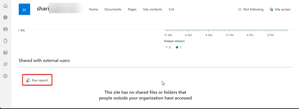
Automate "Run Report" in Setting > Site usage on Multiple Sharepoint Sites
Hi How can I automate the "Run report" across multiple SharePoint sites? Idea: Run the report on multiple SharePoint sites Collect the reports Preferably using Service Principal or Managed Identity Generate them automatically at the end of each month Has anyone done something like this before? Many thanksromanazurelabitDec 11, 2025Copper Contributor79Views2likes2Comments
SharePoint Online global storage limits
Does anyone know the maximum total storage limit I can have by adding up user licenses that include the SharePoint service? I've looked at the limits page, but it only shows the maximum limit per site, not the total. Another way to ask the question is, what is the maximum storage I can get by increasing it by 10GB for each license I purchase?79Views0likes4Comments
SharePoint foldershare notification after expiry?
Hi all I am trying to find out if there is a kind of automatic notification avalaible for the following situation: A SharePoint Documents subfolder is shared to some external contacts (not anonymously!). The tenenant is configuered such that external shares expire after 30 days. When the share is about to expire, the SharePoint Site owner should decides if the share is still needed. But the owner is actually not notified that some folder shares are about to expire. so waiting for the exernal users to coplain that they lost their access ist not a option. Is there a way to get a notifiction on the expiring folder share, similar to the notification that an external user (as a SharePoint member) is about to expire? And how can the owner of the SharePoint site then increase the share lifetime? ( best practice?) System is: SharePoint Online M365 tenant Thanks for any help Best regards JiriAdmJM4BEGDec 11, 2025Copper Contributor45Views0likes2Comments


Resources
Tags
- SharePoint Online18,172 Topics
- Document Library3,189 Topics
- Lists3,113 Topics
- Sites2,576 Topics
- admin2,233 Topics
- sharepoint server2,032 Topics
- Permissions1,973 Topics
- files1,704 Topics
- developer1,595 Topics
- microsoft lists1,555 Topics