Forum Discussion

Sign in to see content
- May 13, 2020
cameron2000 Thx for the answers!
- Teams works with the standard Stream possibilities.
- PowerPoint is to old on your side. Users have to click on a link for a Stream video that opens the video in browser.
- And for OneNotes the users have to click "sign in" once using OneNote 2016 or OneNote in the browser. It does not work inside a tab in Teams (on my side even the "sign in" click does not work inside a Teams tab with OneNote).
I think there are tasks to do for the Teams and the OneNote team.


cameron2000 There are so many differences and things to consider, so let´s start with my first question:
1. Adding videos to any desktop app means what? What is "adding"?
You must be an internal user, not external and no guest, because Stream does not support guests. So where are you "adding" your video how?
2. To Teams: When you are in the web client of Stream and you add a video to your watch list, can you see the video via the personal Microsoft Stream Teams app in the watch list?
3. Can you add a tab in a team with this video and can you see the video there?
4. OneNote: Video in OneNote in tab in Teams does not work! Same OneNote opened in the Windwos 10 OneNote App shows the video and you can play it. How do you access your OneNotes?
5. PowerPoint: What version of PowerPoint do you use? Supported versions are listed here: https://docs.microsoft.com/de-de/stream/embed-video-powerpoint
A lot of questions from my side, because there is not "one" fix.

Tomislav Karafilov Thanks for getting back so quickly!
Hope the below makes sense to your questions
1.Adding videos to any desktop app means what? What is "adding"?
Now looking into the versions of PowerPoint it makes sense why this didn’t work for Office2019 but Office365 version is new see answer below. There is still an issue with OneNote though when adding an Online Video looks like the issue surrounds OneNote rather than anything else now.
2. To Teams: When you are in the web client of Stream and you add a video to your watch list, can you see the video via the personal Microsoft Stream Teams app in the watch list?
Yes, and plays straight away!
3 .Can you add a tab in a team with this video and can you see the video there?
Yes – it works with both Video and Channel
4. OneNote: Video in OneNote in tab in Teams does not work! Same OneNote opened in the Windwos 10 OneNote App shows the video and you can play it. How do you access your OneNotes?
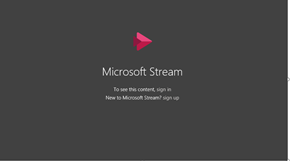
If we’re using ClassNotebook in teams as a tab and add a video we just get this message, same if we add an online video in OneNote 2016. Although the Windows 10 App doesn’t give this error and works fine, we had been advised to use OneNote2016 as it is more stable.
5. PowerPoint: What version of PowerPoint do you use?
Our standard install on college owned devices is PowerPoint 2019 version 1808
Then if users download the 365 version that is currently on version 2004, although this could be a separate issue.
- May 13, 2020
cameron2000 Thx for the answers!
- Teams works with the standard Stream possibilities.
- PowerPoint is to old on your side. Users have to click on a link for a Stream video that opens the video in browser.
- And for OneNotes the users have to click "sign in" once using OneNote 2016 or OneNote in the browser. It does not work inside a tab in Teams (on my side even the "sign in" click does not work inside a Teams tab with OneNote).
I think there are tasks to do for the Teams and the OneNote team.