Forum Discussion

Azure AD Connect - sync computer(device) extensionAttributes to Azure AD
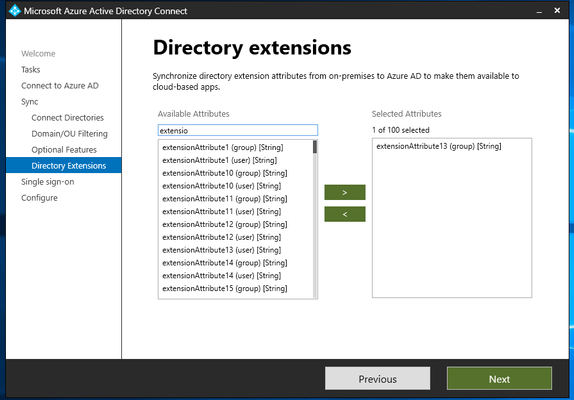

Firstly, what are you trying to achieve exactly?
Secondly and unfortunately, it's a hard 'no' to be able to sync the on-prem extensionattribute. Yes, it would be so much easier if you could.
Lastly, you should be able see which on-prem domain they're being synchronised from in AAD Connect. Yes, making a naming standard and sticking to it would help a lot more. But if you do a metaverse search for devices, you'll be able to see which connectors they've come from. You'll have to excuse that I've had to blank out the values in my screenshot, but I hope this guides you how to see them. If you search for a computer in the metaverse search with the attribute 'DisplayName' is equal to <computerdisplaynamevalue> the result will show you which connector (or AD domain) it's come from. Does it make your job harder? Yes! But the info is there.
My scenario is, I needed to add a string value to an extensionattribute of a handful of devices to be exempt from MFA. You can filter devices with extensionattribute# with a value equal to <yourstringvalue>.
I ended up writing my own PowerShell function to utilise the Microsoft.Graph.Identity.DirectoryManagement module. This function takes one or more device display names or a path to a CSV file containing device names as input, and adds a value I've specified to an extensionAttribute of my choosing for each device. The function requires a valid client ID and certificate thumbprint for authentication. In other words, I had to create a service principal with Graph permission Device.ReadWrite.All and utilise a certificate thumbprint as the "secret".
Hope all that makes sense.

If you search for a computer in the metaverse search with the attribute 'DisplayName' is equal to <computerdisplaynamevalue> the result will show you which connector (or AD domain) it's come from. Does it make your job harder? Yes! But the info is there.
Yes, correct. The info is here. But the info is not in Azure AD, only in the connector.
I will also try to write my own PowerShell function to utilise the Microsoft.Graph.Identity.DirectoryManagement module. Jut like you did.
Thanks for help.