Forum Discussion

Azure AD B2B Collaboration in Microsoft Teams
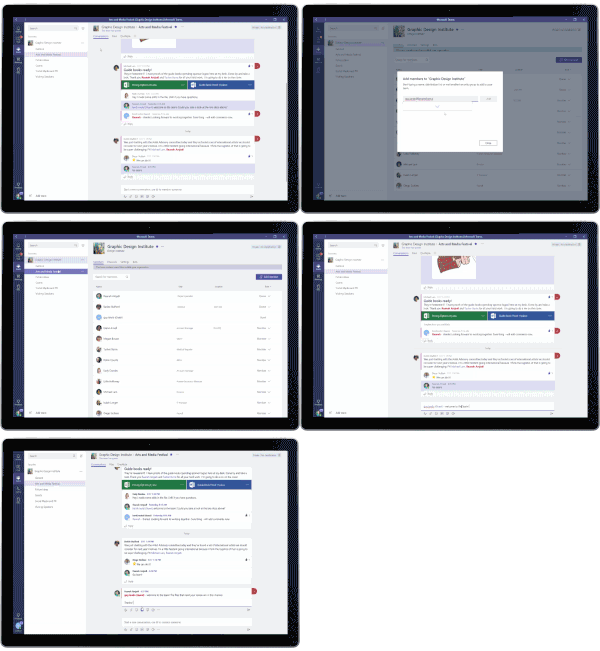

Great stuff Eric, I assume the same licensing requirements exist for using premium features as other in other AzureAD sceanrios ? https://docs.microsoft.com/en-us/azure/active-directory/active-directory-b2b-licensing
 AnonymousFeb 05, 2019
We are a Nonprofit organization that provides Treatment Services for those who are addicted to drugs and alcohol, and as such we fall under HIPAA regulations as well as 42 CFR which is actually stricter than HIPAA. We recently deployed Teams and we now need to communicate with onsite users who provide UA services for our organization. Presently we use Teams for IM and Chat between counselors and therapists but need to be able to communicate with the UA team. These folks are onsite, but they do not work for us, we have a contract with them.
In Teams documentation it states:
The following are not guest users:
- Your employees, onsite contractors, or onsite agents
- Employees, onsite contractors, or onsite agents of your Affiliates
How do we set this up if not as B2B guest users? We have stayed away from using personal devices so we need this to be computer based if possible. Can anyone point me to support or help around this?
Thank you
- AnonymousFeb 05, 2019
Right, could someone elaborate on this a bit? Do we need a special license to use B2B in Azure? We are using Office 365 but we are in a hybrid setup. When I log into Azure I don't see any data at about Teams. We need to allow Guest Access but as I'm not seeing logins or any other data I'm not sure what is up. It doesn't help that Microsoft requires us to have a PHD in licensing :) Seriously though, please simplify this. It's just a huge headache to figure out.