Forum Discussion

SharePoint Event Web Part Doesn't Work
 Nov 09, 2018
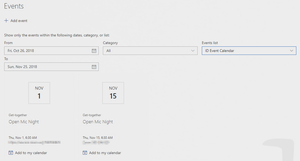
I found out that the Events web part requires the field "All Day Event" to have a value, either true or false to show the event (it is blank when we initially create the event). To update this field in Flow after creating the event, we need to use REST API using the "Send an HTTP request to SharePoint" action. Once you assign a value to the field, the event will show up in the Events web part. Please reference the below link (Mark Invites as Full Day Event section) for the steps to set the "All Day Event" field in Flow.
https://www.anupams.net/send-meeting-invites-sharepoint-online-calendar/

What I find very strange is that I have another calendar using a similar flow to create events. They have the same calendar settings and the events are create in the same method, but those events appear on the Event Web Part.
Some of them are single day and others are multi-day (no repetitions) and they function without issues and without manually editing.
It seems that SP cannot see events created by flow until they are accessed manually by a user.
- John LathburyOct 29, 2018Brass ContributorSadly I'm not a admin. I am going to bug my company admins to submit for me.
- Oct 29, 2018In the admin portal, go to support tab on the left menu and create a ticket from there
- John LathburyOct 29, 2018Brass ContributorI'm actually not sure how to do that. I have an enterprise account and it says I have to do an internal request first.... guess that's step 1
- Rob EllisOct 29, 2018Bronze ContributorThat sounds like it would be worth raising a ticket with support.

