Forum Discussion

SharePoint Event Web Part Doesn't Work
 Nov 09, 2018
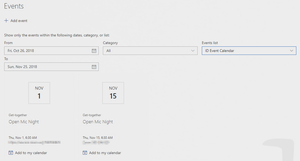
I found out that the Events web part requires the field "All Day Event" to have a value, either true or false to show the event (it is blank when we initially create the event). To update this field in Flow after creating the event, we need to use REST API using the "Send an HTTP request to SharePoint" action. Once you assign a value to the field, the event will show up in the Events web part. Please reference the below link (Mark Invites as Full Day Event section) for the steps to set the "All Day Event" field in Flow.
https://www.anupams.net/send-meeting-invites-sharepoint-online-calendar/

Hi John Lathbury I actually do the same thing as you and would like to display events from different pages with a filtered category on a hub site. I also have the problem that some events are simply not displayed.
In my case the "About this item" field / column in the event caused the error. I haven't found out exactly what it is, but if I delete the text completely, the event is suddenly displayed again. For example, he did not display an event when a German letter "ä" (ae) was very close to the front of the text. At the end of the text it worked again. "Das nächste CARES Audit ist das sogenannte Nachhaltigkeits-Audit (Sustainability). Es wird aller Voraussicht nach als Remote-Audit stattfinden, d.h. über Teams." deleted after the letter "ä". The event was then displayed. Strangely enough, the following text does not work without the letter "ä" "Das naechste CARES Audit ist das sogenannte Nachhaltigkeits-Audit (Sustainability). Es wird aller Voraussicht nach als Remote-Audit stattfinden, d.h. ueber Teams. " But the following letters (text) "fsfwä thrth j tjt hj thj fhdj k iul ojmdy gjjjttz juzzjzu rtui kzrt z tzu j rthh tzztj tzjtzjtzj tj tzj tzj ä" is no problem and the event will be displayed.
So I still don't know why that could be, but the text in "About his item" is causing problems.
Maybe someone knows about the problem and could explain it to me.