Forum Discussion

Registry HKEY_CURRENT_USER\Software\Policies\Microsoft\Office\16.0\Outlook is missing
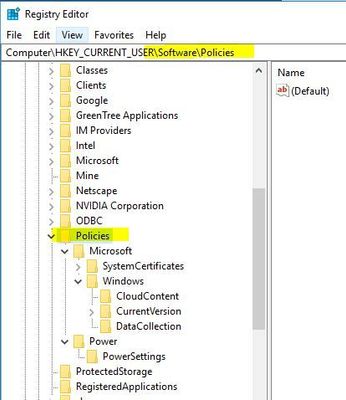


ijduncan I'm sorry, I just now saw this question. After doing a little more research, I discovered the "Policies" in the path is relevant to Group Policy. In my work environment, I don't have a single GP used for Outlook, which explains why this path didn't exist for me. I did follow the instructions using the path posted in my previous comment and it worked. Before we switched over to MS365 this past summer, we were using Outlook 2010 (which is 14.0 in the registry) and I went to several PC's with PST's getting close to 20GB and 2 that were exactly 20GB...(by the way, I have no idea if they were losing archived emails because I think they were at 20GB for a long time but Outlook wasn't throwing warnings to them!) Anyway, I monitored those PC's after implementing the registry key and they all started growing to 20.1, 20.2 etc.
TL;DR - Yes, it works, just remove Policies from the path and find your version number of Outlook. I used "MaxLargeFileSize" and "WarnLargeFileSize".
HTH! Sorry I'm so late!