Forum Discussion

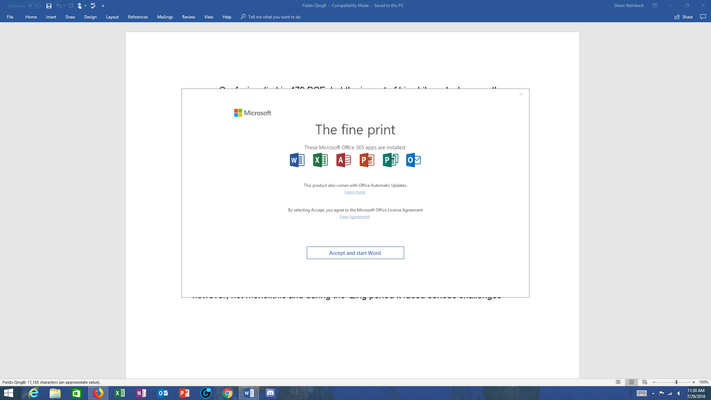
Office 365 "The fine print" popup message - is it legitimate?
- Aug 03, 2018


OK. I've read through all the messages in this thread. I am among the group that is using Office 2016 Professional Plus NOT office 365. I have two computers, a desktop and a Surface Pro. I am only have problems with my Surface Pro and I have detected differences between the OS build numbers on the two computers.
Desktop - OS Build 17134.191 - works, no problems
Surface Pro 4 - OS Build 17134.165 - I get the "The Fine Print" dialog
.191 works
.165 does not work.
I wonder if this is significant.
Solved, my first option or angle of attack was to disable the Office Updates, the second Randy helped me out with though I would've assumed the same same 2nd process, which was to run Office Repair after disabling the Office Updates so it could overwrite any changed files with the originals. This should get rid of those 365 popups in previous versions of Office.
Loren Balk wrote:OK. I've read through all the messages in this thread. I am among the group that is using Office 2016 Professional Plus NOT office 365. I have two computers, a desktop and a Surface Pro. I am only have problems with my Surface Pro and I have detected differences between the OS build numbers on the two computers.
Desktop - OS Build 17134.191 - works, no problems
Surface Pro 4 - OS Build 17134.165 - I get the "The Fine Print" dialog
.191 works
.165 does not work.
I wonder if this is significant.