Forum Discussion

Office 365 "The fine print" popup message - is it legitimate?
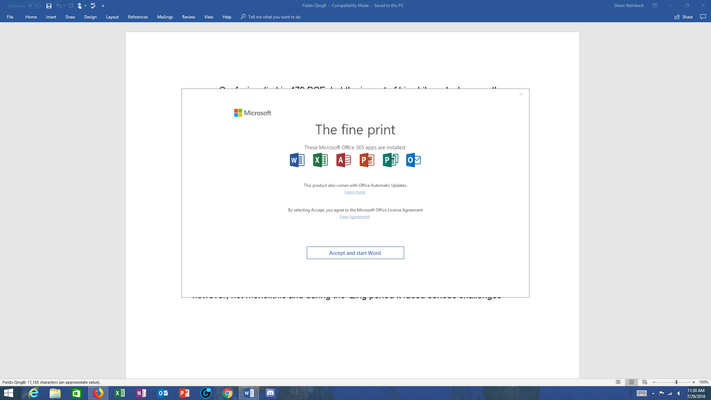
- Aug 03, 2018


OK. I've read through all the messages in this thread. I am among the group that is using Office 2016 Professional Plus NOT office 365. I have two computers, a desktop and a Surface Pro. I am only have problems with my Surface Pro and I have detected differences between the OS build numbers on the two computers.
Desktop - OS Build 17134.191 - works, no problems
Surface Pro 4 - OS Build 17134.165 - I get the "The Fine Print" dialog
.191 works
.165 does not work.
I wonder if this is significant.

Office 2016 Pro (non Office 365) is also a CTR version, which is updating on its own from the Office updates servers, same as Office 365 version. I guess they received the same update.
I don't think OS version is important here. I have received same popup on Windows 7, which got an Update Rollup this week and a user saw popup on Windows 10, which hasn't had an update recently (we control it via WSUS). Unless this was done with the regular July updates. But i doubt Windows update could change the place of Office EULA agreement storage. To test that you can manually run check for updates in Office and make sure versions are the same (File > Account).
It might be that some of your clients haven't received the update yet. When update is released Office can wait for a week or so before pulling it and installing (there is probably some random delay and it also waits for the user not to use his/her PC actively).