Forum Discussion

Office 365 Pro Plus - update via SCCM
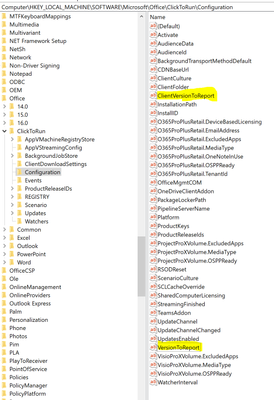

rashadbakirov Hi, this is not that easy to understand to be honest. From my experience working with update channels (not SCCM) and the registry is that it can be quite a mess without any logic sometimes, so I wouldn't stare blindly at the registry keys. But perhaps another member know more about it.
I've have run into issues similar to what you're describing where all settings looked ok (update channels, SCCM, update available software) but some of the clients on that particular channel just wouldn't update to a newer build. It turned out to be a problem at Microsoft in the backend causing it so we had to force the update on the clients. Perhaps you can use that for your scenario as well.

ChristianBergstromHi Christian, thank you very much for your reply. We are interested in solving the problem with SCCM because we are updating our Clients via Configuration Manager. We want to find why SCCM thinks only 50 Clients out of 300 need required new updates, though they are all on the same level.
One more example, the latest Microsoft 365 Apps Semi-annual Version 2002 Build is 12527.20988, and a lot of our clients are older than this version (Build 12527.20880 or older). But somehow, Configuration Manager detects only a few of them required build number 12527.20988.
We know we can update all clients manually to version 12527.20988. But our goal is to find a problem because we will continue to update our environment always via SCCM.
we thought that problem on SCCM so we opened Microsoft Case for SCCM, but they believe it related to Office.
- ChristianBergstromAug 27, 2020Silver Contributor
rashadbakirov Hello again, I understand and it seems as if we use the same approach. I know a lot about update channels but unfortunately I don't manage Configuration Manager so cannot assist in the way I would like. I think you should continue with the Microsoft ticket for proper assistance.