
Forum Widgets
Latest Discussions
Microsoft Tenant-to-Tenant Migration Orchestrator
Microsoft has launched a tenant-to-tenant migration orchestrator solution in public preview to migrate mailboxes, OneDrive accounts, and Teams chat between tenants. ISVs have been active in the T2T space for a long time. They probably won’t welcome the new Microsoft offering, but at least the migration orchestrator legitimizes the concept of tenant-to-tenant migration. https://office365itpros.com/2025/12/19/tenant-to-tenant-orchestrator/6Views0likes0Comments
LitigationHold Delayholdapplied and Managed Folder Assistant
Hello All, I have a set of mailboxes with LitigationHoldEnabled = True, and I need to remove Litigation Hold from them. My understanding is that after I remove Litigation Hold from an Exchange Online mailbox, the next time the Managed Folder Assistant (MFA) processes the mailbox, it will detect the hold removal and then set DelayHoldApplied = True. This begins the 30-day delay hold period. My question is: Will any retention policies delete data in the time window between removing Litigation Hold and the moment MFA processes the mailbox and sets DelayHoldApplied = True My understanding is "Even though DelayHoldApplied is not yet visible (or True) before MFA processes it, Exchange Online automatically protects the mailbox from deletions immediately after hold removal, before MFA applies Delay Hold" I want to ensure that no data is deleted during this transitional period. Kindly advice with supporting article if possible. Regards AfsarAfsar_ShariffDec 19, 2025Brass Contributor12Views0likes1Comment
What is the best way to collaborate between two organizations with Teams?
Hello, I have a Microsoft 365 Business Standard account, and I am the administrator (currently, my Microsoft 365 organization only has one account, mine). I want to configure my Teams account to collaborate with members of another organization who also use Microsoft 365 Business. I have tried several solutions, without success. My goal is to be able to chat online, schedule and organize virtual meetings, and share documents online with members of the other organization via Teams. What is the best way to set up simple and intuitive collaboration between two organizations using Microsoft 365 Business? Thank you in advance for your help.14Views0likes1Comment
Multiple word documents are open simultaneously causing performance issues.
Does anyone know what the optimal size of Word documents should be if you have multiple word documents open simultaneously? I frequently access two Word documents at are about 800KB each. When I have both open, I notice a significant performance degradation when I do searches, add/modify/delete contact, toggle between the documents. This really impacts my productivity. I am wondering I should reduce the size of these files or move them to a different drive or memory stick to improve performance. I don't want to break these documents up yet given that instead of having two Word documents open, I might have four Word documents open simultaneously and still have the performance issues. I have performed online repairs of Microsoft 365 and checked my addins but nothing seems to help.dcahail62Dec 18, 2025Occasional Reader6Views0likes0Comments
Downloads for Office Home and Student 2019 for mac air m4
Hi All, I am upgrading my laptop from Windows to Mac and I have licence of MS Office 2019 Home and Student edition. However I am not finding the download for it in offical pages. I understand the support and fixes for 2019 is alreay over. However I still would like to use it. How can I downlaod the installables for mac for office 2019?rtamboli108Dec 18, 2025Occasional Reader8Views0likes0Comments
What's going on with office.com / web apps?
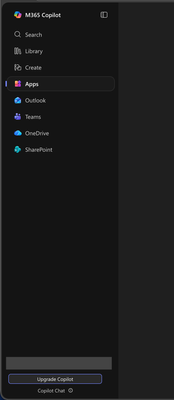
I'm aware that Microsoft had already chosen to upend usability once by changing office.com into 😡m365.cloud.microsoft😡 and make accessing web apps more difficult. This week I found they're hidding applications even further by burying them at the bottom of the page behind another menu - even when "pinned". Below are two screenshots of the 😡m365.cloud.microsoft😡 portal from different accounts that were created on the same day and accessed from the same computer and web browser via admin priveledges. I have observed this discrepency more than once with various accounts. Can someone explain the rational for Microsoft continuing to further bury office applications from users? Am I unaware of a new portal to access the Office applications our users rely upon every day?33Views0likes1CommentWord 365 search/replace dialog box for special characters
I have always used the special characters function in previous versions of word, but Word 365 doesn't present me with a dialog box when I click on replace. How do I search/replace special characters? .rmartinxDec 17, 2025Copper Contributor65Views0likes1Comment
schedule recurring Out of Office
Hi All I want to schedule recurring out of office every day. i have shared mailbox and i want to set out of office for shared mailbox for every email which is received from 9PM to 6AM as the users who have access to this shard mailbox works from 6AM to 9PM. Is this possible to set on exchange as OWA is disabled in my environment. Please guide me on thisSolvedmaxwell2k19Dec 17, 2025Brass Contributor6.9KViews1like3Comments



Resources
Tags
- office 3658,118 Topics
- exchange2,058 Topics
- microsoft 3651,977 Topics
- admin1,434 Topics
- sharepoint1,275 Topics
- microsoft 365 apps1,200 Topics
- microsoft 365 groups790 Topics
- outlook737 Topics
- microsoft teams656 Topics
- security641 Topics