office 365
8118 Topics
What's going on with office.com / web apps?
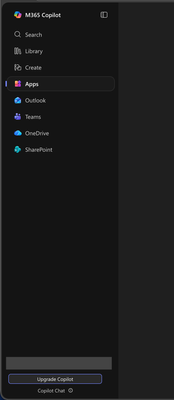
I'm aware that Microsoft had already chosen to upend usability once by changing office.com into 😡m365.cloud.microsoft😡 and make accessing web apps more difficult. This week I found they're hidding applications even further by burying them at the bottom of the page behind another menu - even when "pinned". Below are two screenshots of the 😡m365.cloud.microsoft😡 portal from different accounts that were created on the same day and accessed from the same computer and web browser via admin priveledges. I have observed this discrepency more than once with various accounts. Can someone explain the rational for Microsoft continuing to further bury office applications from users? Am I unaware of a new portal to access the Office applications our users rely upon every day?43Views1like1Comment
schedule recurring Out of Office
Hi All I want to schedule recurring out of office every day. i have shared mailbox and i want to set out of office for shared mailbox for every email which is received from 9PM to 6AM as the users who have access to this shard mailbox works from 6AM to 9PM. Is this possible to set on exchange as OWA is disabled in my environment. Please guide me on thisSolved6.9KViews1like3Comments
Group policy for Outlook 2016 to set default font
hi, We have a client where multiple users have changes their font within Outlook and we're wanting to keep it set to default for all users, Calibri (Body) font size 11. Looking to set Group policy across the site to get default font for all users. I have installed Outlook 2016 ADM files but there's no option for font within settings, there is for excel but not Outlook. Any idea's how I'd accomplish this? Thanks, Steven122KViews0likes7Comments
Office 365 - how do I fix a duplicate problem
I had Office 365 for my home office throuogh Go Daddy. I closed the business and cancelled GoDaddy - no more Office 365 So I signed up for Office 365 Personal and paid the yearly fee. Now I can't use Word because they have loaded all my ols business data and when I try to uses Word it says I need to sign up - when I already did Total frustration for the last 3 months trying to figure it out. Can anyone help? email address removed for privacy reasons70Views0likes2Comments
Outlook Web App - Move to no longer moves focus to the search box
Hi, I'm requesting a change back to a previous behavior in Outlook Web App for the "Move to" button. Previously, I could click this button and the small search box was selected as text focus. This means I could click once and then type the name of a folder to which I could move that email. Now, clicking the "Move to" button shows the list of recent folders, but does not move the cursor into the search box. Thus, it requires an additional click to search for a folder. The previous workflow is more efficient and please consider reverting to that behavior! -MMSolved1.9KViews5likes6CommentsNew Outlook client - view online archive of shared mailbox
Hi there, I have a user who has an Office 365 E3 license and is using the new Outlook client. He has access to a shared mailbox and it is appearing on the client. The shared mailbox has an in-place/online archive but it is not appearing on the client. The archive of the shared mailbox appears on the old Outlook client and on OWA. Is anyone else having the same issue? I checked and found the below: https://support.microsoft.com/en-us/office/new-and-classic-outlook-for-windows-feature-comparison-de453583-1e76-48bf-975a-2e9cd2ee16dd It mentions that shared mailboxes are supported and online archives also, but no mention of the online archive of a shared mailbox. Does anyone have more info? e.g. an official technote from Microsoft on whether it is supported or not.Solved2.6KViews1like6CommentsOneDrive on Linux
I would like to use OneDrive on Ubuntu, May be working with all or some folders. Since there is no office OneDrive client in Linux, I've searched online and found "https://rclone.org/onedrive/" but not sure how secure it is or is there any other alternative out there?1.6MViews28likes41Comments
Dibbling Microsoft AutoUpdate - macOS
I have a customer with a Mac mini M4 with multiple user accounts. Each user has an access to Office 365 apps, Outlook, Excel and Word. The issue I am having is with Microsoft AutoUpdate. I have turned off "Automatically keep Microsoft apps up to date" on all of the users. This has not stopped update application from opening and showing on each of the users there are updates available. If one of the users tries to run the update while an application is open by another user, it cause all kinds of problems. My questions is, "Is there another way to prevent AutoUpdate from indicating there are updates available? Thanks Len Levin BSC75Views0likes1Comment