microsoft 365
1977 Topics
Downloads for Office Home and Student 2019 for mac air m4
Hi All, I am upgrading my laptop from Windows to Mac and I have licence of MS Office 2019 Home and Student edition. However I am not finding the download for it in offical pages. I understand the support and fixes for 2019 is alreay over. However I still would like to use it. How can I downlaod the installables for mac for office 2019?15Views0likes1Comment
LitigationHold Delayholdapplied and Managed Folder Assistant
Hello All, I have a set of mailboxes with LitigationHoldEnabled = True, and I need to remove Litigation Hold from them. My understanding is that after I remove Litigation Hold from an Exchange Online mailbox, the next time the Managed Folder Assistant (MFA) processes the mailbox, it will detect the hold removal and then set DelayHoldApplied = True. This begins the 30-day delay hold period. My question is: Will any retention policies delete data in the time window between removing Litigation Hold and the moment MFA processes the mailbox and sets DelayHoldApplied = True My understanding is "Even though DelayHoldApplied is not yet visible (or True) before MFA processes it, Exchange Online automatically protects the mailbox from deletions immediately after hold removal, before MFA applies Delay Hold" I want to ensure that no data is deleted during this transitional period. Kindly advice with supporting article if possible. Regards Afsar12Views0likes1Comment
What is the best way to collaborate between two organizations with Teams?
Hello, I have a Microsoft 365 Business Standard account, and I am the administrator (currently, my Microsoft 365 organization only has one account, mine). I want to configure my Teams account to collaborate with members of another organization who also use Microsoft 365 Business. I have tried several solutions, without success. My goal is to be able to chat online, schedule and organize virtual meetings, and share documents online with members of the other organization via Teams. What is the best way to set up simple and intuitive collaboration between two organizations using Microsoft 365 Business? Thank you in advance for your help.15Views0likes1Comment
Multiple word documents are open simultaneously causing performance issues.
Does anyone know what the optimal size of Word documents should be if you have multiple word documents open simultaneously? I frequently access two Word documents at are about 800KB each. When I have both open, I notice a significant performance degradation when I do searches, add/modify/delete contact, toggle between the documents. This really impacts my productivity. I am wondering I should reduce the size of these files or move them to a different drive or memory stick to improve performance. I don't want to break these documents up yet given that instead of having two Word documents open, I might have four Word documents open simultaneously and still have the performance issues. I have performed online repairs of Microsoft 365 and checked my addins but nothing seems to help.7Views0likes0Comments
What's going on with office.com / web apps?
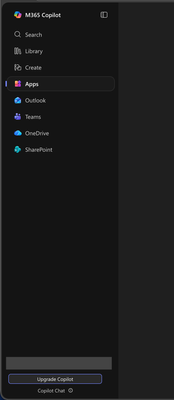
I'm aware that Microsoft had already chosen to upend usability once by changing office.com into 😡m365.cloud.microsoft😡 and make accessing web apps more difficult. This week I found they're hidding applications even further by burying them at the bottom of the page behind another menu - even when "pinned". Below are two screenshots of the 😡m365.cloud.microsoft😡 portal from different accounts that were created on the same day and accessed from the same computer and web browser via admin priveledges. I have observed this discrepency more than once with various accounts. Can someone explain the rational for Microsoft continuing to further bury office applications from users? Am I unaware of a new portal to access the Office applications our users rely upon every day?43Views1like1CommentNo labs for MB-500 in skillable and xtreme labs (for all MB series)
Hi, From past few months, we are unable to find the labs for MB-500. It's causing us trouble to do the trainings. Skillable and Xtreme labs providers are saying there is a problem from Microsoft end only. Kindly advise us when can we get the labs available.16Views0likes0CommentsUnderstanding Teams Policies: Messaging, Meetings & Calling | Complete Guide
Teams policies give IT admins control over what users can do within the platform. If it is restricting who employees can chat with, controlling meeting features like recording, or defining how calls are routed, policies ensure the organization remains compliant, secure, and productive. In this blog, we will go through everything you need to know about Microsoft Teams messaging, meetings, and calling policies and how they form the user experience. https://dellenny.com/understanding-teams-policies-messaging-meetings-calling-complete-guide/28Views0likes0CommentsMicrosoft Teams Admin Center: A Beginner’s Guide
If you are new to the admin side of Microsoft Teams, in this blog will walk you through the essentials of the Admin Center and help you understand how to manage users, configure security, and control policies like a pro. https://dellenny.com/microsoft-teams-admin-center-a-beginners-guide/27Views0likes0Comments
Office 365 and joining a family
I want to share my Office 365 Family subscription with my daughter. She has her own Microsoft Family because she uses family safety with Xbox for her children. How can I invite her to share my Microsoft Office and not join my family. Apparently Microsoft only allows a person to belong to one family. Thanks in advanceSolved25Views0likes1Comment