Forum Discussion

BlueCollarVending
Oct 12, 2023Copper Contributor
[SOLVED] Expense Report
So i have a expense report im working on and i need help with some formulas. The report is multiple sheets, 1 sheet is an overview 1 is the main receipt entry 2 are for more detailed entries (ba...

Patrick2788
Oct 16, 2023Silver Contributor
This formula is crashing the application because it's arranged as an old school ctrl+shift+enter array that's concerned with entire columns and using INDIRECT (a volatile function). If you're using Excel 365, an elegant solution is available.
Do you happen to have an anonymized sample of the workbook you can share?

BlueCollarVending
Oct 16, 2023Copper Contributor
- BlueCollarVendingOct 16, 2023Copper Contributorim also trying to set it up so that when it generates to the details tab, it will leave a row blank between each entry so i can come back and add all the details from that purchase in and then group the details under the purchase
- Patrick2788Oct 16, 2023Silver ContributorWhich columns in the Purchase Report sheet correspond with the "Purchase Details" and "Total" fields?
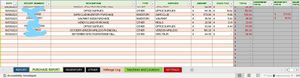
- BlueCollarVendingOct 16, 2023Copper ContributorI'm not sure i follow what you are asking. If you are referring to the "Inventory and Other" tabs, those details i want to come from the purchase report automatically. As far as the "Total" columns on the Purchase Report, That is generated automatically from the report page.