Forum Discussion

[SOLVED] Expense Report
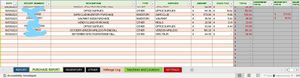

I tried the formula you posted and it worked but only for a specific cell. And it doesnt allow me to filter the Main PURCHASE REPORT by category and input all the essential data with the choose function. Also what would a formula be to make it autoskip a row?
I asked ChatGPT and this is what it sent. Took a bit to get there but....
=IFERROR(CHOOSE({1,2},INDEX('Purchase Report'!A:A,SMALL(IF('Purchase Report'!D:D="Your_Category",ROW('Purchase Report'!D:D)-ROW('Purchase Report'!D1)+1),ROW(INDIRECT("1:"&ROWS('Purchase Report'!D:D))))),INDEX('Purchase Report'!C:C,SMALL(IF('Purchase Report'!D:D="Your_Category",ROW('Purchase Report'!D:D)-ROW('Purchase Report'!D1)+1),ROW(INDIRECT("1:"&ROWS('Purchase Report'!D:D))))))), "")
The problem is, is it keeps causing my excel to crash. Plus i dont really understand any of this. I would like to understand some of the code so i could figure out how to make it work properly.
