video
44 Topics
No way to zoom in/out when someone is sharing screen?
Is there really still no way to zoom in a shared screen in a conference call? As describes in this blogpost about how it's possible in Skype Consumer : https://www.skype.com/en/blogs/2021-11-zoom-in-skype/ Skype® for Business for Microsoft 365 MSO (Version 2208 Build 16.0.15601.20764) 64-byte.567Views0likes0Comments
Cannot access video settings, No Video Found
Skype for business does not show video in video settings, however other programs such as zoom, webex and teams shows the video. in teams video shows camera fine, but when you join into any calls the video becomes super dim. This is on a LATITUDE9420 freshly imaged. Steps I have taken: Updated Drivers, Bios Reinstalled programs. Tested on different applications and verfied camera is working.629Views0likes0Comments
Skype user unable to share screen with Skype TX
Trying to run a web conference. I saw this issue posted from 2019 and it was not resolved. We have a Skype TX box and have guests coming in on Skype, Skype for business and Teams. Apart from the multiple issues we've had trying to get people to connect in, one that is unresolved is that one of our guests wants to share their screen. Teams wouldn't let her even video call to us. Skype will call but when she tries to share her screen or window, her Skype says it's working but our Skype TX seems locked onto her webcam. We found another workaround but are wondering if anyone else came across this and resolved it.677Views0likes0Comments
Lancement de Vidéo via Skype à partir d'un PowerPoint
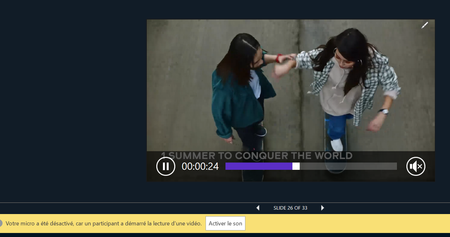
Bonjour à tous, Je suis actuellement en entreprise et nous organisons beaucoup de meetings et beaucoup de séminaires à partir d'invitation Skype, Voilà ma problématique quand nous parcourons les slides tout se passe très bien, mais quand nous voulons lire une vidéo qui est incorporée dans le PowerPoint aucun son ne fonctionne. Quand je clique sur l'icône du son rien ne se passe. C'est exactement la même chose quand je veux diffuser une vidéo. (l'appel se met en attente et j'ai ce message) Avez-vous une solution ou déjà rencontrer ce problème ? Cordialement, Merci d'avance pour vos réponses.683Views0likes0Comments
Skype for Business web app does not recognise webcam
The desktop apps for Skype and Skype for Business recognise my camera without any issues, but when I accept a meeting invitation using the Skype for Business web app (tested on Chrome and Microsoft Edge, both on Windows 10 - fully up-to-date), I can't access my camera, nor can I select any cameras from the video settings menu during the meeting. The app thinks I don't have any cameras installed. I've tried 2 different webcams, which both work perfectly in other conferencing apps, but SFB web app gives me the same error each time. I've also made sure that all browsers and web apps have access to all webcams. Can you help me with this issue?737Views0likes0Comments
Skype For Business - Simultaneous invites from the same organiser
We have been using Skype for Business to conduct virtual interviews and have recently encountered a problem. One organiser has set up 3 different Skype for Business invites all at the same times, with different attendees on each invite including one external attendee. When internal attendees joined their individual skype meeting invites, they were also accessing other on-going skype meetings, but was waiting in the lobby to be admitted? How has this happened, as all 3 skype for business invites had different attendees? In this instance the organiser is only acting as an admin for setting up these 3 invites for different Skype for Business users and external user. Has anyone else also experienced this or know how this has happened and how to rectify this? Thanks!798Views0likes0CommentsShared screen - Audio only, no video recording
Hi, I'm currently undertaking some training of which I've set up Skype meetings with the Trainer and trying to record. I open the skype meeting then once the trainer has shared screen hit the record button - to get a full video recording of the training. Issue: Once the recording has finished some recordings are only showing audio only (which isn't much use) and no video - It says "At this point in the meeting, no one was presenting or sharing video" even though I'd clearly been through the training and seen everything on the Trainers screen. Sometimes it works and I get video as well as audio and other times audio only (again which is no use) Can someone advise if I'm missing something simple or if this is a known glitch with skype. Cheers, J830Views0likes0CommentsRecording a video meeting by accident
Hi all, We recently experienced that a colleague recorded a skype4b meeting without informing the rest of us. Afterwards, he claims that this was done by accident. However, we cannot find any hotkey or button to press to activate the record function, outside of accessing it through the menu. Does anyone know whether there is an "accidental" way to activate the recording function in Skype4B?964Views0likes1Comment
Skype for Business PPT embedded video not playing sound
SFB 2016 (16.0.4978.1000) I have a PowerPoint presentation which contains a video (MP4) which has sound. I have embedded the video as recommended by Microsoft https://support.microsoft.com/en-us/office/play-a-video-in-a-skype-for-business-meeting-1bb30e51-d8f9-4ef6-b018-b170439e7488I create a skype meeting, invite colleagues. The meeting starts colleagues join in and I upload the ppt. They see the video in the slide, when they click on it the video starts but theres no audio. If the click on the speaker icon it has a cross next to it which cant be removed.1.5KViews0likes1CommentSkype for Podcast
I looking to start a Podcast and wanted to gather as much information possible. We currently have a studio we've acquired and was hoping to talk to someone in detail to help me decide the best product for what I'm after. However, I'm starting a Podcast and want to the ability to interview guest with HD quality, the ability to record and have a features that has 2-way visibility. This would not be a live production, however we still want the live production quality. Im not sure if the product of choice would be: Skype TX or Skype for Content Creators? Additional questions: 1. Is it possible to remove the Skype logo for the recording of the Skype call on all of the product for a more professional look. 2. Would I have to use additional software or products such as NewTek, QuickLink, NDI, etc. 3. Is any material or recording stored on the cloud or directly to my desktop. 4. Do you offer Business Account? 5. Is there a contact phone number for Skype Business questions. Again this will be a "Fake Live" show, for which the Skype product would only serve as two communication via Video and Audio to be recorded to post production.697Views0likes0Comments