postgresql on azure
27 TopicsMonitoring and using pg_repack in Azure Database for PostgreSQL flexible server
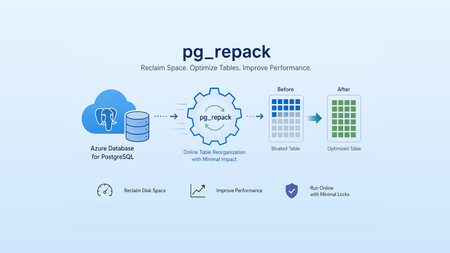
In this post: we will walk through how to configure and use the pg_repack extension in Azure Database for PostgreSQL flexible server. We will also cover how to run pg_repack on a table, monitor the progress during execution, and validate the results after the repack operation is completed. Why Monitor pg_repack During Execution? While running pg_repack is straightforward, administrators often need visibility into what is happening behind the scenes, especially when working with large tables in production environments. Monitoring the operation provides several benefits: Verify that pg_repack is actively running and has not stalled. Identify the current phase of the operation, such as table copying, index rebuilding, or final table swap. Understand resource usage and the impact on the database. Before you start: Before performing this lab, ensure the following prerequisites are met: Azure Resources: An active Azure subscription An Azure Database for PostgreSQL flexible server instance Database Requirements: A table with a PRIMARY KEY or UNIQUE NOT NULL index (required by pg_repack) Linux Machine: I have used an Ubuntu Linux Virtual Machine SSH connectivity to the VM using PuTTY Configuring and using pg_repack in Azure Database for PostgreSQL Step 1: Allow list and create the pg_repack Extension Before using pg_repack, the extension must be allowlisted and created in the target database. Navigate to your Azure Database for PostgreSQL flexible server and add pg_repack to the allow list of extensions. Once the server configuration is updated, connect to the database and create the extension. Step 2: Create and connect to a Linux Virtual Machine Since pg_repack is a client-side utility, a Linux virtual machine was created to install and run the pg_repack client against Azure Database for PostgreSQL flexible server. Step 3: Connect to the Linux Virtual Machine Before running pg_repack, I connected to the Linux virtual machine that would be used to install and execute the pg_repack client. In the Azure portal, navigate to the Linux Virtual Machine. Open PuTTY and enter the VM's IP Address. Select SSH (Port 22) as the connection type and click Open. Enter the VM username and password when prompted. After successful authentication, a terminal session is established The following output confirms that the connection was successful and that the Ubuntu operating system is ready for further configuration. Step 4: Update Package Repositories on the Linux Virtual Machine Before installing the pg_repack client, update the package repositories on the Ubuntu virtual machine to ensure the latest package information is available. Please run the following command and provide the password for the linux virtual machine when prompted. sudo apt update Step 5: Download the pg_repack Important: If you face any version mismatch issue or errors then you can use the below command to resolve After preparing the test environment and generating table bloat, the next step was to download the pg_repack source code to the Linux virtual machine. The git clone command downloads the pg_repack source code from the official GitHub repository to the Linux virtual machine. This source code is later used to build and install the pg_repack client utility required to perform table reorganization operation. After downloading the repository, the cd pg_repack command changes the current directory to the downloaded project folder. git clone https://github.com/reorg/pg_repack.git cd pg_repack Step 6: Install PostgreSQL Client Packages After updating the package repositories, the next step was to install the PostgreSQL client packages on the Linux virtual machine. The PostgreSQL package installs the PostgreSQL client tools, including psql, which is used to connect to Azure Database for PostgreSQL flexible server. sudo apt install postgresql postgresql-contrib When the command is executed, Ubuntu displays a summary of the packages that will be installed along with their dependencies. To proceed with the installation, type Y and press Enter. Step 7: Connect to Azure Database for PostgreSQL flexible server After installing the PostgreSQL client packages on the Linux virtual machine, the next step is to establish a connection to the Azure Database for PostgreSQL flexible server using the psql client. Please update the following command with your server details and execute it and enter your PostgreSQL server user password to establish the connection. Note: Make sure your Linux machine network is allowed to connect on your Azure Database for PostgreSQL flexible server. psql -h <Hostname> -p 5432 -U <username> postgres Step 8: Create a Test Database After successfully connecting to Azure Database for PostgreSQL flexible server, a dedicated database was created to perform the pg_repack lab activities as shown below: Step 9: Connect to the Newly Created Database After creating the repack_lab database, connect to it before proceeding with the pg_repack activities. \c repack_lab Step 10: Create a Sample Table for pg_repack Testing After connecting to the repack_lab database, I created a sample table that would be used throughout the lab to test the functionality of pg_repack. CREATE TABLE test_table ( id SERIAL PRIMARY KEY, name TEXT, created_at TIMESTAMP DEFAULT NOW() ); Step 11: Insert Sample Data into the Test Table After creating the test_table, the next step was to populate it with sample data. This helps simulate a realistic workload and provides enough records to demonstrate how pg_repack works. The following command was used to insert 100,000 rows into the table: INSERT INTO test_table(name) SELECT md5(random()::text) FROM generate_series(1,100000); Step 12: Create an Index on the Test Table After populating the test_table with 100,000 records, an index was created as shown below: CREATE INDEX idx_test_name ON test_table(name); Step 13: Check the Initial Table Size Before generating table, bloat and running pg_repack, it is useful to capture the current size of the table. This serves as a baseline for comparing storage consumption before and after the repack operation. SELECT pg_size_pretty(pg_total_relation_size('test_table')); Step 14: Generate Table Bloat Using UPDATE Operations To demonstrate how pg_repack reorganizes a table and reclaims unused space, the next step was to generate table bloat by repeatedly updating all rows in the table. The following command was executed multiple times: UPDATE test_table SET name = md5(random()::text); Step 15: Disable Autovacuum on the Test Table To clearly observe table bloat and demonstrate the effectiveness of pg_repack, autovacuum was temporarily disabled on the test table. This prevents Azure Database for PostgreSQL flexible server from automatically cleaning up dead tuples generated by the previous UPDATE and DELETE operations. ALTER TABLE test_table SET (autovacuum_enabled = false); Step 16: Analyze Live and Dead Tuples Before Running pg_repack After generating table bloat through multiple UPDATE and DELETE operations and disabling autovacuum, the next step was to measure the number of live and dead tuples in the table. Step 17: Execute pg_repack to Reorganize the Table The pg_repack utility was executed against the test table to reclaim unused space and reorganize the table structure. The pg_repack utility reorganizes tables and indexes online while minimizing locking and application downtime. Unlike VACUUM FULL, pg_repack performs the reorganization in the background and requires only a brief lock during the final table swap operation. Command executed: pg_repack \ --host=myflexibleserver.postgres.database.azure.com \ --port=5432 \ --username=dbadmin \ --dbname=repack_lab \ --table=test_table \ --jobs=2 \ --no-kill-backend \ --no-superuser-check Monitoring pg_repack Execution Once the pg_repack operation was initiated, the next step was to monitor its execution and identify the activities being performed by the utility in the background: To track active pg_repack sessions, the following query was executed: SELECT pid, usename, application_name, state, wait_event_type, wait_event, now() - query_start AS running_for, query FROM pg_stat_activity WHERE application_name ILIKE '%repack%' OR query ILIKE '%repack%' ORDER BY query_start; After starting the pg_repack operation, I monitored the active sessions by querying the pg_stat_activity system view. This helped me understand the current stage of the operation and verify that the process was executing successfully. The query returned multiple sessions created by pg_repack, indicating that the utility was actively processing the table. Session 1 - Lock Acquisition LOCK TABLE public.test_table IN SHARE UPDATE EXCLUSIVE MODE This session acquired a SHARE UPDATE EXCLUSIVE lock on the target table. This lock prevents conflicting schema changes while still allowing normal read and write operations during most of the repack process. Session 2 - Temporary Repack Table Creation SELECT 'repack.table_24861'::regclass::oid At this stage, pg_repack was working with an internal temporary table created to hold the reorganized data. This table acts as a replacement for the original table during the repack operation. Session 3 - Creating Primary Key Index CREATE UNIQUE INDEX index_24869 ON repack.table_24861 USING btree(id) This session shows pg_repack rebuilding the primary key index on the new table structure. Session 4 - Creating Secondary Index CREATE INDEX index_24873 ON repack.table_24861 USING btree(name) This indicates that additional indexes are being recreated on the temporary table to match the original table definition. Based on the output, the operation had successfully moved past the initialization phase and was actively rebuilding indexes on the temporary table. This is one of the final stages before pg_repack performs the table swap and completes the reorganization process. Conclusion In summary, monitoring pg_repack execution is essential for ensuring a smooth and efficient table reorganization process. Proper visibility into progress and resource consumption helps administrator complete maintenance tasks confidently while maintaining optimal database performance and availability. References Optimize by using pg_repack - Azure Database for PostgreSQL | Microsoft Learn PostgreSQL: Documentation: 18: 27.4. Progress Reporting pg_repack 1.5.3 -- Reorganize tables in PostgreSQL databases with minimal locks490Views7likes0Comments
Rethinking Memory Management for Azure HorizonDB on Disaggregated Storage
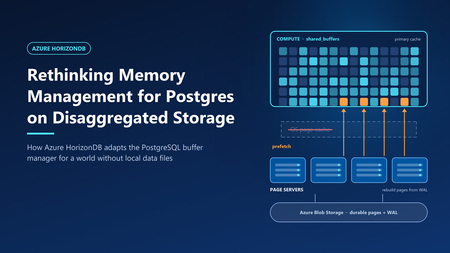
In Smarter Storage for Azure HorizonDB, we described how HorizonDB moves durability, replication, checkpointing, and recovery out of PostgreSQL and into a purpose-built storage layer. The compute node writes only the write-ahead log (WAL). Data pages are rebuilt and stored by remote page servers. That design raises an obvious question: if PostgreSQL no longer reads and writes its own data files, what happens to its memory management? PostgreSQL's buffer manager was built around a specific partner: the operating system's page cache. Many of its defaults and heuristics only make sense because the kernel is quietly doing a lot of work underneath. HorizonDB removes that partner. This post explains which assumptions broke, and the changes we made to the PostgreSQL engine, so memory works well on disaggregated storage. What PostgreSQL assumes about the kernel PostgreSQL stores each table and index as ordinary files and accesses them with buffered I/O. Every page therefore can live in two places in memory: in PostgreSQL's own buffer pool (shared_buffers) and in the operating system's page cache. This "double buffering" is a deliberate part of the design, and it shapes several behaviors. A modest buffer pool. The PostgreSQL documentation suggests starting shared_buffers at about 25% of system memory. Much of the rest is expected to act as kernel file cache. A page evicted from shared_buffers is often still in the kernel cache, so reading it back costs a memory copy rather than a disk read. Prefetching is a hint to the kernel. When PostgreSQL knows it will need a page soon—during a bitmap heap scan, for example—it calls posix_fadvise with POSIX_FADV_WILLNEED. The kernel starts reading the page into its cache. A later read finds it there. PostgreSQL itself never allocates a buffer for the prefetched page. Sequential scans rely on kernel readahead. For sequential access, the kernel detects the pattern and reads ahead automatically, so PostgreSQL can issue fewer explicit hints. Ring buffers protect the cache. Large sequential scans, VACUUM, and bulk writes such as COPY use a small private ring of buffers—from a few hundred kilobytes to a few megabytes—instead of the whole buffer pool. A scan of a table much larger than memory therefore cannot push the working set out of shared_buffers. This is safe because a page that cycles through the ring is usually still in the kernel cache if it is needed again. Writes are cheap and deferred. When a dirty buffer is evicted, PostgreSQL writes it to the kernel cache, which flushes it to disk later. The background writer cleans buffers ahead of eviction so that queries rarely wait for a write. Checkpoints write all dirty pages and call fsync to make them durable. Each of these behaviors assumes that a miss in shared_buffers is usually cheap, and that writing a page means writing it to a local file. What changes in HorizonDB Figure 1. Compute memory layout: Community PostgreSQL vs. Azure HorizonDB. In HorizonDB, permanent tables and indexes do not exist as local files on the compute node. There is no kernel page cache holding database pages. A miss in shared_buffers must be served by the remote storage layer: Tier Where it lives Typical role Shared buffers Compute memory Working set; all pages are read and modified here SSD cache Compute local disk Extends shared buffers; holds cached copies of pages Page servers Remote storage fleet Page cache of the current version of every page Azure Blob Storage Remote, zone-redundant Durable backing store for pages and WAL A page that falls out of memory no longer drops into a free kernel cache. It may require a network round trip to a page server, which is much more expensive than a memory read. Writes change too. Because page servers rebuild pages from WAL, "writing" a dirty page on the compute node does not mean copying it anywhere. PostgreSQL only has to make sure the WAL describing the change is durable - a rule it already enforces before any page write. Taken together, this inverts the trade-offs behind PostgreSQL's defaults. Memory is no longer one of two caches. It is the primary cache. Design principle: shared buffers are the primary cache We organized the engine changes around one principle. shared_buffers is the primary cache, eliminating the memory overhead of double buffering and improving memory efficiency. Every page that is about to be needed should arrive in memory before the query asks for it. The following sections describe the engine changes that implement it. 1. Size shared buffers for the machine Without a kernel cache to share memory with, leaving 75% of RAM to the operating system would waste most of it. HorizonDB sizes shared_buffers automatically at 60–70% of the compute node's memory, depending on the size of the instance. The remaining memory is left for connections, query execution memory such as sorts and hashes, and the operating system. 2. Retire ring buffers Ring buffers exist so that a large scan can use a few megabytes of memory and rely on the kernel cache for anything it needs again. In HorizonDB, there is no such safety net. Recycling a small ring means that every page the scan touches is read, used once, and discarded—and a second scan of the same table must fetch everything again from storage. Ring buffers also exist to limit write traffic: a bulk operation that dirties pages in a small ring must write them out quickly. HorizonDB doesn't need to write dirty data pages back to disk at all, so that motivation disappears as well. HorizonDB therefore disables buffer ring strategies. Sequential scans, VACUUM, and bulk loads use the shared buffer pool like any other query. This is a trade-off, not a free win. A very large scan can now displace pages from shared_buffers that other queries were using. Two factors limit the cost. First, clock-sweep replacement tracks how often each buffer is used, so frequently accessed pages outlive pages a scan touched only once—and buffer replacement is an area we continue to improve. Second, pages that leave shared_buffers are not simply lost: HorizonDB can keep them close by in the local SSD cache. How it decides and what goes there is a story for a separate post. 3. Prefetch directly into shared buffers On a local disk, a prefetch miss costs a disk seek. On disaggregated storage, it costs a network round trip. Hiding that latency matters even more, so HorizonDB makes prefetching explicit, aggressive, and memory aware. Prefetch requests go to the page servers. When PostgreSQL issues a prefetch, HorizonDB sends a read request for the page to the page server that owns it, and does not wait for the answer. Each backend keeps a set of outstanding requests by default, so dozens of page reads overlap instead of running one after another. Sequential scans prefetch explicitly. PostgreSQL's read stream mechanism, which drives sequential scans and other block-range reads, normally avoids prefetching sequential blocks because it expects kernel readahead to cover them. HorizonDB turns that assumption off, so sequential reads are prefetched like any other access pattern. Responses land in their final buffer. In stock PostgreSQL, a prefetch only warms the kernel cache, so the later read still has to copy the page into shared_buffers. In HorizonDB, the page server's response goes straight into a shared buffer. When the query asks for the page, it is already in memory, with no extra copy and no second request to storage. These are only some of the prefetch optimizations we have built into the engine. Others use custom prefetch implementations and logic that tunes how far ahead each query reads. All of them share one goal: hiding storage latency so queries spend less time waiting on I/O and more time doing useful work. What this means for you As a fully managed service, our goal is to delight customers with a best-in-class PostgreSQL experience. You shouldn't have to think about kernel caches, buffer rings, or prefetch windows—that is our job. HorizonDB retains full PostgreSQL compatibility, so applications keep the familiar Postgres programming interface while the engine is tuned to deliver predictable performance on the storage underneath837Views5likes1CommentAI-assisted Oracle-to-PostgreSQL schema conversion in Visual Studio Code
By AI Omar Rajawat, Pranay Lohia, Gautam Juneja, Vikas Nimmagadda, Anil Dogra, Aditya Duvuri We’re seeing significant interest in migrating database workloads from Oracle to Azure Database for PostgreSQL. Historically, schema conversion has been one of the most technically challenging and expensive steps in that journey, demanding specialist knowledge of both engines and stretching migration timelines before a single row of data moves. Recent advances in AI-assisted schema conversion are changing that, turning what used to be a long, manual effort into a faster, more accessible, and lower-cost proposition. This post looks at what that shift means in practice for teams moving to Azure Database for PostgreSQL flexible server. Oracle schema conversion is where the complexity of translating schema and code objects to PostgreSQL becomes visible. Packages, procedures, triggers, custom types, and dependencies built up over years must be mapped to PostgreSQL-compatible definitions while preserving the relationships that make the schema work. Generally available since May 2026, the feature is built into the PostgreSQL extension for Visual Studio Code, published by Microsoft. It helps teams convert Oracle schema and code objects — tables, views, constraints, packages, procedures, functions, and triggers — into PostgreSQL-compatible definitions for Azure Database for PostgreSQL flexible server, with no separate conversion utility to install and no disconnected workflow to manage. It brings schema discovery, conversion, compile validation, and review into one project-based experience. Teams can connect to Oracle, select schemas, and configure a Microsoft Foundry connection in the same project. The extension then translates Oracle-specific constructs, compiles and syntax-checks converted DDL into scratch schemas on Azure Database for PostgreSQL flexible server and surfaces unresolved items as review tasks that teams can work through with GitHub Copilot agent mode. Why schema conversion deserves a better workflow Traditional conversion tools can produce a useful first pass, but the long tail of the process is rarely solved by generating replacement DDL alone. Teams still need clear answers to practical questions: What converted successfully? What needs attention? Which Oracle constructs require a PostgreSQL design decision? Which items should be reviewed first? We designed the schema conversion experience around those questions. The goal is not to hide complexity behind a single score. It is to help teams make steady progress while keeping the work visible and reviewable. What the schema conversion experience provides The experience guides teams through a schema conversion project rather than a collection of separate scripts. It discovers the selected Oracle schemas and converts both the relational model and the code that runs on it: tables, indexes, sequences, primary key, unique, check and foreign key constraints, views and materialized views, synonyms, and Oracle object types — along with the PL/SQL that is usually the hardest part of the migration. Packages and package bodies, package-level state, standalone procedures and functions, and triggers are translated into PostgreSQL functions, procedures, and trigger functions. Oracle-specific constructs are mapped to PostgreSQL equivalents rather than dropped or stubbed out. REF CURSOR and SYS_REFCURSOR become PostgreSQL refcursor; CLOB and BLOB columns become text and bytea ; and NUMBER and VARCHAR2 are mapped by precision and length to their closest PostgreSQL types. Oracle date functions such as ADD_MONTHS, LAST_DAY, MONTHS_BETWEEN, and TRUNC are resolved through the orafce extension, which the project detects and flags for you before deployment. Every converted definition is compiled against scratch schemas on Azure Database for PostgreSQL flexible server, so the deployment script you end up with is an organized, dependency-ordered set of PostgreSQL SQL artifacts that has already been proven to build. Objects that still require human judgment are surfaced as review tasks. Teams can inspect the source and converted definitions side by side, work through the remaining items, and use GitHub Copilot agent mode for guided assistance — keeping automation and human review in the same workflow. How it works: the system architecture Under the hood, the conversion engine follows one principle — the language model is a single, bounded stage; it never has the first or the last word. Deterministic steps decide what the model sees and what it is allowed to produce. Deterministic in. Rule-based extraction reads the Oracle DDL and metadata, then a dependency-graph decomposition splits the estate into bounded, dependency-ordered chunks — so every object is converted in the context that keeps it correct. Bounded conversion. A tiered model strategy through the Microsoft Foundry connection translates each chunk with structured, contract-wrapped input and output. Even very large PL/SQL packages are split and converted member by member, so nothing is trusted as a monolith. Deterministic out. Converted objects pass through review, then compile-and-verify against scratch schemas on Azure Database for PostgreSQL flexible server, and finally dependency-ordered deploy assembly. Unresolved items become review tasks, and every object carries a per-object audit trail. A continuous-improvement loop closes the system: the engineering team maintains a versioned regression suite of supported conversion patterns, and an executable benchmark tracks regressions as the pipeline evolves. Proven in production The approach has been exercised on real enterprise estate. Across representative production runs totaling more than 60,000 schema objects; conversion reached roughly 98% overall — with several schemas converting at a full 100%. The hardest tail, PL/SQL package members, now compiles at 96% across more than 20,000 members thanks to targeted coverage and a resilient compile stage. Conversion outcome and review status are separate measures. Objects that convert and compile cleanly are safe to deploy as they are; the rest are deliberately routed into a prioritized review queue rather than silently accepted. In a representative single-schema run, no object ended in a hard conversion failure, and a cleanly generated object can still involve a PostgreSQL design decision. That is the workflow operating as intended: automation absorbs the volume, and review tasks to keep the remaining judgment calls visible, ordered, and auditable. Measured, not asserted: the SchemaBench eval Quality is verified by running it. SchemaBench, the evaluation framework, deploys each converted schema to a live PostgreSQL database and probes real behavior — whether constraints still fire and whether objects still resolve — rather than comparing DDL text. It scores seven weighted dimensions: semantic fidelity, structure, constraints, completeness, performance, target idioms, and maintainability, behind hard gates. On the e-commerce benchmark, the strongest model scored 96.1 overall with 100% semantic fidelity and a ~98% behavioral-probe pass rate. Every failure a migration hits becomes a permanent regression test the next run has to pass. Learn more: Oracle to Azure Database for PostgreSQL schema conversion overview540Views5likes0CommentsWolters Kluwer scales tax and accounting software with PostgreSQL on Azure
This blog was authored by Sven Hubert, Associate Director IT Operations at Wolters Kluwer, Oliver Heimlich, Lead Product Software Engineer at Wolters Kluwer, Volker Krebs, DevOps Engineer at Wolters Kluwer As part of Wolters Kluwer, a global leader in professional information, software solutions, and services, Wolters Kluwer Tax & Accounting Germany develops software that helps tax advisory firms and midsize businesses streamline payroll, bookkeeping, banking, and tax compliance. With decades of experience, we are a leading technology partner in the industry's transition towards an integrated digital ecosystem. More than 6,000 tax advisory firms and 14,000 midsize businesses rely on our solutions, which process 2.5 million payslips every month, 2.5 million tax returns annually, and support 15% of Germany’s annual financial statements. All these applications run on PostgreSQL, but their data requirements vary significantly, from transactional accounting and dense payroll data to complex tax structures requiring frequent recalculation. At the same time, decades-long customer relationships mean years of historical data must remain readily accessible. Combined, those demands have helped drive our PostgreSQL data from about 6 TB in early 2026 to nearly 10 TB by September 2026, and it's still roughly doubling every year. Keeping ahead of that kind of growth is what led us to adopt elastic clusters in Azure Database for PostgreSQL, enabling us to scale PostgreSQL horizontally as our data volumes and workloads continue to expand. Looking for a more sustainable way to scale Our PostgreSQL architecture has evolved as our business has grown. Before moving to Azure Database for PostgreSQL three years ago, we managed PostgreSQL ourselves on Azure infrastructure, which meant our team was responsible for server patching, backups, and day-to-day database operations. Azure Database for PostgreSQL gave us the managed platform-as-a-service (PaaS) model we wanted and reduced that operational burden. But our data kept growing. Reaching 6 TB was not a hardware problem. We could still scale vertically with relatively little operational effort. The challenge was that the growing size of our datasets increasingly affected PostgreSQL's day-to-day operation. By that point, 42 tables exceeded 10 GB and several had grown beyond 100 GB. Larger tables and indexes made maintenance tasks, queries, updates, and retention-driven cleanup operations more expensive, and a single poorly performing query could impact the wider system. Our engineers were manually creating or tuning indexes in production almost every week, consuming roughly half of one engineer's time, while peak memory usage approached 90%. We wanted to retain the managed experience of Azure Database for PostgreSQL while gaining the ability to scale horizontally. With our data continuing to roughly double each year, it became clear that we needed a more sustainable scaling model. Finding a path to horizontal scale Those requirements narrowed the field quickly. We wanted to stay on PostgreSQL so we could preserve our existing data-access layer and the time-based partitioning we'd already built with pg_partman. Any new solution also needed to run on Microsoft Azure and provide a managed PaaS experience rather than require us to manage the infrastructure ourselves. Data residency requirements limited our options even further: we needed high availability and disaster recovery in multiple German regions. We evaluated several options, running proof-of-concept tests on synthetic banking data. But it was hard to find one that supported development and CI testing without requiring a live cluster and was also available in two German regions. When elastic clusters in Azure Database for PostgreSQL reached general availability in both Germany West Central and Germany North, we had our path forward. Elastic clusters use the Citus extension to turn PostgreSQL into a distributed database. It's still PostgreSQL, so scaling out is transparent to our applications, and we keep the managed-service model we already relied on. We also had a head start because our custom data-access layer was already sharding-aware from that earlier proof-of-concept work. The move meant extending a partitioning strategy we understood, not rewriting the application from scratch. Getting that architecture right took longer than the cutover itself. Across roughly 400 tables, we decided which ones to distribute by tenant, which to replicate as reference tables, and which also needed pg_partman's time-based partitioning layered on top. That combination mattered because our data is both multi-tenant and long-lived, with some customers' records going back decades. We spent about three months on that design and cleanup work as well as continuous testing to ensure a smooth and short migration. The production migration itself ran over a single weekend earlier this year, when we used pgcopydb to move roughly 6.4 TB of data onto the new cluster. What we learned as an early adopter Working with elastic clusters at production scale taught us things we hadn't seen in smaller test environments, particularly around connection pooling. We hadn't used PgBouncer in our previous architecture, so we initially ran elastic clusters without it as well. But distributing and partitioning our data multiplied the number of shards, and in Citus, memory cost per connection scales with shard count. Adding PgBouncer reduced our physical connections to close to one-sixth of their previous level, helping us use cluster resources far more efficiently. We also learned that the test environment has to match production exactly, not just the data but every configuration setting. We enabled high availability only after the production migration, and that surfaced an issue we hadn't seen in testing. Now we validate failover, health probes, and traffic routing with high availability enabled before making any changes to the cluster. However, being early to the platform also meant we didn't have to work through issues like that on our own. We had direct access to the Azure Database for PostgreSQL product group throughout the project, beyond the standard support model. That relationship has become an ongoing feedback loop, where we bring current challenges and upcoming requirements to Microsoft's team, test new capabilities against our own environment, and help shape what matters most as the platform evolves. Leaving weekly database troubleshooting behind We went into this migration primarily looking for a more sustainable way to scale. What exceeded our expectations was the performance improvement we saw after the migration and the relatively short tuning and optimization work that followed. Before the migration, some queries encountered multi-second I/O waits as the database grew larger. Since then, average statement execution time has stabilized below 20 milliseconds, and peak memory now stays consistently below 80%. The weekly cycle of hunting slow queries and hand-building new indexes has stopped completely. Long-standing performance tickets have been closed as "not reproducible," and work that had consumed close to half of one engineer's time now requires only occasional attention. That shift means our engineers spend less time chasing the next database bottleneck and more time building the features our customers use. That matters on the development side, too: roughly 100 developers work against the databases across development, test, integration, and production, with around two dozen systems running at once. Once we'd proven the configuration in production, rolling it out across those environments was straightforward. We use the same Terraform provisioning scaled down to inexpensive single-node clusters, and a plain Citus Docker container for local work. Preparing for the next doubling Just as important, we now have room to keep scaling. The growth that took us from roughly 6 TB to nearly 10 TB hasn't slowed, and we don't expect it to. As that data grows, we need our applications to keep performing for the thousands of firms and businesses that rely on them every day. But for the first time, that expansion feels like something our architecture is designed for rather than something we're constantly reacting to. Today, our production deployment of elastic clusters in Azure Database for PostgreSQL runs across six nodes. As data volumes continue to increase, we expect to add a seventh and eighth, testing the scale-out process against a restored production backup before applying it live. With elastic clusters, we can now scale both horizontally and vertically as our capacity needs change. And we're continuing to work with Microsoft on what comes next, from further optimizing connection pooling to major PostgreSQL version upgrades, as we prepare for the next doubling and the one after that.355Views4likes0Comments
Database Change Management - Azure Database for PostgreSQL, GitHub Actions and Liquibase OSS
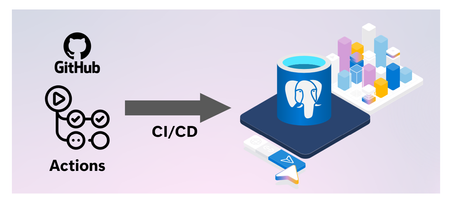
Introduction Database Change Management (DCM) is a comprehensive process of managing all changes to the database schema, objects, reference data, and code over the lifetime of an application. It encompasses version control, testing, deployment, and tracking of database evolutions in a consistent, reliable, and auditable manner. In modern DevOps practices, treating database changes just like application code helps maintain integrity across environments and reduces the risk of errors. Handling Database Change Management using Git Integrating database change management with GitHub brings the rigor, predictability, and safety of standard software development to relational database schemas. Much like application code deployments, where features are developed on feature branches, peer-reviewed via Pull Requests (PRs), and merged only after passing automated test suites. When integrated with GitHub Actions, database deployments transition from manual, error-prone runbooks executed by DBAs into fully automated, repeatable pipelines. When a pull request is merged into the master branch, GitHub triggers a workflow that automatically validates changelogs, dry-runs SQL changes against ephemeral test databases, and updates staging or production database servers, ensuring that database schema structures remain in perfect, synchronized step with the application code they support. Approach To implement database change management, multiple tools and frameworks must be used to handle automation, integrated approach and version management. Following Azure, Git and open-source tools will be used in this approach: Azure database for PostgreSQL (or Azure SQL database) GitHub repo GitHub actions Liquibase (open-source DB version control tool) Database schema migrations (using tools like Liquibase) are treated as declarative, version-controlled source files. This alignment allows teams to leverage the key advantages of Git: A single source of truth for database state A comprehensive and immutable audit trail of who modified what and when Ability to easily revert problematic schema changes by rolling back code commits. Tool Used – Liquibase Liquibase is an open-source, database-independent schema migration tool that treats database changes as code to automate continuous integration and deployment (CI/CD) pipelines. It operates by evaluating a user-defined core manifest file known as a Changelog, which contains granular, ordered tracking units called ChangeSets authored in SQL, YAML or JSON. When executed against a target database instance, the Liquibase engine checks the database's internal DATABASECHANGELOG tracking table to identify previously applied changesets by matching their unique combination of ID, Author, execution Filep and tag. Unexecuted changes (written in JSON or YAML) are dynamically translated via specialized JDBC drivers into dialect-specific SQL (such as PostgreSQL, SQL Server etc.) and executed within a single transaction wrapper. Beyond structural upgrades (update), Liquibase provides robust operational functionalities including Rollback capabilities, which allow to revert schema states back to targeted baseline schema tags or specific timestamps by executing explicit, user-defined “--rollback” blocks in reverse chronological order. Furthermore, it features comprehensive schema difference management via the “diff” and diff-changelog engines. This allows engineers to perform automated schema drift detection by comparing an active database against a reference baseline (or another active environment), instantly identifying disparities in tables, columns, indexes, or constraints, and auto-generating the exact operational changesets required to bring the environments back into structural synchronization. Migration-based Approach When managing database migrations, Liquibase provides three structural configuration patterns to declare and execute schema changes across environments: SQL, YAML, and JSON. Sample of SQL Changelog is given below. It follows SQL syntax of native database engine (PostgreSQL in this case): The Formatted SQL approach is highly recommended for database administrators and developers who require low-level control, as it uses standard, platform-native SQL scripts annotated with special comment tokens (like --changeset and --rollback) to direct the Liquibase parser. In contrast, the YAML and JSON approaches use a database-agnostic, declarative key-value abstraction model. Instead of raw DDL, developers define structural states using structural objects (such as “createTable” or “addColumn” fields). The Liquibase engine dynamically compiles these JSON/YAML objects into dialect-specific SQL using target JDBC drivers at runtime, while automatically inferring the exact inverse commands required for database rollbacks. Regardless of whether a team implements raw SQL for precise indexing and database-specific performance optimizations or leverages the strict serialization of JSON/YAML to maintain standardized, cross-platform migrations, all three file types integrate seamlessly into version control as a single source of truth for CI/CD automation. Versioning and Repeatable Migrations Liquibase governs schema versioning and repeatable migrations through a combination of tracking states and distinct changeset configurations. Unlike traditional application version numbering, Liquibase applies a state-driven versioning model where every discrete schema modification is tracked as an individual, ordered “changeset” identified by a unique composite key consisting of the id, author, changelog file and tag. When a deployment pipeline runs, the Liquibase engine queries the target database’s internal DATABASECHANGELOG table to evaluate this composite key signature; if the key exists, the migration is skipped to preserve environment stability. Architecture Overview A robust database change management architecture involves several key Azure components working together. At the core is Azure Database for PostgreSQL (Flexible Server) as the production-grade target database, often deployed with private endpoint connectivity to restrict network access. GitHub hosts the repository containing Liquibase migration scripts. GitHub Actions orchestrates CI/CD pipelines; a self-hosted runner, placed within the same Azure Virtual Network (VNet) as the database, executes Liquibase commands to apply migrations securely with minimal network latency. Secrets such as database connection strings and credentials are stored securely in Azure Key Vault or GitHub Secrets. Workflows use the Azure/login and azure/get-keyvault-secrets actions to fetch Azure secrets at runtime. GitHub secrets are fetched automatically when referenced in the workflow. Liquibase updates the “DATABASECHANGELOG” table on the PostgreSQL instance each time a migration is applied, providing full tracking. This formation ensures that all database changes are automated, auditable, and under version control. Following are the architectural components: GitHub repo containing the DDL/DCL scripts to be applied to the database engine. GitHub actions containing the workflow that can be scheduled based on push or commit or at a time. GitHub actions self-hosted runner on Azure VM. Azure PostgreSQL database instance where changes are to be applied. Following architecture uses same SQL scripts for multi-environment deployment. Azure Database for PostgreSQL Configuration Azure Database for PostgreSQL should be configured with a private endpoint and integrated into the Virtual Network to ensure self-hosted runner has secure, internal access. Appropriate database schemas should already be available. User account that is to be used for Liquibase migrations should have necessary access like create and modify tables, “DATABASECHANGELOG” table which Liquibase uses to track applied migrations. GitHub “secrets” or Azure Key Vault should be used to store database connection and user details. Rollback action can be used to revert database changes, however, point-in-time restore (PITR) backups should be enabled so that database can be reverted to previous states if migration causes unintended effects. Set firewall rules to restrict public access, configure SSL connections to enforce encrypted traffic for database communication. Azure Monitor should be used to capture audit logs. GitHub Actions and Self-hosted Runner GitHub Actions workflows will execute Liquibase commands, set up a self-hosted runner within the same VNet as the Azure Database fir PostgreSQL server. Provision a lightweight Azure VM (Linux recommended). Following software needs to be installed: OpenJDK Liquibase “psql” PostgreSQL client tool. GitHub Actions runner application and register it with the repository, assigning it labels (e.g., self-hosted) so workflows can target it. Attach Azure managed identity (system or user assigned) with necessary RBAC permissions to retrieve secrets from Azure Key Vault at runtime and connect to database. Liquibase Configuration Liquibase configuration contains two files as mentioned below: Changelog file – Database SQL statements pertaining to the changes. This file is the major component of the configuration as it would contain SQL statements that are to be applied to the database. E.g. postgresdb.changelog.sql. The file should follow Liquibase formatted SQL syntax. liquibase.properties – Contains peripheral details like schema and changelog configuration. Following are the key configuration parameters: changeLogFile=postgres_changelog/postgresdb.changelog.sql : Location of database changelog file relative to the location of where liquibase.properties file is stored. defaultSchemaName : Schema name in postgres database where changes will be applied. liquibaseSchemaName : Schema name in postgres database where Liquibase tracking tables will be created. logLevel : Level of logging by Liquibase execution. databaseChangeLogTableName and databaseChangeLogLockTableName : Liquibase tracking tables. Keep the default values. Setup & Execution Steps Please use the following GitHub repo to download all resources required for implementation. https://github.com/deepcontent2208/db_change_mgmt_liquibase_github.git CI/CD Pipeline Configuration CI Pipeline The Continuous Integration (CI) workflow in GitHub Actions should focus on validating migration scripts before they are merged into the main branch. Use triggers on pull requests targeting main. Begin steps by checking out the repository using actions/checkout@v4, ensuring that the sql migration and “liquibase.properties” files are available locally. Database authentication details can be stored either in Azure Key Vault or GitHub Secrets. These details will be extracted dynamically during workflow execution. Following is the code snippet for extraction: Next, execute Liquibase validate CI, by invoking CI GitHub workflow. Capture and report any validation errors to prevent faulty migrations from entering the code base. CD Pipeline Continuous Deployment (CD) workflows apply the validated migrations to target environments. Use on-demand triggers with workflow_dispatch for production deployments to avoid accidental changes. In your workflow configuration, after actions/checkout@v4, authenticate and fetch Key Vault secrets similarly to the CI pipeline. You may add environment approvals (GitHub Environments) for prod. 3 different CD workflows are being used – “Database Deployment”, “Database Rollback” and “Database Schema Drift”. Following is the architecture of schema deployment; it uses same repo to deploy across environments. Invoke Liquibase CD workflow pipeline to implement the changes. The same pipeline/workflow will work for DEV, QA and PROD as it is parameterized. Workflow will use the same SQL changelog file for all environments to ensure schema consistency across environments unless developers decide to use different SQL changelogs for different environments. Following snippet shows parameters for workflow execution. Release “tag” should be provided with proper tags. It will ensure Rollback can be done to the provided “tag”. Conclusion Database change management is critical for maintaining application integrity and enabling continuous delivery. Liquibase provides a mature and reliable framework for tracking, versioning, and applying schema changes and rollback in a production environment. By integrating Liquibase with Azure Database for PostgreSQL, Azure SQL Database, Azure SQL MI, GitHub Actions, a self-hosted runner, and Azure Key Vault, teams can establish fully automated and secure CI/CD pipelines for databases. Adopting migration-based workflows, enforcing version control, leveraging environment parity, and following best practices reduces deployment risks and supports auditing and compliance requirements. As database schemas evolve, having an auditable history and the ability to apply changes in a controlled, repeatable way empowers development teams to innovate while preserving data integrity.528Views4likes2CommentsWhy Microsoft contributes to Postgres: What I tell people
Last week at PGConf.EU in Valencia, I gave a talk about the Postgres work being done at Microsoft (slides here). Getting ready for that talk, I kept noticing how much has changed in the Postgres team at Microsoft in the last 8 years. When I joined Microsoft through the Citus Data acquisition in early 2019, Microsoft contributed to Postgres in only one of the 9 ways it does today: our Azure Database for PostgreSQL managed service. We weren't sponsoring Postgres community conferences. We weren't sharing our expertise via blog posts and conference talks. We didn't have a Postgres open source contributors team. We didn't have a monthly podcast. And POSETTE: An Event for Postgres didn’t exist yet. It's heartwarming to see how far we've come. But sometimes, when I'm meeting people new to open source—especially those with a more proprietary software background—they will ask: “Why does Microsoft contribute to the Postgres open source project?” And when they learn my job is to lead our Postgres community efforts, they'll ask: “How do you know your open source work drives revenue?” Here's what I tell people about why Microsoft contributes to Postgres. Contributing upstream makes Postgres better for everyone, including Azure customers In my PGConf.EU 2026 talk, I used a slide like the one below to show how upstream and downstream fit together. Open source people use the “upstream” and “downstream” terms all the time, but they're not obvious to everyone. Quick definition: the upstream project is the Postgres open source project itself. Downstream services, like Azure Database for PostgreSQL and Azure HorizonDB, are built on top of it. Figure 1: Slide from my talk at PGConf.EU 2026, depicting the upstream Postgres open source project and our downstream managed services on Azure. If you run a Postgres managed service, you depend on Postgres—and we believe that means you have a responsibility to give back. So since 2019, we’ve been building a Postgres open source contributors team, to do our part to keep Postgres healthy for the long haul. And our upstream work benefits everyone who uses Postgres, including our downstream Azure customers. What might not be obvious: the things we learn running a Postgres service on Azure help the Postgres project too. When our engineers find a bug in Postgres while running it on Azure, they fix it upstream, which benefits Postgres users everywhere. Even open source developers need to eat Back in 2023 I wrote a meaty treatise of a blog post (complete with a hand-drawn infographic) about all the Postgres work happening at Microsoft. In that post, I included a section on why Microsoft has been building a team of Postgres contributors whose main focus is the upstream project. My answer to “why” hasn’t changed—I’ve included it in every edition of the annual what’s new blog post since, including the 2026 edition of What’s new with Postgres at Microsoft: In order to thrive, an open source ecosystem needs commercial support as well as volunteer efforts. Even open source developers need to eat! For the Postgres open source ecosystem to flourish, companies like Microsoft need to support the project by funding development in the Postgres core. Which we do. PostgreSQL is a complex piece of software that runs mission-critical workloads across the globe. To provide the best possible experience on Azure, it follows that we need to thoroughly understand how it works. By having PostgreSQL committers and contributors on our team, they can share knowledge internally across different orgs, or directly answer internal questions regarding incidents or extension development. Because today's cloud operates at a scale most on-prem solutions never encountered, unique cloud data center problems, often relating to performance, now require special attention. Our in-house team of deep Postgres experts are focused on tackling these cloud-scale issues upstream, in the Postgres core. Another benefit: our team's Postgres expertise gives Azure customers confidence in our cloud database services, too. Commercial funding of PostgreSQL developers has another benefit: it gives developers the long-term stability to pursue the big things, the groundbreaking changes that are super important to the future. In particular, the Postgres contributor team at Microsoft is focused on some big architectural changes (example: Asynchronous IO) that you wouldn’t be able to do without the funding for a full-time, multi-year effort. Example: one of those groundbreaking Postgres changes I mentioned landed last year: Asynchronous IO shipped in Postgres 18 and continues to evolve in Postgres 19 on forward. If I were writing those 2023 words above fresh today, I’d add one more reason: The Postgres project is about more than code. The project also runs on docs, the build farm, web infrastructure, packaging, translations, mentoring, conferences, trademark protection, the extension ecosystem, meetups, and more. That’s why our Postgres team contributes to the project in all sorts of ways beyond code. Nine ways Microsoft contributes to Postgres When explaining to people why we have a team dedicated to the upstream Postgres project, it helps to see how we contribute to the broader Postgres ecosystem—both our work on the Postgres code and community, and our managed services on Azure. So let’s walk through nine of the ways our team is contributing today. Figure 2: Infographic of 9 of the ways our team at Microsoft is contributing to the Postgres ecosystem. Clockwise, starting with our code contributions: Upstream Contributions to Postgres: Microsoft employs a dedicated team of Postgres committers and contributors working directly on upstream Postgres—plus a team working on open-source extensions such as Citus. While many of us believe commits are not a perfect measure of impact, they are a metric we have and they do give you a feel for scope. In the first release candidate of Postgres 19 (RC1), Microsoft’s team contributed 15% of the author commits (631 out of 4,098) and 17% of patch reviews (1,232 out of 7,240). The Microsoft team’s work spans performance, query planner, Async IO, security, and more. (Postgres 19 release notes) Supporting Postgres Events: Microsoft sponsors, and helps to organize, PostgreSQL community conferences and user groups worldwide. In the last year we sponsored 16 Postgres conferences, including PGConf.EU, PGConf.dev, PGConf India, and Postgres Summit US. Our team also shows up as speakers and program committee members. And several people on our team volunteer their time to co-organize conferences too: Daniel Gustafsson with Nordic PGDay; Melanie Plageman with PGConf.dev; Tomas Vondra with Prague PostgreSQL Developers Day (P2D2); and Cornelia Biacsics with PostgreSQL Conference Germany. Benefactor Sponsor of PGCA & the PostgreSQL project: Earlier this year, Microsoft made a benefactor donation to the PostgreSQL Community Association (PGCA), a non-profit chartered by the PostgreSQL core team in 2011 to protect and defend the Postgres trademarks. Full disclosure: I wear two hats here: I serve on the PGCA Board of Directors, and I work at Microsoft. With my PGCA hat on, I’m so appreciative of Microsoft’s support for the PGCA mission. (PGCA Sponsors) Visual Studio Code Extension for PostgreSQL: Lets you work with Postgres right inside VS Code. Over 785K installs, and it works with any Postgres database, not just Azure. (aka.ms/pgsql-vscode) POSETTE: An Event for Postgres: Free and virtual developer event with expert speakers from the Postgres ecosystem, now in its 6 th year. POSETTE 2027 will happen on 30 and 31 March 2027. (PosetteConf.com/2027) Azure Database for PostgreSQL: Our fully-managed database as a service, supporting the latest releases of Postgres open source. One thing I’m particularly happy to see: we supported Postgres 17 within 3 days of its release, and Postgres 18 on release day. With Postgres 19, we expect to support it on release day for both new servers and Major Version Upgrade. (aka.ms/azure-postgres-docs) Azure HorizonDB: Currently in preview, Azure HorizonDB is a new PostgreSQL-compatible database service built on a shared storage architecture, for applications that need to scale. (aka.ms/azure-horizondb-docs) Microsoft Blog for PostgreSQL: Our blog about Postgres, Azure, and our Postgres community initiatives. (aka.ms/microsoft-blog-postgres) Talking Postgres podcast: A monthly podcast about the people who work on Postgres and why they do what they do. I have the privilege of hosting it, and it’s so much fun. 44 episodes to date. (TalkingPostgres.com) And there’s more! Beyond the nine, our team keeps releasing new open-source tools for the Postgres community. Two recent ones: pghacker-mcp: This open-source MCP server lets you get answers to questions about Postgres’s design history and source code, with citations. Ask why a feature works the way it does, and an agent finds the relevant pgsql-hackers mailing list threads, commits, and code that answer it, and quotes them. (pghacker-mcp.dev) pg_durable: An open-source Postgres extension that lets you write long-running, fault-tolerant SQL functions, with retries and scheduling built in. It’s handy for things like ETL, database maintenance, and AI apps. Our team uses pg_durable in AI pipelines, Oracle to Postgres migrations, and pg_textsearch. (aka.ms/pg_durable) The revenue impact of upstream work is indirect—but it’s real Which brings me back to the question new hires ask me the most, especially if they come from a proprietary software background: Question: “How do we know our work on the upstream Postgres project moves the needle on Azure revenue?” My answer: The revenue impact of our open source work is indirect. And while it can't easily be measured, it's real. That's true of the patches our engineers write, and it's true of the podcast, POSETTE, and the conferences we sponsor. You can't trace most commits to a dollar of revenue, any more than you can trace a conference talk to one. Here's the thing: Azure Database for PostgreSQL and Azure HorizonDB are built on Postgres. As the Postgres project continues to thrive and grow, so do our Azure services. It all starts with people When we help make Postgres better, everyone who uses Postgres benefits, including our Azure customers. On the Talking Postgres podcast we sometimes talk about the toothbrush test: when you brush your teeth in the morning, are you looking forward to the work you'll be doing that day? My work leading our Postgres community efforts at Microsoft definitely passes the toothbrush test. 😊 And the biggest reason is the people. In my talk at PGConf.EU I said that Microsoft’s investment in the Postgres project starts with people. And the inspiration for my Postgres community work also starts with people: the people in the broader Postgres open source community, and my Postgres teammates at Microsoft. : Slide from my talk at PGConf.EU 2026 about Microsoft’s work with Postgres, with headshots of the people contributing to the upstream Postgres open source project—who inspire me every day. About Microsoft's Perspectives on PostgreSQL Perspectives on PostgreSQL is a monthly blog series featuring insights from Microsoft engineers, contributors, and builders working with PostgreSQL. Explore more articles on the Microsoft for PostgreSQL blog.1.9KViews3likes0CommentsA Single View of Your PostgreSQL Estate: Database Hub in Public Preview
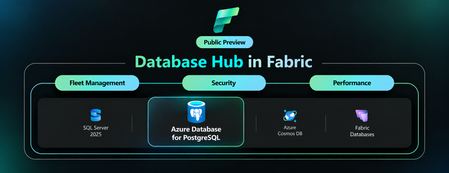
By Varun Dhawan, Matt McFarland, Erdem Tuna from Microsoft PostgreSQL team Azure Database for PostgreSQL support in Database Hub is now in public preview, bringing fleet visibility, security posture, and performance monitoring into one place. This preview is part of the broader vision outlined in our SQLCon Barcelona 2026 announcement: bringing database signals together so teams can see where attention is needed and take a well-informed next step. Here, we focus on the Azure PostgreSQL experience in Database Hub. Database Hub in Microsoft Fabric lets you monitor existing flexible servers in their Azure subscriptions and regions, without moving or mirroring data or building a new customer-managed telemetry pipeline. Baseline monitoring uses existing Azure Monitor metrics. Available capabilities vary by database service. Start with a practical question: Which PostgreSQL servers show sustained memory pressure, and which should I investigate first? Follow the three views below to narrow the scope and compare trends. See the PostgreSQL monitoring guide for setup and preview details. 1. Start with an estate-wide Overview Overview brings cross-engine findings and performance summaries into one starting point. Spot a signal worth investigating, such as elevated PostgreSQL memory usage, then open Estate to focus on the relevant resources. Figure 1: Overview combines cross-engine findings with performance summaries, including PostgreSQL, to help prioritize investigation. Illustrative mockup with sample data. 2. Focus on your Azure PostgreSQL estate In Estate, select the PostgreSQL view and filter by subscription or resource group to define the scope for the memory-pressure investigation. Compare the flexible servers you can access before choosing resources to examine: Filter your PostgreSQL estate by subscription or resource group to focus on the servers you manage. Review a flexible server's resource details in one place. The inventory represents server instances, not each database hosted inside them. Save and share a custom view for a scope you revisit regularly. Colleagues see only the resources their existing permissions allow. Figure 2: Estate filtered to PostgreSQL, bringing flexible server resources, status, findings, and subscription context into one inventory. Illustrative mockup with sample data. Once you have scoped your estate, switch to Performance and select the PostgreSQL servers you want to investigate. 3. Review security posture and performance Security posture In public preview, Database Hub assesses four aspects of your Azure PostgreSQL security configuration: Microsoft Entra authentication: identify servers where it is not enabled. Encryption at rest using customer-managed keys: review key management against your organization's policy. A server using service-managed keys is still encrypted at rest. Microsoft Entra authentication enforced: review whether Microsoft Entra authentication is required, rather than only available as an option. Public Network Access Disabled: review public exposure against your network policy. The private networking guidance explains the virtual network integration option. Performance monitoring In Performance, select the PostgreSQL dashboard and use CPU, memory, and storage summaries to identify servers that need a closer look. You can also review disk activity, connections, failed connections, and applicable read-replica lag. For the memory-pressure question, compare server trends over the same interval to distinguish sustained pressure from a brief spike. Use the Azure Monitor metric reference to match units and aggregation. Missing data is not proof of good health. Figure 3: Performance monitoring with PostgreSQL selected, illustrating utilization summaries and trends for closer investigation. Illustrative mockup with sample data. When a server needs a deeper look, continue in the Azure portal and PostgreSQL tools using the monitoring and diagnostics guidance. Preview scope: Monitoring is metric-based; query-level diagnostics remain in native PostgreSQL tools. Security findings are not a complete compliance audit. Database Hub does not automatically tune, resize, or remediate PostgreSQL servers. Check the servers selected in Performance: dashboard scope can differ from the Estate inventory. Why this matters if you run Postgres at scale Database Hub doesn't replace your PostgreSQL expertise or native tools. It reduces the work of finding which servers need attention, alongside your other supported database engines including SQL Database and Cosmos DB. The Database Hub FAQ explains the access boundaries and how the experiences fit together. Get started Review the Database Hub documentation and PostgreSQL prerequisites, then: Enable the preview: Ask your Fabric administrator to enable Users can access the Database hub (preview) in Tenant settings. Check access: Use a Microsoft Entra identity with Reader or greater permissions on each subscription containing the servers you want to monitor. Start here: open Database Hub in Microsoft Fabric. Scope your estate: In Estate, choose View: PostgreSQL and filter to the subscriptions or resource groups you manage. Compare servers: In Performance, select PostgreSQL, choose the servers to compare, and set the same time range and aggregation. Access boundary: Resource visibility and shared views do not grant permission to query databases. Existing PostgreSQL authentication and network controls still apply. As your PostgreSQL estate grows, Database Hub brings the bigger picture into focus, helping you see where attention is needed and take a more informed next step. We're excited to bring Azure PostgreSQL into this shared experience. Explore the public preview in Microsoft Fabric and discover a simpler way to stay on top of your PostgreSQL estate.523Views3likes2CommentsFaster, Safer Version Upgrades for Databases with Large Objects
By Varun Dhawan, Ilan Benschikovski, and Alexander Kukushkin - Azure PostgreSQL, Microsoft Faster, Safer Upgrades for Databases with Large Objects TL;DR: We improved major version upgrades for PostgreSQL databases with very high large-object counts. For upgrades targeting PostgreSQL 15 and later, large-object metadata is now handled more efficiently, reducing memory/temp-space pressure and helping previously risky upgrades complete more reliably. Why this matters Some PostgreSQL workloads store documents, images, PDFs, scanned files, or attachments as large objects (LOBs). In normal operations this is fine. But during a major version upgrade, very high LOB counts could make the schema dump step slow, memory-heavy, or fail. This improvement is about making that upgrade path safer and more predictable for Azure Database for PostgreSQL flexible server customers. What changed? During a major version upgrade, PostgreSQL uses pg_upgrade , which internally runs pg_dump to move schema and metadata into the new version. For databases with millions of large objects, the older upgrade path handled large-object metadata one object at a time. That created high memory and temporary-space pressure during the schema dump phase. This fix changes the upgrade path. Instead of processing large-object metadata one object at a time, PostgreSQL now transfers that metadata in bulk. The actual large-object data is not changed; only the upgrade metadata handling is improved. Why this is different This improvement builds on upstream PostgreSQL work that makes large-object metadata handling more efficient during upgrades. We brought that benefit into Azure Database for PostgreSQL flexible server for supported PostgreSQL 15+ upgrade targets, so customers with large-object-heavy workloads can benefit without waiting for a future PostgreSQL major version. Before vs after Area Before After Metadata handling One operation per large object Bulk metadata transfer Memory/temp pressure Grew heavily with LOB count Much flatter and more predictable High LOB counts Risk of OOM or temp-space failure Completes more reliably for PostgreSQL 15+ targets Customer workaround vacuumlo + scale-up often needed Less reliance on LOB-specific workarounds for PostgreSQL 15+ targets In plain English: the upgrade no longer has to carry paperwork for every large object one by one. It moves the metadata in bulk, which makes the upgrade faster, safer, and less likely to fail at very high LOB counts. The numbers We tested upgrades from PostgreSQL 13 with large-object counts ranging from 10M to 500M. The older path is represented by PostgreSQL 13 → 14. The improved path is represented by PostgreSQL 13 → 15. Note: These figures come from a multi-database test where large objects were spread across 100 databases. Because pg_dump runs per database, single-database workloads with the same total large-object count may see different runtimes. Cap Outcome summary Large objects Older path Improved path What changed 10M 48 min 16 min 3x faster 20M 1h 02m 18 min 3.4x faster 30M 2h 41m 21 min 7.6x faster 50M Failed at higher scale 26-30 min Now completes 100M Failed 54 min Now completes 500M Failed 4h 01m Now completes Key takeaway: this is not just faster. At higher LOB counts, the improvement changes the outcome from upgrade fails to upgrade completes. Who benefits from this? You should care if your database stores large binary content using PostgreSQL large objects. Workload pattern Why it matters Document management PDFs, contracts, scans, and archived files Attachment-heavy apps Files stored inside PostgreSQL instead of external storage Legacy apps using lo APIs LOBs may have accumulated for years Image/archive systems Millions of binary objects can build up quietly Previous upgrade failures Failures during schema dump may map to this scenario Copy/paste: check your large-object count Run these checks in each database you plan to upgrade. 1. Count large objects in the current database -- Count PostgreSQL large objects in the current database SELECT current_database() AS database_name, count(*) AS large_object_count FROM pg_largeobject_metadata; 2. Check large-object storage footprint -- Estimate large-object data and metadata size SELECT pg_size_pretty(pg_total_relation_size('pg_largeobject'::regclass)) AS large_object_data_size, pg_size_pretty(pg_total_relation_size('pg_largeobject_metadata'::regclass)) AS large_object_metadata_size; 3. Understand ownership and ACL shape -- Inspect large-object metadata shape SELECT count(*) AS total_large_objects, count(lomacl) AS large_objects_with_custom_acl, count(DISTINCT lomowner) AS distinct_large_object_owners FROM pg_largeobject_metadata; 4. Find top large-object owners -- Top large-object owners SELECT lomowner::regrole AS owner, count(*) AS large_object_count FROM pg_largeobject_metadata GROUP BY lomowner ORDER BY large_object_count DESC LIMIT 10; What should I do before my next major version upgrade? If your situation is... Recommended action Target is PostgreSQL 15 or later Target PostgreSQL 15 or later to benefit from improved large-object metadata handling. Target is PostgreSQL 14 or earlier Prefer PostgreSQL 15+ where possible; very high LOB counts may still hit older-path limitations. Very large or unusual database Restore a copy and rehearse the upgrade before production. Suspected orphan LOBs Consider vacuumlo only after testing. It can delete valid LOBs if your app uses custom references. Any major version upgrade Keep healthy free space and leverage pre-upgrade validation checks to validate extension/schema compatibility first. Bottom line If large objects were making your PostgreSQL upgrade risky, this improvement makes the upgrade path safer and more predictable. For large-object-heavy databases, upgrades targeting PostgreSQL 15 and later now show faster runtime, lower memory/temp-space pressure, and successful validation up to 500M large objects. Learn more Major version upgrades in Azure Database for PostgreSQL flexible server How to perform a major version upgrade PostgreSQL vacuumlo documentation403Views3likes0CommentsPostgreSQL on Azure: Two services, one future-proofed ecosystem
At Microsoft Build 2026, the Azure Databases team announced the public preview of Azure HorizonDB, a new powerhouse for PostgreSQL in the cloud. It’s a fully managed, PostgreSQL-compatible cloud database service that delivers sub-millisecond latency, rapid read scale-out, and seamless integration with Microsoft Foundry to empower teams to build secure, compliant and high-performing applications with confidence. At the same event, we also announced several enhancements to the existing managed PostgreSQL offering, Azure Database for PostgreSQL flexible server, boosting performance, analytics and security, and expanding tooling for migration scenarios. Where there was one, now there’s two Now our customers have two strong options to choose from. Azure Database for PostgreSQL remains a reliable, cost-effective, fully open-source compatible workhorse for most users’ everyday needs. Azure HorizonDB is the new PostgreSQL-compatible service with an elastic scale-out architecture built on a highly optimized shared storage system that unlocks 3x faster OLTP performance and other cloud-native advantages for the most demanding workloads. With this new service, you might be wondering which service is the best fit. Let’s take a closer look at these options and explore where they align and differ and what you might want to consider when making your choice. Azure Database for PostgreSQL: Enterprise ready, managed open source Microsoft is one of the largest contributors to the open-source Postgres project and has also invested heavily in PostgreSQL managed services on Azure. Microsoft engineers have authored or co-authored hundreds of code commits and provided extensive reviews, and, to date, have made more than 345 commits and changed more than 64K lines of code for PostgreSQL 19. In the cloud, Azure Database for PostgreSQL is built on the open-source ecosystem, sharing the same extensions and experience that developers and DBAs know and love. Patching, backups, scaling, and monitoring are all simple, one-click operations. If you have an app that already uses a PostgreSQL database, in another cloud or on-premises, migrating to Azure for the added benefits is an easy lift and shift. Inside Azure Database for PostgreSQL Azure Database for PostgreSQL is a mature, feature-rich service already battle-tested by thousands of applications and being used by Fortune 500s across sectors. Enterprise-grade performance: Compute tiers can scale up to 192 vCores with features like read replicas and elastic clusters, which is based on the open-source Citus extension and unique to this class of service, make it easy to right-size workloads and optimize performance by offloading read-heavy traffic or sharding data across nodes. Reliability and security: Backed by Azure’s robust infrastructure, Azure Database for PostgreSQL comes equipped with high availability and zone-redundant options, point-in time restore and security features, including data encryption, network isolation, and Entra ID for enterprise identity. Frictionless migrations: Migrating existing PostgreSQL workloads to Azure Database for PostgreSQL is very straightforward thanks to built-in migration tooling. We’ve even launched AI-assisted tooling for Oracle to PostgreSQL migrations in VS Code, which leverages GitHub Copilot AI to handle app and schema conversions and pre-migration validations. From incorporating cutting-edge hardware, horizontal scaling and Microsoft Fabric and Microsoft Foundry integrations, to supporting 90+ open-source extensions and counting, we continue to optimize the service to meet the needs of our customers building on open-source Postgres. Azure HorizonDB: Next-gen engine to build what’s next Azure HorizonDB was designed and purpose-built to meet the needs of modern AI-native applications and large-scale enterprise migrations. Shireesh Thota, Azure Databases CVP, describes it as the database of choice for workloads that need “a lot of storage, want really fast latencies and significantly higher IOPS.” The service offers faster throughput than open-source PostgreSQL and rapid compute scale-out to support the performance and availability needs of your most demanding applications. Inside Azure HorizonDB Azure HorizonDB is where performance meets possibility, empowering teams to build intelligent apps to scale, modernize, and innovate without compromise. Cloud-tuned performance: The cloud-native architecture of Azure HorizonDB fully decouples compute and storage, enabling users to scale database resources independently. The service can support deployments up to 3,072 vCores and 128 TB of shared storage for a single workload, and provides a single endpoint for read replicas with transparent load balancing to deliver massive read throughput seamlessly to the application. Reliability and security: Azure HorizonDB comes standard with features to support production-level, mission-critical enterprise workloads. Built-in multi-availability zone (AZ) replication reduces failover time to less than 5 seconds, and native integration with Microsoft Entra ID and private endpoint networking ensures Azure HorizonDB meets the Azure-standard enterprise-grade security from day one. Tailored for AI and next-gen apps: Azure HorizonDB provides an extensive set of AI features for building modern applications. In comparison to similar PostgreSQL services in the cloud, IDC described Azure HorizonDB as having "fewer moving parts and a straighter path to AI features.” Azure HorizonDB ships with Microsoft’s latest version of DiskANN vector indexing, which includes advanced filtering that delivers up to 3x faster vector search than traditional pgvector indexes. It also comes with built-in AI Model Management for native integration to Microsoft Foundry models, AI Functions to invoke models from SQL, and AI Pipelines to provide durable orchestration of data modification. Developer productivity: Along with building the best Postgres service, Microsoft is committed to delivering the best Postgres developer tools to the entire community. The Microsoft PostgreSQL extension for Visual Studio (VS) Code makes the coding environment Postgres-aware to help optimize queries, schemas and query performance using AI. Azure HorizonDB is the next-generation of PostgreSQL on Azure for mission-critical, high-throughput, and data-intensive workloads. For everything else, Azure Database for PostgreSQL remains a strong choice. Making your selection Adopting technology should always be driven by a real need. Having two choices is great, but it raises the logical question: “which one is right for me and when?” Choose Azure Database for PostgreSQL when: You’re migrating existing Postgres databases as-is. You can migrate seamlessly to Azure Database for PostgreSQL with minimal tweaks or reconfigurations. You require full open-source compatibility, including rapid adoption of new community versions. Azure Database for PostgreSQL now ships major versions on the same day as the community release. You want to start now and decide later. Azure Database for PostgreSQL is generally available in 60+ regions today. Later, if your project requires greater scale, you can upgrade to Azure HorizonDB, and the migration process will be quick and easy. Choose Azure HorizonDB when: You’re migrating tier-1 workloads to the cloud that already have critical scale, performance, and availability requirements. Up to 128 TB of storage and 3,072 vCores for a single workload makes Azure HorizonDB the ideal destination for these workloads. You anticipate requirements that go beyond Azure Database for PostgreSQL’s capabilities. Azure HorizonDB expands on the capabilities of Azure Database for PostgreSQL, so you’ll be future proofed for scale and reliability. You are focused on building next-gen intelligent apps. Azure HorizonDB is optimized for building new AI applications, enabling developers to ship faster with fewer moving parts. Both services are built on the core Postgres engine, and upgrading to Azure HorizonDB is easy. If your scenario changes, your toolkit can change too. Azure offers the managed service to support you either way. Choose the cloud with the deepest Postgres expertise The PostgreSQL ecosystem on Azure is richer than ever. With both Azure Database for PostgreSQL and Azure HorizonDB, Azure covers the spectrum from steady, everyday workloads to cutting-edge, innovative ones. Whether you’re in a two-person startup or a Fortune 500 enterprise, PostgreSQL on Azure can meet your business’ needs. Now is the perfect time to make a move to Postgres on Azure: Learn more about Azure Database for PostgreSQL Learn more about Azure HorizonDB