office 365
37 Topics
My PowerPoint document properties keep reverting when I save the file
My PowerPoint document properties keep reverting when I save the file I am experience a strange issue. I am on SharePoint online and I have a SharePoint library with several columns to that I update the document metadata/properties (manually or by a power automate flow). However from today for some reason, after I have updated the document metadata/properties, if I open the file and let it auto-save or even if I do change something in it and save it, all the recent metadata/properties gets wiped and those that remain get overwritten with the default/previous old values. Through investigating this, I am pretty sure it isn't being caused by a rouge power automate flow as I turned them all off and it still did it. I think it has retained a value on the actual PowerPoint file property and this is what overwrites what's been updated on the column on the SharePoint library. This happens immediately after saving. Any help to resolve this? As I need the updated columns to remain as they are unless changed either manually or by a flow. I am using: SharePoint Online Office 3655.2KViews0likes8Comments
Turn on O365 alerting when Admin role is activated?
Hi all 🙂 I am wondering how I turn on alerts when a role is activated through O365 rather than Azure AD. I have PIM setup for Azure AD, but when an Admin role is assigned/activated through the O365 portal, then I do not receive an alert. Any and all help is appreciated 🙂1.3KViews0likes1Comment
Degradation of E5 License for Meeting Room Lab work --> Offce 365 Dev Tenant
Dear Community, I just got a message in the Teams Admin Center, that Meeting Room Devices will no longer supported for sign-In with the E5 License and we are forced to switch to the new Basic or Pro License. The Office 365 Dev Tenant is broadly used for Lab/Testing work. Microsoft: Please check internally, how you can provide the basic AND Pro License in the Dev Tenant Subscriptions, so we can continue our Knowledge investment in the Microsoft Platform many thanks Andy639Views0likes0CommentsQuickpart Label is missing in my documents
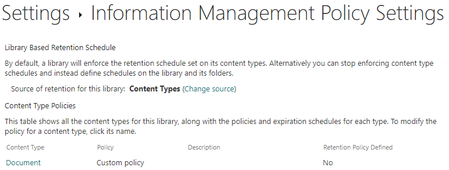
Hello, I'm looking for a solution to implement version number from Sharepoint on my Word documents. I found something which works last month: https://social.technet.microsoft.com/Forums/en-US/d7edacd9-3818-4b66-982a-daa1846fbe2a/add-the-sharepoint-version-number-to-a-word-document?forum=onlineservicessharepoint https://businesscloudintegration.co.uk/feature-of-the-week-version-number-quick-parts Using this solution, I configure my library as follows: I tried with a document created using the "new" menu of Sharepoint and another imported to Sharepoint, but I have the same result, the label is still missing: Here, I found some people with the same problem, but nothing works for me: https://social.technet.microsoft.com/Forums/office/en-US/6607b861-0e14-42ff-912c-000c8ff9b791/quick-parts-label-contents-missing?forum=sharepointgeneralprevious https://answers.microsoft.com/en-us/msoffice/forum/all/missing-label-option-in-quick-parts-document/ce6d7c58-38ee-4643-947c-bf0123d8368d I don't know if it is linked, but since August, some behaviors are different. And I'm afraid that this solution is now deprecated, but I found nothing in the release notes of august concerning labels. https://docs.microsoft.com/en-us/officeupdates/update-history-microsoft365-apps-by-date If labels are deprecated, another solution exists? Thanks in advance, Vincent2.5KViews0likes3Comments
not able to access the sharepoint with my old email ID
recently, I have changed the email ID's with extension of my team mates. Now, they are not able to retrieve their files from the old sharepoint. NOTE: - Their old email ID is the alias now. please suggest how can they access the sharepoint with the alias email ID so they can retreive all the files.1.1KViews0likes1CommentSharepoint online : Sidebar missing for move to and Copy but now an options pops up ?
Hello , One of our user, have strange case in document library,while clicking ' MOVE TO ' or 'COPY TO' a windows pops rather than opening a right sidebar . how to make turn off this pops up and open the sidebar here1.9KViews0likes4Comments
Versioning, Sync and Storage in SharePoint/OneDrive
We have noticed a few issues the way Microsoft is creating any version of the documents and consuming the allocated tenant storage. Here is what I did: I create a new document in a version enabled document library in an SPO Teamsite(with Group) and sync the same document library to my desktop using OneDrive desktop app. I co-author on the document with other users. Problem 1 During Co-authoring, SharePoint creates multiple versions of the document. Every version of the document is consumed from the total storage quota allocated on the SPO site. If a 50 MB document has 500 versions(the default document library limit), it would consume 25 GB from the Site storage quota. Problem 2 For every change in the document, OneDrive is downloading the full file to desktop instead of only the changes in the document. Note: The upload of the change in document is working as expected. It is only uploading the change and not the full document.1.4KViews0likes0Comments
SharePoint Online - Limited Access Not working
Recently we've started using SharePoint Online (SPO) to organize and share documents. Many of our users are looking to share a Subfolder with an external partner so that they can collaborate and upload files to us. Setting the permission is fine but when they get the sharing link from Microsoft it sends them to the site URL not the subfolder that we shared and gives them an Access Denied message. From what I understand, when you break permission and grant access, SPO is supposed to add Limited Access permissions to allow the subfolder traversal. If it did work, the user would use the autogenerated email invitation >> navigate to the home page >>go through the structure only where they had access (seeing nothing else) >> until they reached the folder they have access to. However this does not work. After breaking inheritance and granting access the users, they have access through a direct URL and can then navigate back up the breadcrumbs; but cannot by going to the site URL; which is what comes in the MS autogenerated email. Confirmed that the Limited-access user permission lockdown mode is also disabled. Am I missing a step? This is frustrating for our partners who don't all use SharePoint because they get an email saying to access the site but then have to manually bookmark the direct URL seperately.1.6KViews0likes0Comments
Internal IT ticketing solution needed
Our company has been looking for an internal IT ticketing solution or a help desk software much like this, built on SharePoint environment to manage both our internal IT ticketing and Customer support tickets. WE currently have a help desk software built on SharePoint with minimum functionalities, we built it on our own using the basic SharePoint out of the box web parts and some custom programs. But we are in the need of more functionalities, we need to be managing all these tickets without any issue or losing one in transition. Since we already have one on SharePoint, a solution built on SharePoint would a much better way for us to migrate without any hassles. One of the main feature we are looking for is something that can replace the manual ticket creation process and have automatic ticket creation in place, since manual ticket creation for a lot of incoming requests has the risks of data loss. Also automatic notifications to the team when a new ticket is created, so that the team can start working on it as soon as it comes in. And with notifications we can keep track of the tickets right, that way we can ensure the proper handling of a ticket. While we are looking for more features we do not want the solution impossible for our team to understand and work with, i mean who has the time to deal with a long time training process. And most importantly security, we know something about SharePoint permission levels, obviously these will be implemented in the solution we are looking for. And of course we are looking for a solution that assigns these tickets as tasks to users, obviously task management is also an expected feature. With all the SharePoint tech experts here, i am sure one or two of you could be of my help. Please do share your insights. Thanks in advance!!2.6KViews0likes1Comment