networking
175 Topics
Network connectivity test TCP Connection results unreliable
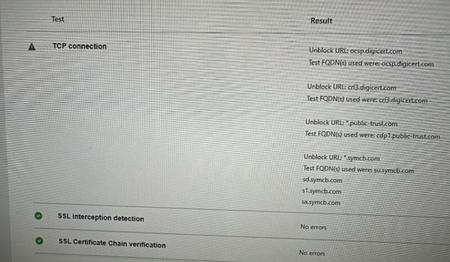
My team has spent the last 2 business days trying to get the https://connectivity.office.com/ TCP connection test to complete successfully to appease the Microsoft Unified Support Team. They don't want to take our MS Teams crash diags until they see SSL Interception Detection and TCP connection tests passing successfully. We can't get TCP connection tests to pass, we get one of the following: Success Attempt #1 Success, Attempt #2 Failure Any number of errors to unblock URLs such as (but not limited to) ocsp.digicert.com,ocspx.digicert.com,ocsp.omniroot.com,su.symcb.com,sr.symcb.com,sd.symcb.com,s1.symcb.com,sa.symcb.com We figured it was something with the corporate network but that's not the case. Last night we had about 50 employees try this test from their home (personal) computers that have no connection to our corporation. The TCP Connection test fails on home (consumer) PCs. What's the story with this TCP Connection check?1.5KViews2likes2Comments
Outlook OWA search doesn't display message content
Hi, I have strange situation with searching in OWA - user can search the message, but when he open e-mail get an information "Message can't be displayed right now, check internet connection and try later". Problem only happens when user searches emails on shared mailboxes (on his own mailbox everything is fine). Already checked different web browsers and even computers. Removed and re-assign user right to shared mailbox too. When I turned Conversation display mode off on shared mailbox user can search and open e-mail, but this is not a solution in this case. As far as I know this is unique user with this kind of issue with OWA o365 in my organization. Had anyone similar issue and know solution ?2.4KViews2likes4CommentsTeams Network Assessment Tool Is Good But...
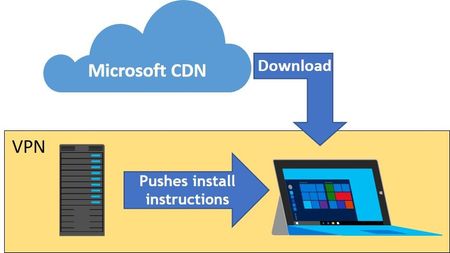
The https://www.microsoft.com/en-us/download/details.aspx?id=103017 is very good (kudos to the developers) but it is only good for testing locally at a single client machine. We run an entirely distributed workforce (i.e. no office), how would I test every client machine (without obviously manually installing/running on every client!)? Note: this is a pre-Teams rollout test - no CQD analytics. Any ideas? Maybe a Sysinternals remote deploy/execution or is there a webapp that does the same thing that clients could just visit e.g. the https://connectivity.office.com/ webapp downloads an exe for similar purposes?4.1KViews2likes1Comment
Feature Request: Allow custom domain providers other then GoDaddy for personal accounts.
Could Microsoft 365 Personal/Family please allow the use of third party domain providers other then GoDaddy? Outlook's Email formatting and MS365's features are above other providers, and I hate to pay extra for another service just for custom email addresses and domains. Thanks!408Views2likes0Comments