microsoft to do
19 Topics
How to unlock PayPal account?
Paypal is an advantageous method for handling exchanges by means of the web. In the event that the PayPal stage identifies any surprising exchanges for you, it prompts you to give more point by point data about you. It is one of the conspicuous and most secure internet based stages to keep up with and move your assets across the globe. Notwithstanding, once in a while you really want to open the https://www.paynowmoney.com/paypal-account-locked/. You can ask concerning why the record was locked and afterward you can follow the cycle to open the PayPal account. Through this article, we trust that through this article you will gain proficiency with the interaction to deal with the unlock%20paypal%20account. So we should begin! How to open the PayPal account locked? ou, most importantly, need to go to the Paypal page and tap on the "Get in touch with us" interface (see assets). Presently, enter the data as incited on the "Help page". Call PayPal assuming required and supply the data is mentioned to open your record. How long does the PayPal account stay locked? In the event that you face a PayPal account briefly locked issue, it will require 24 hours for a record to get opened or a specialist can go it then you are on the telephone on the off chance that you can hardly stand by that long. Keep in mind, don't endeavor to sign in till the full 24 hours get finished. Email from PayPal saying account locked In the event that the email from PayPal says account locked, you will get to be aware by specific focuses that are referenced underneath: You will get a conventional hello, for example, "'Dear client' or "Hi, PayPal part". You will be requested monetary and other individual data, the genuine site won't ever request your subtleties. It will request that you give the following number of any dispatched things before you got the installments. Keep in mind, it will incorporate a product update to introduce on your PC. Certain tips to remain safeguarded on the web On the off chance that the PayPal account locked for the sake of security, you really want to consider these essential tips and deceives to remain safeguarded on the web: Regardless of whether the URL contains "Paypal" then it may not be a PayPal website page. At the point when you use Paypal, then, at that point, consistently ensure that the URL address is recorded on the program. Search for the "lock" image that shows up in the location bar then this image demonstrates that the site which you are visiting is gotten. Visit site : https://www.paynowmoney.com/paypal-account-locked/ | https://www.paynowmoney.com/paypal-account-locked/ | https://www.paynowmoney.com/paypal-account-locked/ | https://www.paynowmoney.com/paypal-account-locked/ |44KViews0likes0Comments
Template and automation for To-do and Planner tasks
I really want to take advantage of Microsoft 365 To-do and Planner for my workflow, after months of using these two apps I found them have a lot of potential but fell short of being practical due to the poor-sighted UX design, lack of automation support, and weak integration with other 365 apps, Outlook in particular. Lack of template support (To-do, Planner): This is a crucial flaw of both To-do and Planner. For repetitive work flow, I want the ability to have a template of tasks and subtasks. Currently I'm making template by creating tasks or plans, name them "[Template]", and manually clone them. This is tacky as my "Template" tasks and plans kept populated under suggestions for things to do. Lack of automation (To-do, Planner): I want the ability to easily generate a particular template of task or plan from an Outlook email. This would speed up my work flow tremendously. Currently the best Microsoft offer in term of automation is to create a task with the email name and a link to that email. No subtasks nor planner integration whatsoever. Lack of bulk actions (To-do, Planner): This is specifically frustrating for Planner, I have to manually assign each task under a plan to myself, there is no option to assign tasks in bulk. Microsoft offers integration between To-do and Planner where Planner tasks can show up in my To-do list but only if it's assigned to me, what good does this integration do if the amount of manual work overtake the convenience? No archive option for Planner: Once a plan is completed, there is no option to archive it, user have to delete the plan or have it remains on UI forever, even the delete button is well-hidden. The lack of archive option means I cannot go back to previously completed plans and see the date each tasks is completed. Last but not least, it felt like these two apps don't get any attention from Microsoft. They rarely get updates, it's quite unsettling to use theses feeling like it's being abandoned by the company.13KViews10likes3Comments
Sync Planner to To-Do List, List
I have configured my To-Do to sync all task assigned to me from Planner. On the To-Do, I want to group them in list like for example List1 - Week1 - Task1-5 List2 - Week2 - Task6-10 But I cannot drag the tasks from Assigned to you or Tasks to the Task List that I created2.1KViews0likes1Comment
A few questions to the new Outlook365 on Windows
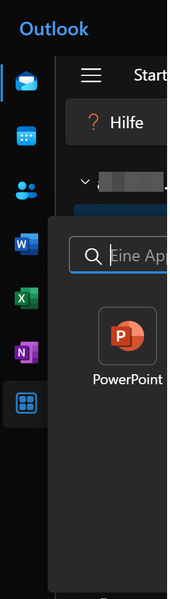
Hey. After many years, i switched from Office2021 to Office365, mostly because of the 1TB OneDrive storage and more up2date software. I installed the so called "new Outlook365" desktop on my Windows computer. The program says: Microsoft Outlook-Version 1.2024.807.100 (Production). I am not sure if its already a final product or a beta version 😕 I use outlook for many of my e-mails and to manage my calendar/tasks/to do lists. My questions: 1) I added in the new Outlook365 several IMAP e-mail accounts and found nowhere a possibility to change the senders name, which is shown normally next to the e-mail adress. I changed the name in the webmail client from my webhosting account, but that didnt help either. --> Is it not possible in the acutally version for IMAP e-mail accounts to change the senders name? 2) How can i customize the left app bar in the new Outlook365? I see there only a few app icons, but no option to change them or to add for example OneDrive, To Do, etc. 3) How i can integrate my To Do List & One Note from Microsoft365 in Outlook? I have looked everywhere, but have found no option, how i can integrate them in the new outlook. Hope the community can help to resolve my problems. Thanks in advance. Greets1.9KViews0likes3CommentsMicrosoft To Do Tasks Disappeared
Hello, I used to have ~100 tasks in my To-Do application these days. As of yesterday, they have been reduced to ~50. Multiple tasks disappeared from various lists (the lists are all intact). I rely on To-Do a lot and that's why I have it on 2 Windows PCs, 3 iOS devices and 1 Android. All are synced to the ~50 baseline, which as of yesterday, since to be my as-is in Microsoft's servers. All 6 applications (in all 3 different platforms), are on To-Do version 2.55 (latest one as we speak today). Of course I have uninstalled/re-installed, log-out/in, and changed passwords to my Office 365 account several times, with no effect. When I visited the web app, to check the situation, my tasks were not deleted (i.e. reduced from ~100 to ~50), but I noticed, that these ~100 tasks, were not exactly my latest update (i.e. I have seen tasks here and there that I have recently closed, or changed that were not reflected in the web app). But at least the heavy reduction from ~100 to ~50 was not done (some hope there). But when I signed out and signed it again (always in the web app), then I saw all these tasks disappearing from here as well. So now, all 6 apps (Windows, iOS and Android), plus the web app, are ALL SYNCHORNIZED to this ~50 tasks baseline, which as of yesterday, seems to be my new as-is in Microsoft's servers. The disappeared messages are not in deleted tasks folder of Office365/Outlook, etc. They are totally gone. Can anyone support me, or suggest something to me ? Thank you!1.9KViews1like0CommentsMS Loop Task Reminders
Hi All, We would like to setup Microsoft Loop so that reminders are sent to people assigned tasks in loop one or two days, etc....before task due date. Either by syncing to Planner * which does not happen* automatically despite some online sources. Or though Power Automate... Any Ideas?1.6KViews0likes6CommentsHow to show all tasks from other tenant teams in To Do?
(How) is it possible to show all tasks from all teams (event if guest in other tenant teams) together in To Do? My microsoft account is guest in multiple teams so I would like to see all taks assinged to me, independent from the tenant Can this b done with To Do? Thanks, Irgi1.5KViews0likes2Comments
ToDo - Flagged Emails don't open in iOS
Hi all, I've been trying to figure this out for a while and it's become enough of a problem that I am hoping someone has a solution. I'm using ToDo (v 2.60) and Outlook (v 4.2201.2) on my iPhone 8 plus (ios 15.2.1) and for some reason when I try and open a flagged email in ToDo, I get an Outlook error message "Message not found - No matching message found". I have confirmed that the email is still flagged in Outlook, and when I try this on my laptop, everything works as expected. I've reinstalled ToDo and Outlook, but without luck. Does anyone have any ideas on what else I can try? Chris1.1KViews0likes0Comments