installation
17 TopicsServer 2019 Volume licensing activation key not working
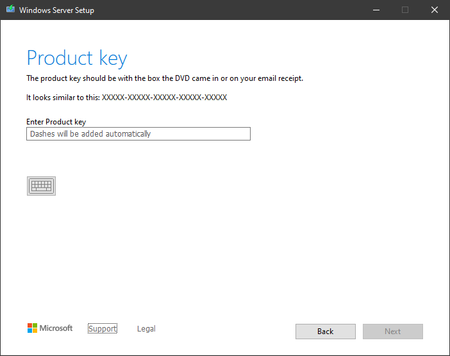
I have a server that I am trying to install Server 2019 Standard. The Volume Licensing activation key is not working. The product was downloaded from the Volume Licensing portal along with the license key. The activation pane shows a product ID, and on the product key space the last (5) digits are already populated. The server had a previous Server 2016 evaluation running on it before it was reformatted before attempting to install Server 2019.Solved211KViews3likes28Comments
HP ProLiant DL120 Gen9 - installation Windows Server 2022
Hello everyone! Im sure the answer is yes, but I want to be safe about the answer. We have a HP ProLiant DL120 Gen9 with a Intel Xeon CPU E5-2620 v4 and 32GB RAM. I'm 99,9% sure that I can install there without problems and use Windows Server 2022. I can't think of anything why server 2022 should not run on this machine, but as I said, I want to be 100% sure. Now - Can I install and use without doubts? 😄 Thank you for answers! Kind regards, Goodfred30KViews0likes6CommentsI need HELP! How to install Windows 10 on Windows Server?
I misunderstood my teacher and accidently installed "Microsoft Windows Server 2019 Standard" on my laptop instead of in VirtualBox. Will someone please guide me through how to get back Windows 10? I have tried to search for help everywhere with no success. My guess is that I need a flash drive with Windows 10 on it. PLEASE help me all I see is CMD!!Solved24KViews0likes3Comments
How to install the lastes Windows Server Insiders build?
If I only have a personal microsoft account rather than an orgainisation account how can I install Windows Server Insiders? The login page appears to only allow you to login with an organisation account? If I have gotten hold of an insiders iso, what product key do I use with it?Solved9.7KViews3likes11Comments
VBox: Remote Management / Add Roles & Features: The WS-Management service cannot process the request
Hello, I have installed Windows Server 2019 in a VirtualBox 6.1 machine. In the Server Manager I want to activate remote management and install roles like AD DS, but these error messages appear: Local Server \ Remote Management: "The WS-Management service cannot process the request because the XML is invalid." Add Roles and Features: "The WS-Management service cannot process the request. The service in configured to not accept any remote shell requests." I have created the VirtualBox virtual machine as "Windows 2016" and tried several options like EFI, I/O APIC, PAE/NX, nested VT-x, nested paging, NAT, bridged adapter. In the Local Group Policy Editor (Windows Server virtual machine), I have manually enabled "Allow Remote Shell Access" in Local Computer Policy > Computer Configuration > Administrative Templates > Windows Components > Remote Shell and run gpupdate /force. I have also installed Windows Server in VirtualBox on two other computers, but the same problem appears. I hope anyone can help me solve this problem. What has to be configured to make the WS-Management service work correctly?3.2KViews0likes3CommentsUnable to boot to installer
I have just started a new job and I have convinced my boss to let me install the 2019 preview to demonstrate Proof-of-Concept for WSUS and WDS before making them part of our process. I'm using tower system previously in use by a regular employee. Hardware is ASUS P6X58D Premium mainboard, Core i7 CPU, 12GB RAM, 320GB Western Digital spinning drive and Nvidia QuadroFX 570. Booting from DVD the system stops at the Windows logo with no spinning dots. Pressing the power button results in immediate power off, so I know it's not completely unresponsive; just not passing into the PE system. Windows 10 1709 installer runs fine from DVD or USB to the same system -- and installs and runs fine, so I know it's not a hardware issue. Server 2016 also fails to boot from DVD.1.8KViews0likes2Comments