getting started
47 Topics
I designed an OS-tan mascot for Microsoft PC Manager! (PC Manager-tan)
Hello! I’m a huge fan of Windows 11 and a daily user of Microsoft PC Manager. Since the app is so incredibly light and useful, I thought it would be fun to give it a face. So, I designed an "OS-tan" style mascot character for it: "PC Manager-tan"! I wanted to share my concept art and ideas with the community. Here are some of her design details: [Design Inspiration & Colors]--------------------------------------------------------------------------------------------------------------- Signature Colors: The green and blue color scheme is heavily inspired by the official Microsoft PC Manager logo. Hair Details: She has a blue 'ahoge' (cowlick) and a blue heart hairpin to represent the distinct dots in the app's logo. Outfit: A Full-Body Style energetic cleaning assistant wearing a cozy cable-knit sweater, a green plaid skirt, and round glasses. Slogan: "We'll clean up your PC for you" [Her Equipment & Skills]-------------------------------------------------------------------------------------------------------------------- Digital Broom (Boost): Her main tool. With one click, she aggressively sweeps away unnecessary RAM usage and temporary files. Sandbox Claw Glove (Security): A mechanical claw she uses to safely catch malware and inspect system health. AI Utility Bag: A handy bag filled with all the convenient AI tools she needs to assist the user. I had a lot of fun making this, and I hope you guys like her! What do you think? It would be amazing if the MS dev team actually saw this! 😂68Views0likes0Comments
Measuring success in Microsoft 365 & Copilot adoption
As a student Microsoft 365 Champion, I’m starting to notice that successful adoption isn’t just about enabling tools — it’s about how adoption is measured and guided. In my learning, simple analytics (usage trends, engagement patterns, feedback loops) combined with tools like Power BI seem to make a big difference in understanding what’s actually working and where support is needed. I’m curious — for those working on Microsoft 365 or Copilot adoption, what KPIs or signals have you found most useful beyond basic usage counts?990Views5likes5CommentsExcel Copilot now supports local files (Preview): what this means for everyday users
In the Microsoft 365 Current Channel (Preview), Excel Copilot Chat now supports local Excel files, not just workbooks stored in the cloud. This is a meaningful usability improvement because many users, especially students and early-career professionals, still work primarily with datasets stored locally on their devices. Why this matters for adoption: Users can now interact with Copilot Chat while analysing local Excel files. This reduces friction for offline work, assignments, and exploratory data analysis. It makes Copilot more practical for everyday learning and productivity workflows. For users learning data analysis, reporting, or business intelligence, this update lowers the barrier to using Copilot consistently rather than only in cloud-based scenarios. I am exploring how these preview features can improve real-world adoption and learning experiences, particularly for students and early-career users who work with Excel daily.650Views0likes0CommentsHelping students adopt Microsoft 365 tools for learning & productivity
Hi everyone, I’m a Microsoft 365 Champion and MSc Data Science student, and I’m currently helping fellow students get started with Microsoft tools such as: • Power BI (data analytics & dashboards) • Microsoft Learn learning paths • Microsoft 365 productivity tools I’m curious: What are the biggest challenges you’ve seen when introducing Power BI or Microsoft Learn to students or early-career professionals? I’d love to learn from your experiences and share what’s worked in an academic environment.200Views0likes0Comments
CPAi Advisors + Copilot Frontier: Accounting Meets Agent Mode
Hey all — I’m Dan, founder of CPAi Advisors, where boutique accounting meets workflow automation and Microsoft Copilot. I spent years in public company accounting, working across GL, AP/AR, reporting, and compliance — plus deep ERP integrations and technical troubleshooting. After seeing firsthand how manual and fragmented financial workflows can be, I decided to go out on my own and build something smarter: a boutique firm powered by Microsoft 365 Business Premium + Copilot. Now I’m exploring how Office Agent (Frontier) can take things further — not just chat in Word or Excel, but actually carry context across apps and orchestrate real accounting tasks. Here’s what I’m testing: Agent Mode in Excel → financial models, ledger reconciliation, anomaly detection Agent Mode in Word → client-ready reports that pull live spreadsheet data Agent Mode in Outlook → turning email threads into task lists and audit prep Cross-app orchestration → one prompt that builds a report, updates the spreadsheet, and drafts the email 💡 Focus: Copilot in accounting workflows Automating compliance & audit readiness Bridging trust in AI for financial advisory Pushing Agent Mode beyond the obvious Excited to share feedback and help shape what’s next. Let’s make accounting workflows smarter — and a little more fun. Take care & be well!230Views0likes0Comments
Is there a great teaser video for a customer about to embark on their M365 journey to the cloud?
I think it used to be http://aka.ms/teaservideo but that is a dead URL. I'd like to reuse one already make instead of spending the $$ to make a custom one. This would be to build hype/buzz about the upcoming rollout. Thx.Solved1.3KViews0likes4CommentsGetting started with a mobile nurse to specialist request
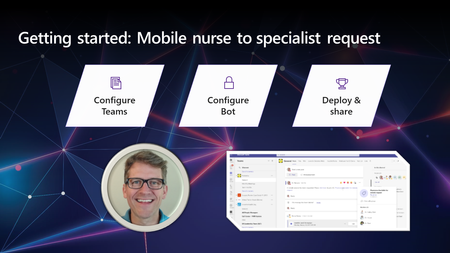
As mentioned in previous posts, I’m fortunate to meet with many healthcare customers, and a use case that has come up quite a bit recently is solutions that help connect the right people together, when one of them may be “remote” and lack access to their regular applications. Some of these include: Mobile nurse requesting assistance from a physician (Nurse is external to network resources) EMT requesting ED physician (ET3 scenario) Physician to physician consult “nudge” (orders are in the EMR, requesting a live call) The Microsoft cloud supports the full spectrum of solutions ranging from lightweight to very advanced. In this post we’ll focus primarily on getting started quickly with a lightweight solution, which can be enhanced over time as your needs grow. This video minimizes the technology footprint, making use of a Teams Conference call and a low-code front-end to make request and creation of the meeting easy-breezy (and has a quick time to implement). In the recording, I cover: Configure Teams Using a Tag in a Teams channel Alternatives like Group chat Configure a Power Virtual Agent Create a dedicated bot (from scratch) for this use case Gather information from the nurse Configure the automation to set the meeting and notify the right people Deploy and share Web channel, Teams, Mobile app Note: There are links to resources called out in the video (scroll past the video). Enhancements & additional resources Virtual Appointment API – this related HLS blog post shows the use of this API in the context of another use case (and has a link to GitHub for a sample connector). This was mentioned in the video as a way to allow the Nurse to join from a mobile browser without downloading/logging into Teams. Power Virtual Agents Channels – official documentation about the available channels and securely deploying to channels of engagement. Dynamics 365 Customer Service – relevant HLS blog post which discusses the use of Dynamics 365 Customer Service and Field Service, as well as how this can be used with Practitioner data for search and routing. Final thoughts It’s worth noting that this is geared toward more of a “B2B” situation, and other approaches would be used for customer virtual visit requests. If you are interested in a follow-up video where I add some of those more advanced configurations, please let me know. I make these as a response to what I hear from our customers and partners!Looking for Framework for Communcations Guidelines in an M365 Environment
Hi all! Do you have a go-to framework for helping organizations plan out their communication strategies in M365? Ideally something that can be used as a reference guide for the end users. Recommendations are welcome!2KViews0likes3CommentsChampion Management Platform Install problem
I'm having a strange issue installing the Champion Management Platform app. I downloaded the package from the repository and uploaded it into SharePoint according to the directions. The global admin approved the API requests and everything is visible in SharePoint. I pushed the app to Teams, and I can see it listed in the Teams admin center, but the icon is showing a broken image link, and I'm not seeing it when I try to add the app to a Team or as a personal app on the sidebar. I got it working fine in my personal test tenant, but I've tried deleting everything 4 times now and everytime I upload the package and push it out to Teams I get the same broken image icon and it's not working. Our VP of digital innovation is heavily pushing the Champions program so this NEEDS to work. Has anyone else run into this that can shed some light on what the issue might be? I figured I'd ask before opening a support ticket.2.2KViews0likes3Comments
Importing font awesome CSS into web component (FASTElement)
I am trying to include the Font Awesome CSS into a https://www.fast.design/docs/api/fast-elementhttps://www.thefurbysh.com/ like this: import { css } from '@microsoft/fast-element'; import { Theme } from '../../theme'; import * as style from '../../assets/fontawesome/css/all.css'; export const styles = css` ${style} :host { contain: content; display: flex; flex-direction: row; border: 2px solid ${Theme.primaryColor}; width: 512px; height: 256px; } `; I think the CSS needs to be a string, so I tried to do this by updating my webpack.config.js, which looks like this: const HtmlWebpackPlugin = require('html-webpack-plugin'); const path = require('path'); module.exports = function (env, { mode }) { const production = mode === 'production'; return { mode: production ? 'production' : 'development', devtool: production ? 'source-map' : 'inline-source-map', entry: { app: './src/main.ts', fa: './src/assets/fontawesome/css/all.css' }, output: { filename: '[name].[contenthash].bundle.js', publicPath: '/', clean: true }, resolve: { extensions: ['.ts', '.js'], modules: ['src', 'node_modules'] }, devServer: { port: 9000, historyApiFallback: true, open: !process.env.CI, devMiddleware: { writeToDisk: true, }, static: { directory: path.join(__dirname, './') } }, plugins: [ new HtmlWebpackPlugin({ template: './index.html' }), ], module: { rules: [ { test: /\.ts$/i, use: [ { loader: 'ts-loader' } ], exclude: /node_modules/ }, { test: /\.css$/i, use: ['style-loader', 'css-loader'], }, ] } } } I modified my config following https://stackoverflow.com/questions/57667688/is-that-possible-to-import-css-file-as-string-in-es6: { test: /\.css$/, use: [ 'to-string-loader', 'css-loader' ] } ...but that has the effect of causing the Font Awesome icons outside of my component to stop rendering altogether, and the icons inside the component render as square boxes, which might have something to do with fonts. Has anyone managed to import Font Awesome into web components in general and FASTElements in particular?1.4KViews0likes0Comments