getting started
49 Topics
Microsoft copilot stops while giving a response.
Why is this happening? Is there a solution for this? It just stops while giving response. And it has happened several times. And you can't even give prompt to continue from there. You should restart it. Does anyone have a solution for this? and I have restarted and reinstalled it 1000 times.11KViews1like18CommentsWelcome to the Microsoft 365 Copilot community 😊!
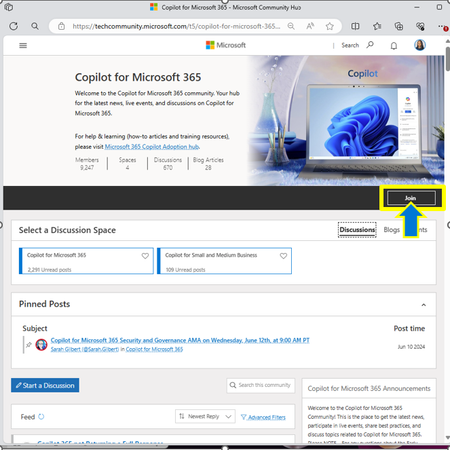
We’re thrilled to have you here and are excited about this forum where we can come together to exchange ideas, collaborate, and delve into all aspects of Microsoft 365 Copilot. We want you to be an active participant in this community! We’d like for you to ask questions, answer others’ questions, and participate in discussion. Expect digital events, like Ask Microsoft Anything (AMA), engagements with Microsoft experts and engineers, vibrant discussions with fellow Microsoft 365 users, advice from pros, and the latest news on updates and releases for Copilot. Below are some tips on how to best use this community: Join the Community: Make sure to click the “join” button on the top right of our community home page so that you can officially become a member of our community! Get the Latest Blog Posts: Stay informed by following and subscribing to our blog space. You’ll receive email updates whenever we post new articles. Keep Up with Our Events: Don’t miss out on our monthly Ask Me Anything (AMA) events. Subscribe and RSVP to let us know you’re attending and add the event to your calendar, so you won’t miss it. We are excited to see the great things you’ll achieve with Microsoft 365 Copilot and look forward to your active participation in this community. Welcome aboard!3.6KViews10likes3CommentsHow to use Copilot Pages [Preview]
Copilot Pages is a dynamic, persistent canvas in Copilot chat designed for multi-player collaboration. With Pages, you can turn insightful Copilot responses into something durable with a side-by-side page that you can edit and, when ready, share with your team to collaborate. #MicrosoftCopilot #Copilot #Microsoft365 #MPVbuzz #Loop #Pages #MicrosoftLoop3.4KViews2likes0Comments
CoPilot in Outlook for multiple mailboxes?
Hello everyone, my customer wants to use CoPilot in Outlook for more than one mailbox. I just learned that CoPilot in Outlook is only available for the users primary mailbox. Of course I'm not happy about that, but let's put the complaints aside for a moment. What if we buy a Copilot license for multiple users and add their mailboxes to Outlook. I'm not talking about delegation or shared mailboxes, I'm talking about adding multiple mailboxes with different users. Will that give me access to CoPilot scenarios for all those mailboxes? I have my doubts, because I assigned a CoPilot license to a user with an Exchange Online P1 license, which was configured in Outlook as a second user, and the CoPilot feature did not show up. If anyone is able to use CoPilot in Outlook for multiple mailboxes, please let me know how you did that. Thanks a lot, Christian Toller tethis IT e.U. Vienna, Austria1.9KViews2likes3CommentsHow to use the Copilot Wave 2 in PowerPoint
The release of the second wave of Copilot also enriches Microsoft PowerPoint, bringing the so-called Narrative Builder. The user starting from a description and existing files can easily create a presentation. In addition, Copilot is able to apply the same template used to be aligned with the corporate brand. #MicrosoftCopilot #Copilot #AI #Microsoft365 #MPVbuzz #PowerPoint1.7KViews2likes0Comments
How to force user-sign in with the Desktop App? (GPO/Intune)
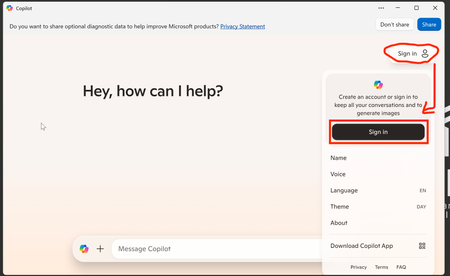
Hi Everyone, How can I force user's to sign into the Copilot desktop application with their Work account? Or put differently, how can I auto sign-in users with their work account for the desktop Copilot application? Thanks everyone!1.6KViews0likes1CommentHow to create Copilot Agents using the M365 Biz Chat
Users can effortlessly create simple Copilot agents using the no-code agent builder available within BizChat at Microsoft365.com/chat or in Teams. By providing natural language instructions and utilizing grounding documents stored in SharePoint, these agents adhere to the same security and information protection policies as Microsoft 365 Copilot. All installed agents, including plugins, are conveniently located in the right-side pane within Copilot, ensuring a focused and streamlined chat experience.1.6KViews4likes3Comments
CoPilot in Edge on Mac
It's my understanding that "Draft with CoPilot" and "Rewrite with CoPilot" are available in Edge for the Mac. I have installed Edge, including the production version, Canary, and Beta. I signed in to my corporate email which is enabled for CoPilot for Microsoft 365. I cannot seem to see/enable CoPilot "draft.." or "rewrite..." I do have the CoPilot capability on the sidebar in my browser. Am I doing something wrong? Is it not available?1.6KViews0likes4CommentsMicrosoft Copilot: A Game Changer for Microsoft Word
Microsoft Copilot is a powerful AI assistant that can enhance the way you work with Microsoft Word. Here are 10 ways you can use it to boost your productivity and creativity: Summarise Documents: Copilot can quickly summarise long documents, saving you time and effort. Simply highlight the text you want to summarise, and Copilot will generate a concise overview. Generate Text: Need help writing a specific section of your document? Copilot can generate text based on your prompts, whether it's an introduction, a conclusion, or even a whole paragraph. Rewrite and Edit: Want to improve the clarity or tone of your writing? Copilot can rewrite sentences and paragraphs to make them more engaging and impactful. Translate Text: Copilot can translate text from one language to another, making it easier to collaborate with people from different cultures. Create Different Writing Styles: Need to write in a specific style, such as formal, informal, or persuasive? Copilot can help you adapt your writing to suit your audience. Generate Ideas: Stuck on a creative block? Copilot can generate ideas for topics, titles, or even entire sections of your document. Proofread and Edit: Copilot can help you identify and correct grammar, spelling, and punctuation errors in your document. Organise and Structure: Copilot can help you organise your thoughts and structure your document effectively. Create Tables and Charts: Copilot can help you create tables and charts from your data, making your document more visually appealing and easier to understand. Personalise Your Writing: Copilot can learn your writing style and preferences, and tailor its suggestions accordingly. How to Access Microsoft Copilot in Microsoft Word: Make sure you have a Microsoft 365 subscription with access to Copilot. Open a Word document. Look for the Copilot icon in the top right corner of the screen. Click the icon to open the Copilot sidebar. Type your prompt or request in the text box. Microsoft Copilot is a powerful tool that can help you work more efficiently and effectively in Microsoft Word. By mastering these 10 tips, you can unlock its full potential and take your writing to the next level. Let me know in the comments what you use Copilot for in Microsoft Word.1.5KViews2likes1Comment