copilot
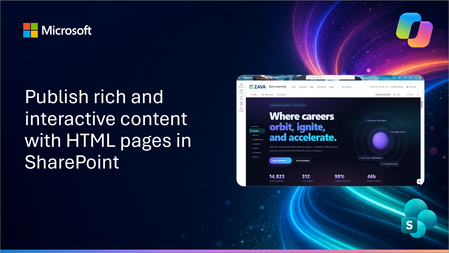
150 TopicsPublish rich and interactive content with HTML pages in SharePoint
HTML pages in SharePoint let you create rich, interactive content with Copilot or upload existing HTML, then edit, publish, and share it alongside modern pages. Copilot-created pages use your site’s branding, while familiar SharePoint permissions and security controls help manage access. Availability is rolling out gradually through the Frontier program.5.3KViews0likes16CommentsSharePoint and OneDrive at Microsoft Ignite 2026: What to Expect
Microsoft Ignite returns November 17–20, 2026, at Moscone Center in San Francisco and online. SharePoint and OneDrive are the knowledge platform for Copilot and agents. This year at Ignite we're excited to show you how this foundational platform helps people securely create, share, and collaborate on content, and turn it into knowledge that people, Copilot, and agents can use in the flow of work. What: Learn more about Microsoft Ignite | Full session scheduler Where: San Francisco, CA and digital pass (free) - https://register.ignite.microsoft.com/ When: November 17-20, 2026 Engage: Stay up to date with all the latest news for OneDrive and SharePoint Microsoft Community LinkedIn @OneDrive on X @SharePoint on X Whether you are modernizing information architecture, preparing content for AI, helping people find what matters faster, or bringing OneDrive and SharePoint into the flow of work, the session lineup offers practical guidance and product insight. Start with these featured breakouts, check out the lightning talks and hands-on labs. Take a moment to explore what excites you most and add them to your Ignite schedule builder to get ready! Start with the featured breakouts Breakout Sessions Date/Time/ Location Session ID Title Summary Tuesday, 11/17 2:00 PM – 2:45 PM Moscone West Level 2 Room 2002 BRK218 SharePoint: Modernize your knowledge foundation for the AI era Most organizations already have the content they need—but it is often scattered across files, sites, and business processes. This session explores how Copilot in SharePoint can help transform that content into organizational knowledge by modernizing information architecture, enriching content with AI, scaling expertise through reusable skills, and strengthening Copilot and agent experiences across Microsoft 365. Thursday, 11/19 2:45–3:30 PM Marriott Marquis Lower B2 Yerba Buena Salon 7 BRK219 AI in the Flow of Work: OneDrive for the AI Era See how OneDrive is becoming an intelligent content layer for AI-powered productivity across Microsoft 365. Through demos and real-world scenarios, this session shows how Copilot in OneDrive can help people find knowledge faster, uncover insights, automate tasks, and collaborate more effectively—while keeping individuals and teams in the flow of work. Thursday, 11/19 4:00 – 4:45PM AMC Metreon Level 3 Theater 12 BRK217 Real-World AI Transformation with Copilot in SharePoint Organizations are moving beyond AI experiments and into production. Through real-world examples and customer stories, this session explores how Copilot in SharePoint can help modernize knowledge management, organize content at scale, automate business processes, preserve expertise, and strengthen Copilot experiences. Attendees will gain practical approaches for turning scattered content into organizational knowledge—and transforming that knowledge into action across the enterprise. Explore theater sessions, lightning talks and a hands-on lab Round out your schedule with three focused, 15-minute lightning talks, plus a hands-on Copilot in SharePoint lab. Theater, Lightning and Lab Sessions Date/Time/ Location Session ID Title Summary Tuesday, 11/17 4:40-5:05 PM Moscone South The Hub Theater D THR852 Why AI Fails Without a Knowledge Strategy Employees spend hours searching for information spread across emails, chats, meetings, documents, and business systems. AI can only be as effective as the knowledge it can access and understand. Discover how organizations can move beyond AI assistants that answer questions and toward AI systems that understand people, projects, content, relationships, and business context. Leave with actionable next steps to help your organization unlock more value from its knowledge and AI investments. Wednesday, 11/ 18 9:50–10:05 AM Moscone South The Hub Lightning Talk 8 LTG1167 Deploy OneDrive Sync with Confidence: The Desktop Playbook Learn how to successfully deploy and manage OneDrive Sync across your organization. Explore deployment best practices, configuration tips, user adoption strategies, and troubleshooting guidance to deliver a reliable and scalable file sync experience for your users. Thursday 11/19 9:00–9:15 AM Moscone South The Hub Lightning Talk 2 LTG1168 The foundation of Trusted AI: SharePoint security and resiliency Trusted AI starts with trusted content. As agents and Copilot experiences become integral to business workflows in Microsoft 365, SharePoint security and resiliency are more critical than ever. Join us to see how SharePoint, the #1 citation source of Copilot, protects organizational knowledge, ensures resilience against threats and disruptions, and provides the trusted foundation for AI at enterprise scale. Thursday, 11/19 4:15 PM - 4:30 PM Moscone South The Hub Lightning Talk 4 LTG1166 Your Work, Anywhere: The New OneDrive Experience Across Web and Mobile Work happens everywhere, and OneDrive is evolving to help you stay productive wherever you are. Explore the latest OneDrive experiences across web and mobile, designed to help you quickly find, organize, and act on content from any device. See new innovations, real-world productivity scenarios, and how OneDrive helps you stay connected, streamline tasks, and work smarter across Microsoft 365. Tuesday 11/17 2:00 PM - 3:15 PM Moscone West Level 2, Room 2007 Wednesday 11/18 4:00 PM - 5:15 PM Moscone West Level 2, Room 200 Thursday 11/19 4:30 PM - 5:45 PM Moscone West Level 2, Room 200 Friday 11/20 10:45 AM - 12:00 PM Moscone West Level 2, Room 200 LAB650 Build a Knowledge-Powered Workspace with Copilot in SharePoint Learn how to transform content into organizational knowledge and put AI to work across your team. You'll use Copilot in SharePoint to organize information, enrich content with metadata, create pages and reports, build reusable skills, and automate common processes. Along the way, you'll see how better-organized knowledge helps strengthen Copilot experiences across Microsoft 365. Leave with practical techniques you can apply immediately to build a modern, AI-powered knowledge workspace. Visit us at the OneDrive and SharePoint Expert Meet up Connect with OneDrive and SharePoint product experts, ask questions, and continue the conversation beyond the sessions. We’re excited to connect with you! Where to find us: Copilot Neighborhood | Expert Meet Up Station Look for: SharePoint and OneDrive Booth #13 Located in: The Hub, Moscone South Build your Ignite schedule Curious about what else Microsoft has in store for Ignite? There are many more sessions across the full spectrum of the Microsoft stack. So, make sure to explore the full session catalog and start selecting your list of favorites to create a personalized Ignite experience today. Learn more Microsoft Ignite 2026 session catalog SharePoint Showcase blog Copilot in SharePoint blog OneDrive blog Microsoft OneDrive: Customer Office Hours Sync Up by Microsoft 365700Views1like2CommentsCopilot, Microsoft 365 & Power Platform product updates call
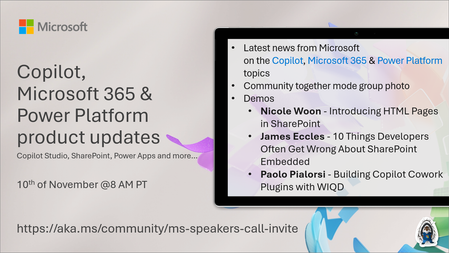
💡Copilot, Microsoft 365 & Power Platform product updates call concentrates on the different use cases and features within the Microsoft 365 and in Power Platform. Call includes topics like Microsoft 365 Copilot, Copilot Studio, Microsoft Teams, Power Platform, Microsoft Graph, Microsoft Viva, Microsoft Search, Microsoft Lists, SharePoint, Power Automate, Power Apps and more. 👏 Weekly Tuesday call is for all community members to see Microsoft PMs, engineering and Cloud Advocates showcasing the art of possible with Copilot, Microsoft 365 and Power Platform. 📅 On the 10th of November we'll have following agenda: News and updates from Microsoft Together mode group photo Nicole Woon - Introducing HTML Pages in SharePoint James Eccles - 10 Things Developers Often Get Wrong About SharePoint Embedded Paolo Pialorsi - Building Copilot Cowork Plugins with WIQD 📞 & 📺 Join the Microsoft Teams meeting live at https://aka.ms/community/ms-speakers-call-join 🗓️ Download recurrent invite for this weekly call from https://aka.ms/community/ms-speakers-call-invite 👋 See you in the call! 💡 Building something cool for Copilot, Microsoft 365 or Power Platform (Copilot Studio, SharePoint, Power Apps, etc)? We are always looking for presenters - Volunteer for a community call demo at https://aka.ms/community/request/demo 📖 Resources: Previous community call recordings and demos from the Microsoft Community Learning YouTube channel at https://aka.ms/community/youtube Microsoft 365 & Power Platform samples from Microsoft and community - https://aka.ms/community/samples Microsoft 365 & Power Platform community details - https://aka.ms/community/home 🧡 Sharing is caring!60Views0likes0CommentsCopilot, Microsoft 365 & Power Platform Community call
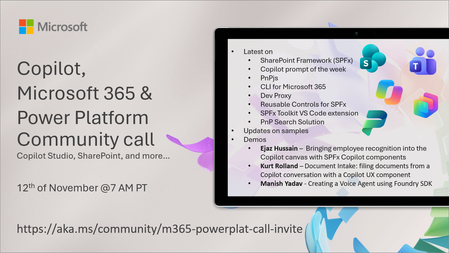
💡 Copilot, Microsoft 365 & Power Platform weekly community call focuses on different use cases and features within the Microsoft 365 and Power Platform - across Microsoft 365 Copilot, Copilot Studio, SharePoint, Power Apps and more. Demos in this call are presented by the community members. 👏 Looking to catch up on the latest news and updates, including cool community demos, this call is for you! 📅 On 12th of November we'll have following agenda: Latest news and events from Microsoft Latest on Copilot prompt of the week CommunityDays.org update Microsoft 365 Maturity model PnP Framework and Core SDK extension PnP PowerShell Script samples Copilot pro dev samples Power Platform samples Demos this time Ejaz Hussain – Bringing employee recognition into the Copilot canvas with SPFx Copilot components Kurt Rolland – Document Intake: filing documents from a Copilot conversation with a Copilot UX component Manish Yadav - Creating a Voice Agent using Foundry SDK 📅 Download recurrent invite from https://aka.ms/community/m365-powerplat-dev-call-invite 📞 & 📺 Join the Microsoft Teams meeting live at https://aka.ms/community/m365-powerplat-dev-call-join 💡 Building something cool for Microsoft 365 or Power Platform (Copilot, SharePoint, Power Apps, etc)? We are always looking for presenters - Volunteer for a community call demo at https://aka.ms/community/request/demo 👋 See you in the call! 📖 Resources: Previous community call recordings and demos from the Microsoft Community Learning YouTube channel at https://aka.ms/community/youtube Microsoft 365 & Power Platform samples from Microsoft and community - https://aka.ms/community/samples Microsoft 365 & Power Platform community details - https://aka.ms/community/home 🧡 Sharing is caring!31Views0likes0CommentsSharePoint Showcase: How Microsoft uses Copilot in SharePoint, and how you can get started
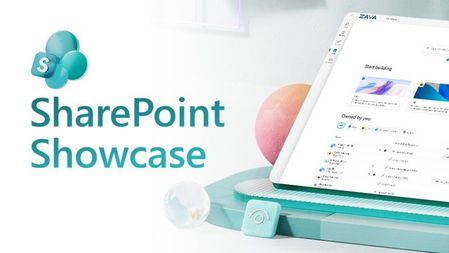
For this month's SharePoint showcase, we're zooming in on AI skills in Sharepoint and real Microsoft use cases for Copilot in SharePoint. We're also introducing a new "Product Drops" standing section to recap all the new GA functionality across the platform each month. As always, would love to hear from you in the comments. Let's get into it!3.3KViews0likes2CommentsCopilot, Microsoft 365 & Power Platform Community call
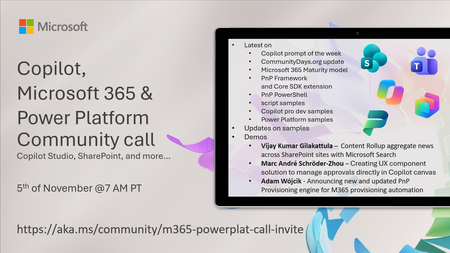
💡 Copilot, Microsoft 365 & Power Platform weekly community call focuses on different use cases and features within the Microsoft 365 and Power Platform - across Microsoft 365 Copilot, Copilot Studio, SharePoint, Power Apps and more. Demos in this call are presented by the community members. 👏 Looking to catch up on the latest news and updates, including cool community demos, this call is for you! 📅 On 5th of November we'll have following agenda: Latest news and events from Microsoft Latest on Copilot prompt of the week CommunityDays.org update Microsoft 365 Maturity model PnP Framework and Core SDK extension PnP PowerShell Script samples Copilot pro dev samples Power Platform samples Demos this time Vijay Kumar Gilakattula – Content Rollup aggregate news across SharePoint sites with Microsoft Search Marc André Schröder-Zhou – Creating UX component solution to manage approvals directly in Copilot canvas Adam Wójcik - Announcing new and updated PnP Provisioning engine for M365 provisioning automation 📅 Download recurrent invite from https://aka.ms/community/m365-powerplat-dev-call-invite 📞 & 📺 Join the Microsoft Teams meeting live at https://aka.ms/community/m365-powerplat-dev-call-join 💡 Building something cool for Microsoft 365 or Power Platform (Copilot, SharePoint, Power Apps, etc)? We are always looking for presenters - Volunteer for a community call demo at https://aka.ms/community/request/demo 👋 See you in the call! 📖 Resources: Previous community call recordings and demos from the Microsoft Community Learning YouTube channel at https://aka.ms/community/youtube Microsoft 365 & Power Platform samples from Microsoft and community - https://aka.ms/community/samples Microsoft 365 & Power Platform community details - https://aka.ms/community/home 🧡 Sharing is caring!188Views0likes0CommentsCopilot, Microsoft 365 & Power Platform product updates call
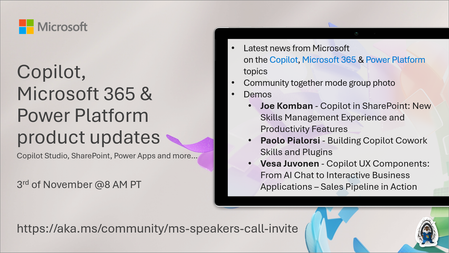
💡Copilot, Microsoft 365 & Power Platform product updates call concentrates on the different use cases and features within the Microsoft 365 and in Power Platform. Call includes topics like Microsoft 365 Copilot, Copilot Studio, Microsoft Teams, Power Platform, Microsoft Graph, Microsoft Viva, Microsoft Search, Microsoft Lists, SharePoint, Power Automate, Power Apps and more. 👏 Weekly Tuesday call is for all community members to see Microsoft PMs, engineering and Cloud Advocates showcasing the art of possible with Copilot, Microsoft 365 and Power Platform. 📅 On the 3rd of November we'll have following agenda: News and updates from Microsoft Together mode group photo Joe Komban - Copilot in SharePoint: New Skills Management Experience and Productivity Features Paolo Pialorsi - Building Copilot Cowork Skills and Plugins Vesa Juvonen - Copilot UX Components: From AI Chat to Interactive Business Applications – Sales Pipeline in Action 📞 & 📺 Join the Microsoft Teams meeting live at https://aka.ms/community/ms-speakers-call-join 🗓️ Download recurrent invite for this weekly call from https://aka.ms/community/ms-speakers-call-invite 👋 See you in the call! 💡 Building something cool for Copilot, Microsoft 365 or Power Platform (Copilot Studio, SharePoint, Power Apps, etc)? We are always looking for presenters - Volunteer for a community call demo at https://aka.ms/community/request/demo 📖 Resources: Previous community call recordings and demos from the Microsoft Community Learning YouTube channel at https://aka.ms/community/youtube Microsoft 365 & Power Platform samples from Microsoft and community - https://aka.ms/community/samples Microsoft 365 & Power Platform community details - https://aka.ms/community/home 🧡 Sharing is caring!155Views0likes0CommentsCopilot, Microsoft 365 & Power Platform Community call
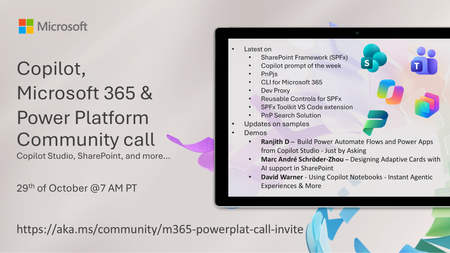
💡 Copilot, Microsoft 365 & Power Platform weekly community call focuses on different use cases and features within the Microsoft 365 and Power Platform - across Microsoft 365 Copilot, Copilot Studio, SharePoint, Power Apps and more. Demos in this call are presented by the community members. 👏 Looking to catch up on the latest news and updates, including cool community demos, this call is for you! 📅 On 29th of October we'll have following agenda: Latest on SharePoint Framework (SPFx) Latest on Copilot prompt of the week PnPjs CLI for Microsoft 365 Dev Proxy Reusable Controls for SPFx SPFx Toolkit VS Code extension PnP Search Solution Demos this time Ranjith D – Build Power Automate Flows and Power Apps from Copilot Studio - Just by Asking Marc André Schröder-Zhou – Designing Adaptive Cards with AI support in SharePoint David Warner - Using Copilot Notebooks - Instant Agentic Experiences & More 📅 Download recurrent invite from https://aka.ms/community/m365-powerplat-dev-call-invite 📞 & 📺 Join the Microsoft Teams meeting live at https://aka.ms/community/m365-powerplat-dev-call-join 💡 Building something cool for Microsoft 365 or Power Platform (Copilot, SharePoint, Power Apps, etc)? We are always looking for presenters - Volunteer for a community call demo at https://aka.ms/community/request/demo 👋 See you in the call! 📖 Resources: Previous community call recordings and demos from the Microsoft Community Learning YouTube channel at https://aka.ms/community/youtube Microsoft 365 & Power Platform samples from Microsoft and community - https://aka.ms/community/samples Microsoft 365 & Power Platform community details - https://aka.ms/community/home 🧡 Sharing is caring!255Views0likes0CommentsCopilot, Microsoft 365 & Power Platform product updates call
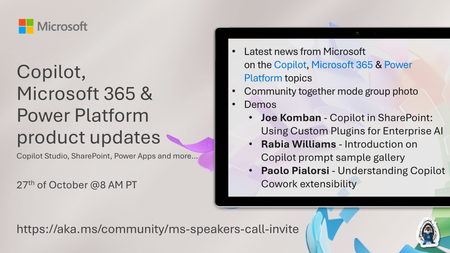
Copilot, Microsoft 365 & Power Platform product updates call concentrates on the different use cases and features within the Microsoft 365 and in Power Platform. Call includes topics like Microsoft 365 Copilot, Copilot Studio, Microsoft Teams, Power Platform, Microsoft Graph, Microsoft Viva, Microsoft Search, Microsoft Lists, SharePoint, Power Automate, Power Apps and more. 👏 Weekly Tuesday call is for all community members to see Microsoft PMs, engineering and Cloud Advocates showcasing the art of possible with Copilot, Microsoft 365 and Power Platform. 📅 On the 27th of October we'll have following agenda: News and updates from Microsoft Together mode group photo Joe Komban - Copilot in SharePoint: Using Custom Plugins for Enterprise AI Rabia Williams - Introduction on Copilot prompt sample gallery Paolo Pialorsi - Understanding Copilot Cowork extensibility 📞 & 📺 Join the Microsoft Teams meeting live at https://aka.ms/community/ms-speakers-call-join 🗓️ Download recurrent invite for this weekly call from https://aka.ms/community/ms-speakers-call-invite 👋 See you in the call! 💡 Building something cool for Microsoft 365 or Power Platform (Copilot, SharePoint, Power Apps, etc)? We are always looking for presenters - Volunteer for a community call demo at https://aka.ms/community/request/demo 📖 Resources: Previous community call recordings and demos from the Microsoft Community Learning YouTube channel at https://aka.ms/community/youtube Microsoft 365 & Power Platform samples from Microsoft and community - https://aka.ms/community/samples Microsoft 365 & Power Platform community details - https://aka.ms/community/home 🧡 Sharing is caring!197Views0likes0Comments
What replaces the Copilot in SharePoint site exclusion list after 1 November 2026
Disclosure: I work on M365 Scouts, a vendor that makes read-only audit scripts for Microsoft 365. This post is about Microsoft's own controls and doesn't need our tools. If you excluded SharePoint sites from Copilot using the preview cmdlets (KnowledgeAgentScope, KnowledgeAgentSelectedSitesList, KnowledgeAgentSelectedSitesListOperation), those settings are only honoured until 1 November 2026. The cmdlets are retired. Microsoft says general availability of Copilot in SharePoint begins rolling out on 30 September 2026. What replaces them: Site AI settings. Set by the site owner (Settings > Site AI). They hide the Copilot button on that site for visitors. Restricted Content Discovery. Set by a SharePoint admin, for example Set-SPOSite -Identity <site-url> -RestrictContentOrgWideSearch $true. It limits discovery of the site in organization-wide search and Copilot responses, and removes the AI entry points on that site. It needs a Copilot licence and SharePoint Advanced Management, and it covers SharePoint sites only, not OneDrive. On sites over 500,000 items an update can take more than a week. Neither control changes permissions. People who already have access can still open the files, and Microsoft describes Restricted Content Discovery as a temporary control to use selectively. Restricted SharePoint Search is also retiring, and new enablement has been blocked since 31 July 2026. So the real work before 1 November is knowing which sites are overshared: Anyone links, Everyone except external users, broken inheritance, ownerless sites and missing sensitivity labels. Copilot in SharePoint also needs a Microsoft 365 Copilot licence for each user. Sources: Microsoft Learn pages on Copilot in SharePoint, Restricted Content Discovery and Restricted SharePoint Search. Please check them against your tenant, because the GA page is still changing.323Views0likes1Comment