conferencing-meeting join
60 TopicsSkype for Business video tutorials covering both desktop and mobile experience
Here are several video tutorials I have created for Skype for Business, covering both the desktop and mobile application. Cheers, Pooya Obbohat Have also created the same type of videos for Yammer. You can find them in this post. 1.4KViews2likes0Comments

SFB not changing status automatically to "In a meeting" when joining a meeting.
I'm having issues with Skype for business on my PC. When I join a meeting linked to my Outlook, my skype status will not update to "in a meeting" nor is that option available for me to change manually. If anyone has any insight on this I'd greatly appreciate it.191KViews1like5Comments
Skype for Business conference call with private Skype user
I need to orginize a conference call, and majority of people on that call will be using SfB (Office 365 E3, I think) and one of them is on normal Skype. So my question is, can I add a person on normal Skype to the SfB conference call? thanks.2.4KViews1like1CommentEnding a Skype for Business Online meeting
Are there recommended settings a corporation should set for online Skype meetings to improve security for meetings? Just discovered that if a presenter/host just closes the Skype meeting window it doesn't End the Meeting and attendees can continue in meeting. This also applies to ad-hoc meetings with the Meet Now option. The attendees are still in the meeting window.Solved5.4KViews1like2Comments
Total block on external users joining meetings
As far as I am aware there are three places to block the ability for users to contact external Skype for Business users 1. In Skype web admin globally (set to all off) 2. In Skype web admin per user (set to off) 3. In Powershell use an external access policy and ensure everything is set to false (enableoutsideaccess, enable federation access etc, - in fact im using a policy and confirmed it is being correctly applied with everything set to false) However using my test user with all the above applied I am still able to create a meeting, invite an external participant and they can join with no issues what am I missing?2.5KViews1like2CommentsHow do I only record my shared desktop screen and not the video feed from other participants?
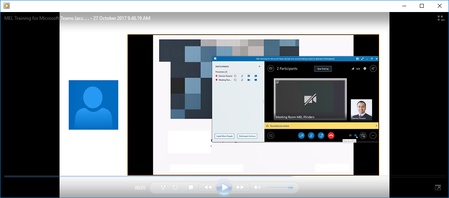
Hi guys Hopefully I am explaining this right, but when I record a Skype for business meeting, the output looks like the one below. I only want to capture the audio and shared desktop (presentation only). I don't want to have the persons image or video feed on the left. How do I only record the presentation and audio? Is there a way to do this? Thanks DamienSolved11KViews1like13Comments
Skype Room System v3 Must Have Feature
IMO the SRS system is missing the boat with one key feature...Allowing a user to present from the SRS device itself! So far its just a glorified controller (>$2200 for the logitech one w/ sp4) IF it had the ability to login and present/whiteboard/share from the device without a need for an external computer, it would be a gamechanger. Heck, since it requires a Surface Pro/4, build in the functionality to fire up a desktop instance in a window/fullscreen (a "lite" VM of windows 10) for the presenter. The presenter's virtual pc is logged into the user's Office 365 or on-prem resources and auto-joined to the meeting, utilizing the SP4's built-in camera, pen input, and an external wireless keyboard/mouse. Build in an overlay button to go back to SRS at any time and another to cancel the guest OS session. Upon cancellation the guest OS is refreshed to default. IMO an SP4 with SRS is a complete waste of a VERY capable PC. I'd take a SP4 with an AV dock anyday over just the 3 touchscreen buttons SRS provides.1.4KViews1like0Comments