azure ai studio
200 TopicsRAFT: A new way to teach LLMs to be better at RAG
In this article, we will look at the limitations of RAG and domain-specific Fine-tuning to adapt LLMs to existing knowledge and how a team of UC Berkeley researchers, Tianjun Zhang and Shishir G. Patil, may have just discovered a better approach.111KViews7likes5CommentsIntroducing Azure AI Agent Service
Introducing Azure AI Agent Service at Microsoft Ignite 2024 Discover how Azure AI Agent Service is revolutionizing the development and deployment of AI agents. This service empowers developers to build, deploy, and scale high-quality AI agents tailored to business needs within hours. With features like rapid development, extensive data connections, flexible model selection, and enterprise-grade security, Azure AI Agent Service sets a new standard in AI automation90KViews10likes8CommentsWelcoming Mistral, Phi, Jais, Code Llama, NVIDIA Nemotron, and more to the Azure AI Model Catalog
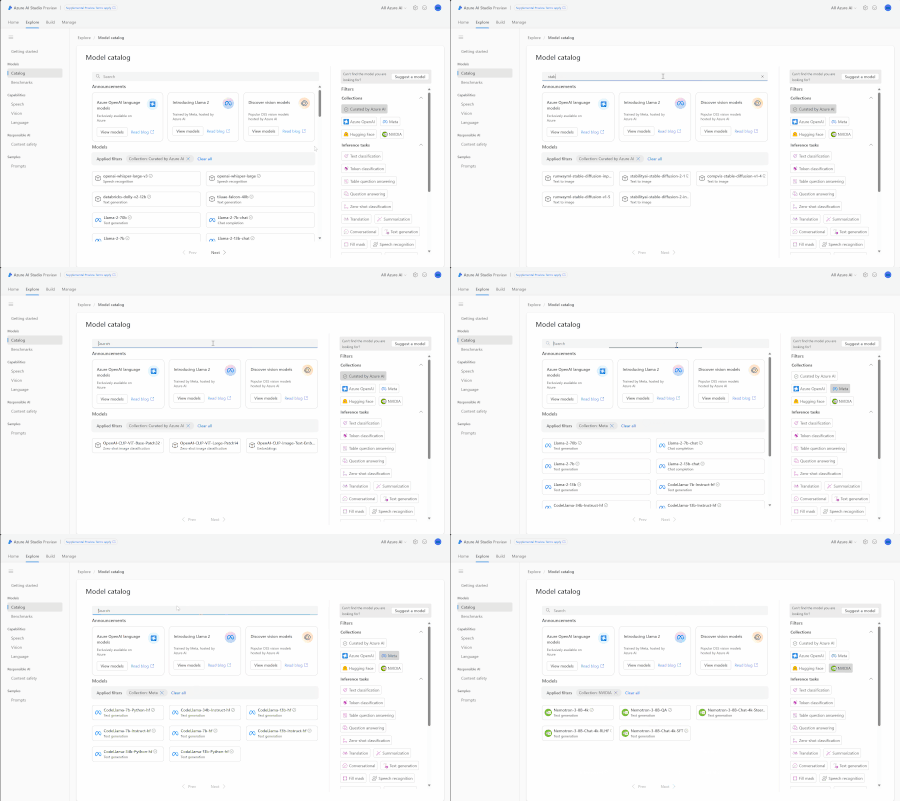
We are excited to announce the addition of several new foundation and generative AI models to the Azure AI model catalog. From Hugging Face, we have onboarded a diverse set of stable diffusion models, falcon models, CLIP, Whisper V3, BLIP, and SAM models. In addition to Hugging Face models, we are adding Code Llama and Nemotron models from Meta and NVIDIA respectively. We are also introducing our cutting-edge Phi models from Microsoft research. These exciting additions to the model catalog have resulted in 40 new models and 4 new modalities including text-to-image and image embedding. Today, we are also pleased to announce Models as a Service. Pro developers will soon be able to easily integrate the latest AI models such as Llama 2 from Meta, Command from Cohere, Jais from G42, and premium models from Mistral as an API endpoint to their applications. They can also fine-tune these models with their own data without needing to worry about setting up and managing the GPU infrastructure, helping eliminate the complexity of provisioning resources and managing hosting. Below is additional information about the incredible new models we are bringing to Models as a Service and to the Azure AI model catalog. New Models in Models as a Service (MaaS) Command (Coming Soon) Command is Cohere's premier text generation model, designed to respond effectively to user commands and instantly cater to practical business applications. It offers a range of default functionalities but can be customized for specific company language or advanced use cases. Command's capabilities include writing product descriptions, drafting emails, suggesting press release examples, categorizing documents, extracting information, and answering general queries. We will soon support Command in MaaS. Jais (Coming Soon) Jais is a 13-billion parameter model developed by G42 and trained on a diverse 395-billion-token dataset, comprising 116 billion Arabic and 279 billion English tokens. Notably, Jais is trained on the Condor Galaxy 1 AI supercomputer, a multi-exaFLOP AI supercomputer co-developed by G42 and Cerebras Systems. This model represents a significant advancement for the Arabic world in AI, offering over 400 million Arabic speakers the opportunity to explore the potential of generative AI. Jais will also be offered in MaaS as inference APIs and hosted fine-tuning. Mistral Mistral is a Large Language Model with 7.3 billion parameters. It is trained on data that is able to generate coherent text and perform various natural language processing tasks. It is a significant leap from previous models and outperforms many existing AI models on a variety of benchmarks. One of the key features of the Mistral 7B model is its use of grouped query attention and sliding window attention, which allow for faster inference and longer response sequences. Azure AI model catalog will soon offer Mistral’s premium models in Model-as-a-Service (MaaS) through inference APIs and hosted-fine-tuning. Mistral-7B-V01 Mistral-7B-Instruct-V01 New Models in Azure AI Model Catalog Phi Phi-1-5 is a Transformer with 1.3 billion parameters. It was trained using the same data sources as Phi-1, augmented with a new data source that consists of various NLP synthetic texts. When assessed against benchmarks testing common sense, language understanding, and logical reasoning, Phi-1.5 demonstrates a nearly state-of-the-art performance among models with fewer than 10 billion parameters. Phi-1.5 can write poems, draft emails, create stories, summarize texts, write Python code (such as downloading a Hugging Face transformer model), etc. Phi-2 is a Transformer with 2.7 billion parameters that shows dramatic improvement in reasoning capabilities and safety measures compared to Phi-1-5, however it remains relatively small compared to other transformers in the industry. With the right fine-tuning and customization, these SLMs are incredibly powerful tools for applications both on the cloud and on the edge. Phi 1.5 Phi 2 Whisper V3 Whisper is a Transformer based encoder-decoder model, also referred to as a sequence-to-sequence model. It was trained on 1 million hours of weakly labeled audio and 4 million hours of pseudo labeled audio collected using Whisper large-v2. The models were trained on either English-only data or multilingual data. The English-only models were trained on the task of speech recognition. The multilingual models were trained in both speech recognition and speech translation. For speech recognition, the model predicts transcriptions in the same language as the audio. For speech translation, the model predicts transcriptions to a different language to the audio. OpenAI-Whisper-Large-V3 BLIP BLIP (Bootstrapping Language-Image Pre-training) is a model that is able to perform various multi-modal tasks including: Visual Question Answering, Image-Text retrieval (Image-text matching), Image Captioning. Created by Salesforce, the BLIP model is based on the concept of vision-language pre-training (VLP), which combines pre-trained vision models and large language models (LLMs) for vision-language tasks. BLIP effectively utilizes the noisy web data by bootstrapping the captions, where a captioner generates synthetic captions and a filter removes the noisy ones. It achieves state-of-the-art results on a wide range of vision-language tasks, such as image-text retrieval, image captioning, and VQA. The following variants are available in the model catalog: Salesforce-BLIP-VQA-Base Salesforce-BLIP-Image-Captioning-Base Salesforce-BLIP-2-OPT-2-7b-VQA. Salesforce-BLIP-2-OPT-2-7b-Image-To-Text. CLIP CLIP (Contrastive Language-Image Pre-Training) is a neural network trained on a variety of image-text pairs and created by OpenAI for efficiently learning visual concepts from natural language supervision. CLIP can be applied to any visual classification benchmark by simply providing the names of the visual categories to be recognized, similar to the “zero-shot” capabilities of GPT-2 and GPT-3. CLIP can also be used to extract visual and text embeddings for use in downstream tasks (such as information retrieval). Including this model increases our ever-growing list of other OpenAI models available in the model catalog including GPT and Dall-E. As mentioned earlier, these Azure Machine Learning curated models are thoroughly tested. The available CLIP variants include: OpenAI-CLIP-Image-Text-Embeddings-ViT-Base-Patch32 OpenAI-CLIP-ViT-Base-Patch32 OpenAI-CLIP-ViT-Large-Patch14 Code Llama As a result of the partnership between Microsoft and Meta, we are delighted to offer the new Code Llama model and its variants in the Azure AI model catalog. Code Llama is a collection of pretrained and fine-tuned generative text models ranging in scale from 7 billion to 34 billion parameters. Code Llama is state-of-the-art for LLMs on code tasks and has the potential to make workflows faster and more efficient for current developers and lower the barrier to entry for people who are learning to code. Code Llama has the potential to be used as a productivity and educational tool to help programmers write more robust, well-documented software. The available Code Llama variants include: CodeLlama-34b-Python CodeLlama-34b-Instruct CodeLlama-13b CodeLlama-13b-Python CodeLlama-13b-Instruct CodeLlama-7b CodeLlama-7b-Python CodeLlama-7b-Instruct Falcon models The next set of models were created by the Technical Innovation Institute (TII). Falcon-7B is a large language model with 7 billion parameters and Falcon-40B with 40 billion parameters. It is a causal decoder-only model developed by TII and trained on 1,500 billion tokens and 1 trillion tokens of RefinedWeb dataset respectively, which was enhanced with curated corpora. The model is available under the Apache 2.0 license. It outperforms comparable open-source models and features an architecture optimized for inferencing. The Falcon variants include: Falcon-40b Falcon-40b-Instruct Falcon-7b-Instruct Falcon-7b NVIDIA Nemotron Another additional update is the launch of the new NVIDIA AI collection of models and registry. This partnership is also where NVIDIA is launching a new 8B LLM, titled Nemotron-3, in 3 variants pretrained, chat and Q&A. Nemotron-3, which is a family of enterprise ready GPT-based decoder-only generative text models compatible with NVIDIA NeMo Framework. Nemotron-3-8B-Base-4k Nemotron-3-8B-Chat-4k-SFT Nemotron-3-8B-Chat-4k-RLHF Nemotron-3-8B-Chat-4kSteerLM Nemotron-3-8B-QA-4k SAM The Segment Anything Model (SAM) is an innovative image segmentation tool capable of creating high-quality object masks from simple input prompts. Trained on a massive dataset comprising 11 million images and 1.1 billion masks, SAM demonstrates strong zero-shot capabilities, effectively adapting to new image segmentation tasks without prior specific training. Created by Meta, the model's impressive performance matches or exceeds prior models that operated under full supervision. Facebook-Sam-Vit-Large Facebook-Sam-Vit-Huge Facebook-Sam-Vit-Base Stable Diffusion Models The latest additions to the model catalog include Stable Diffusion models for text-to-image and inpainting tasks, developed by Stability AI and CompVis. These cutting-edge models offer a remarkable advancement in generative AI, providing greater robustness and consistency in generating images from text descriptions. By incorporating these Stable Diffusion models into our catalog, we are enhancing the diversity of available modalities and models, enabling users to access state-of-the-art capabilities that open new possibilities for creative content generation, design, and problem-solving. The addition of Stable Diffusion models in the Azure AI model catalog reflects our commitment to offering the most advanced and stable AI models to empower data scientists and developers in their machine learning projects, apps, and workflows. The available Stable Diffusion models include: Stable-Diffusion-V1-4 Stable-Diffusion-2-1 Stable-Diffusion-V1-5 Stable-Diffusion-Inpainting Stable-Diffusion-2-Inpainting Curated Model Catalog Inference Optimizations In addition to the above curated AI models, we also wanted to improve the overall user experience by optimizing the catalog and its features in meaningful ways. Models on the Azure AI model catalog are powered by a custom inferencing container to cater to the growing demand for high performance inference and serving of foundation models. The container comes equipped with multiple backend inferencing engines, including vLLM, DeepSpeed-FastGen and Hugging Face, to cover a wide variety of model architectures. Our default choice for serving models is vLLM, which provides high throughput and efficient memory management with continuous batching and Paged Attention. We are also excited to support DeepSpeed-FastGen - the latest offering by DeepSpeed team, which introduces a Dynamic SplitFuse technique to offer even higher throughput. You can try out the alpha version of DeepSpeed-FastGen with our Llama-2 family of models. Learn more about DeepSpeed-FastGen from here: https://github.com/microsoft/DeepSpeed/tree/master/blogs/deepspeed-fastgen. For models that can’t be served by vLLM or DeepSpeed-MII, the container also comes with Hugging Face engine. To further maximize GPU utilization and achieve even higher throughput, the container strategically deploys multiple model replicas based on the available hardware and routes the incoming requests to available replicas. This allows efficient serving of even more concurrent user requests. Additionally, we integrated Azure AI Content Safety to streamline the process of detecting potentially harmful content in AI-generated applications and services. This integration aims to enforce responsible AI practices and safe usage of our advanced AI models. You can start seeing benefits of using our container with Llama-2 family of models. We plan to extend support to even more models, including other modalities like Stable Diffusion and Falcon. To get started with model inferencing, view the “Learn more” section below. https://github.com/Azure/azureml-examples/blob/main/sdk/python/foundation-models/system/inference/text-generation/llama-safe-online-deployment.ipynb Fine-tuning Optimizations Training larger LLMs such as those with 70B parameters and above needs a lot of GPU memory and can run out of memory during fine-tuning, and sometimes even loading them is not possible if the GPU memory is small. This is exacerbated further for most real-life use cases where we need context lengths that are as close to the model’s maximum allowed context length, which pushes memory requirement even further. To solve this problem, we are excited to provide users some of the latest optimizations for fine-tuning – Low Rank Adaptation (LoRA), DeepSpeed ZeRO, and Gradient Checkpointing. Gradient Checkpointing lowers GPU memory requirement by storing only select activations computed during the forward pass and recomputing them during the backward pass. This is known to reduce GPU memory by a factor of sqrt(n) (where n is the number of layers) while adding a modest additional computational cost from recomputing some activations. LoRA freezes most of the model parameters in the pretrained model during fine-tuning, and only modifies a small fraction of weights (LoRA adapters). This reduces GPU memory required, and also reduces fine-tuning time. LoRA reduces the number of trainable parameters by orders of magnitude, without much impact on the quality of the fine-tuned model. DeepSpeed’s Zero Redundancy Optimizer (ZeRO) achieves the merits of data and model parallelism, while alleviating the limitations of both. DeepSpeed ZeRO has three stages which partition the model states – parameters, gradients, and optimizer states – across GPUs and uses a dynamic communication schedule to share the necessary model states across GPUs. The GPU memory reduction allows users to fine-tune LLMs like LLAMA-2-70B with a single node of 8xV100s, for typical sequence lengths of the data encountered in many use cases. All these optimizations are orthogonal and can be used together in any combination, empowering our customers to train large models on multi-GPU clusters with mixed precision to get the best fine-tuning accuracy. AI safety and Responsible AI Responsible AI is at the heart of Microsoft’s approach to AI and how we partner. For years we’ve invested heavily in making Azure the place for responsible, cutting-edge AI innovation, whether customers are building their own models or using pre-built and customizable models from Microsoft, Meta, OpenAI and the open-source ecosystem. We are thrilled to announce that Stable Diffusion models now support Azure AI Content Safety. Azure AI Content Safety detects harmful user-generated and AI-generated content in applications and services. Content Safety includes text and image APIs that allow you to detect material that is harmful. We also have an interactive Content Safety Studio that allows you to view, explore and try out sample code for detecting harmful content across different modalities. You can learn more from the link below. We cannot wait to witness the incredible applications and solutions our users will create using these state-of-the-art models. Explore SDK and CLI examples for foundation model in azureml-examples GitHub repo! SDK: azureml-examples/sdk/python/foundation-models/system at main · Azure/azureml-examples (github.com) CLI: azureml-examples/cli/foundation-models/system at main · Azure/azureml-examples (github.com) Learn more! Get started with new vision models in Azure AI Studio and Azure Machine Learning Sign up for Azure AI and start exploring vision-based models in the Azure Machine Learning model catalog. Announcing Foundation Models in Azure Machine Learning Explore documentation for the model catalog in Azure AI Learn more about generative AI in Azure Machine Learning Learn more about Azure AI Content Safety - Azure AI Content Safety – AI Content Moderation | Microsoft Azure Get started with model inferencing88KViews3likes3CommentsIntroducing Meta Llama 3 Models on Azure AI Model Catalog
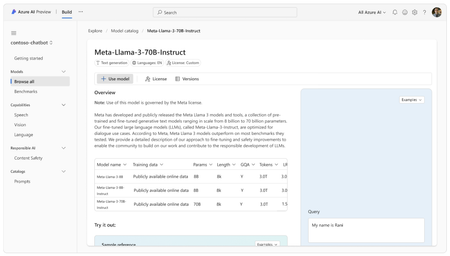
Unveiling the next generation of Meta Llama models on Azure AI: Meta Llama 3 is here! With new capabilities, including improved reasoning and Azure AI Studio integrations, Microsoft and Meta are pushing the frontiers of innovation. Dive into enhanced contextual understanding, tokenizer efficiency and a diverse model ecosystem—ready for you to build and deploy generative AI models and applications across your organization. Explore Meta Llama 3 now through Azure AI Models as a Service and Azure AI Model Catalog, where next generation models scale with Azure's trusted, sustainable and AI-optimized high-performance infrastructure.80KViews4likes22CommentsModel Context Protocol (MCP): Integrating Azure OpenAI for Enhanced Tool Integration and Prompting
Model Context Protocol serves as a critical communication bridge between AI models and external systems, enabling AI assistants to interact directly with various services through a standardized interface. This protocol was designed to address the inherent limitations of standalone AI models by providing them with pathways to access real-time data, perform actions in external systems, and leverage specialized tools beyond their built-in capabilities. The fundamental architecture of MCP consists of client-server communication where the AI model (client) can send requests to specialized servers that handle specific service integrations, process these requests, and return formatted results that the AI can incorporate into its responses. This design pattern enables AI systems to maintain their core reasoning capabilities while extending their functional reach into practical applications that require interaction with external systems and databases MCP has the potential to function as a universal interface, think of it as the virtual / software version of USB-C for AI. Enabling seamless, secure and scalable data exchange between LLMs/AI Agents and external resources. MCP uses a client-server architecture where MCP hosts (AI applications) communicate with MCP servers (data/tool providers). Developers can use MCP to build reusable, modular connectors, with pre-built servers available for popular platforms, creating a community-driven ecosystem. MCP’s open-source nature encourages innovation, allowing developers to extend its capabilities while maintaining security through features like granular permissions. Ultimately, MCP aims to transform AI Agents from isolated chatbots into context-aware, interoperable systems deeply integrated into digital environments. Key elements from the Model Context Protocol: Standardization: MCP provides a standardized way for language models to interact with tools, promoting interoperability. Communication Methods: Supports multiple communication methods, including STDIO and SSE, for flexibility in tool integration. Tool Integration: Enables language models to use external tools, enhancing their functionality and applicability. How Does It Work? MCP operates on a client-server architecture: MCP Hosts: These are the AI applications or interfaces, such as IDEs, or AI tools, that seek to access data through MCP. They initiate requests for data or actions. MCP Clients: These are protocol clients that maintain a one-to-one connection with MCP servers, acting as intermediaries to forward requests and responses. MCP Servers: Lightweight programs that expose specific capabilities through the MCP, connecting to local or remote data sources. Examples include servers for file systems, databases, or APIs, each advertising their capabilities for hosts to utilize. Local Data Sources: These include the computer’s files, databases, and services that MCP servers can securely access, such as reading local documents or querying SQLite databases. Remote Services: External systems available over the internet, such as APIs, that MCP servers can connect to, enabling AI to interact with cloud-based tools or services. Implementation lets try to implement a MCP client using Azure OpenAI with Chainlit and openai python library. By end of this blog you can use attach any MCP server to your client and start using with a simple user interface. So lets get started. First thing we need to ensure is our MCP tools are listed and loaded to our chainlit session. As you install any MCP server , you need to ensure that all the tools of those associated MCP servers are added to your session. .on_chat_start async def start_chat(): client = ChatClient() cl.user_session.set("messages", []) cl.user_session.set("system_prompt", SYSTEM_PROMPT) @cl.on_mcp_connect async def on_mcp(connection, session: ClientSession): result = await session.list_tools() tools = [{ "name": t.name, "description": t.description, "parameters": t.inputSchema, } for t in result.tools] mcp_tools = cl.user_session.get("mcp_tools", {}) mcp_tools[connection.name] = tools cl.user_session.set("mcp_tools", mcp_tools) Next thing we need to do is that we have to flatten the tools as the same will be passed to Azure OpenAI. In this case for each message we pass the loaded MCP server session tools into chat session after flattening it. def flatten(xss): return [x for xs in xss for x in xs] @cl.on_message async def on_message(message: cl.Message): mcp_tools = cl.user_session.get("mcp_tools", {}) tools = flatten([tools for _, tools in mcp_tools.items()]) tools = [{"type": "function", "function": tool} for tool in tools] # Create a fresh client instance for each message client = ChatClient() # Restore conversation history client.messages = cl.user_session.get("messages", []) msg = cl.Message(content="") async for text in client.generate_response(human_input=message.content, tools=tools): await msg.stream_token(text) # Update the stored messages after processing cl.user_session.set("messages", client.messages) Next I define a tool calling step which basically call the MCP session to execute the tool. .step(type="tool") async def call_tool(mcp_name, function_name, function_args): try: print(f"Function Name: {function_name} Function Args: {function_args}") mcp_session, _ = cl.context.session.mcp_sessions.get(mcp_name) func_response = await mcp_session.call_tool(function_name, function_args) except Exception as e: traceback.print_exc() func_response = json.dumps({"error": str(e)}) return str(func_response.content) Next i define a chat client which basically can run as many tools in an iterative manner through for loop (No third party library), simple openai python client. import json from mcp import ClientSession import os import re from aiohttp import ClientSession import chainlit as cl from openai import AzureOpenAI, AsyncAzureOpenAI import traceback from dotenv import load_dotenv load_dotenv("azure.env") SYSTEM_PROMPT = "you are a helpful assistant." class ChatClient: def __init__(self) -> None: self.deployment_name = os.environ["AZURE_OPENAI_MODEL"] self.client = AsyncAzureOpenAI( azure_endpoint=os.getenv("AZURE_OPENAI_ENDPOINT"), api_key=os.getenv("AZURE_OPENAI_API_KEY"), api_version="2024-12-01-preview", ) self.messages = [] self.system_prompt = SYSTEM_PROMPT async def process_response_stream(self, response_stream, tools, temperature=0): """ Recursively process response streams to handle multiple sequential function calls. This function can call itself when a function call is completed to handle subsequent function calls. """ function_arguments = "" function_name = "" tool_call_id = "" is_collecting_function_args = False collected_messages = [] try: async for part in response_stream: if part.choices == []: continue delta = part.choices[0].delta finish_reason = part.choices[0].finish_reason # Process assistant content if delta.content: collected_messages.append(delta.content) yield delta.content # Handle tool calls if delta.tool_calls: if len(delta.tool_calls) > 0: tool_call = delta.tool_calls[0] # Get function name if tool_call.function.name: function_name = tool_call.function.name tool_call_id = tool_call.id # Process function arguments delta if tool_call.function.arguments: function_arguments += tool_call.function.arguments is_collecting_function_args = True # Check if we've reached the end of a tool call if finish_reason == "tool_calls" and is_collecting_function_args: # Process the current tool call print(f"function_name: {function_name} function_arguments: {function_arguments}") function_args = json.loads(function_arguments) mcp_tools = cl.user_session.get("mcp_tools", {}) mcp_name = None for connection_name, session_tools in mcp_tools.items(): if any(tool.get("name") == function_name for tool in session_tools): mcp_name = connection_name break reply_to_customer = function_args.get('reply_to_customer') print(f"reply_to_customer: {reply_to_customer}") # Output any replies to the customer if reply_to_customer: tokens = re.findall(r'\s+|\w+|[^\w\s]', reply_to_customer) for token in tokens: yield token # Add the assistant message with tool call self.messages.append({ "role": "assistant", "content": reply_to_customer, "tool_calls": [ { "id": tool_call_id, "function": { "name": function_name, "arguments": function_arguments }, "type": "function" } ] }) func_response = await call_tool(mcp_name, function_name, function_args) # Add the tool response self.messages.append({ "tool_call_id": tool_call_id, "role": "tool", "name": function_name, "content": func_response, }) # Create a new stream to continue processing new_response = await self.client.chat.completions.create( model=self.deployment_name, messages=self.messages, tools=tools, parallel_tool_calls=False, stream=True, temperature=temperature ) # Use a separate try block for recursive processing try: async for token in self.process_response_stream(new_response, tools, temperature): yield token except GeneratorExit: return return # Check if we've reached the end of assistant's response if finish_reason == "stop": # Add final assistant message if there's content if collected_messages: final_content = ''.join([msg for msg in collected_messages if msg is not None]) if final_content.strip(): self.messages.append({"role": "assistant", "content": final_content}) return except GeneratorExit: return except Exception as e: print(f"Error in process_response_stream: {e}") traceback.print_exc() # Main entry point that uses the recursive function async def generate_response(self, human_input, tools, temperature=0): print(f"human_input: {human_input}") self.messages.append({"role": "user", "content": human_input}) response_stream = await self.client.chat.completions.create( model=self.deployment_name, messages=self.messages, tools=tools, parallel_tool_calls=False, stream=True, temperature=temperature ) try: # Process the initial stream with our recursive function async for token in self.process_response_stream(response_stream, tools, temperature): yield token except GeneratorExit: return Conclusion The Model Context Protocol (MCP) is a pivotal development in AI integration, offering a standardized, open protocol that simplifies how AI models interact with external data and tools. Its client-server architecture, supported by JSON-RPC 2.0 and flexible transports, ensures efficient and secure communication, while its benefits of standardization, flexibility, security, efficiency, and scalability make it a valuable tool for developers. With diverse use cases like knowledge graph management, database queries, and API integrations, MCP is poised to unlock the full potential of AI applications, breaking down data silos and enhancing responsiveness. For those interested in exploring further, the rich documentation, SDKs, and community resources provide ample opportunities to engage with and contribute to this evolving standard. Here is the Githublink for end to end demo: Thanks Manoranjan Rajguru AI Global Black Belt, Asia https://www.linkedin.com/in/manoranjan-rajguru/59KViews13likes6Comments