adoption
132 Topics
Unlocking Microsoft 365 Adoption in Engineering, Manufacturing, and Regulated Industries
Executive Feedback to Microsoft Leadership: Expanding the Value of Microsoft 365 Beyond Cloud-First Workflows Executive Summary Microsoft has successfully built the industry's leading cloud collaboration ecosystem around Microsoft 365, OneDrive, and SharePoint. The strategy has delivered substantial value for information workers, distributed teams, and organizations pursuing cloud-first operating models. However, there is a significant and often overlooked customer segment that remains underserved: engineering, manufacturing, healthcare, medical device, industrial, laboratory, defense, and other regulated organizations whose primary workflows are intentionally built around file-based repositories, network shares, PDM/PLM systems, and controlled document environments. The challenge is not opposition to cloud technology. The challenge is that many of these organizations prioritize data integrity, traceability, predictability, and workflow continuity above all else. As a result, they often perceive modern Microsoft productivity capabilities such as AutoSave, coauthoring, and version history as being unnecessarily coupled to OneDrive and SharePoint. This creates an important business opportunity. Microsoft could unlock substantial additional Microsoft 365 adoption and customer goodwill by extending modern document protection and collaboration capabilities to local, network-hosted, and hybrid file environments without requiring a complete migration to OneDrive or SharePoint. This is not a request to replace cloud services. It is a request to recognize that cloud-first and file-based workflows can coexist. The Opportunity Is Larger Than It Appears Many of Microsoft's largest enterprise customers operate in environments where files are not simply documents. They are: Design history files Manufacturing records Engineering drawings Validation reports Device master records Controlled procedures Laboratory data Regulatory submissions Quality records For these organizations, file location, revision control, ownership, auditability, and retention are operational requirements rather than convenience features. Microsoft itself acknowledges that Office AutoSave currently requires files to be stored in OneDrive or SharePoint. Files opened from traditional file-system locations do not receive the same experience. As a result, many organizations feel they must choose between: Maintaining proven operational workflows. Accessing Microsoft's most advanced productivity features. That is a business decision many organizations simply refuse to make. The Real Barrier Is Not Technology. It Is Trust. Discussions around cloud adoption are often framed as a resistance-to-change problem. Research consistently suggests otherwise. Studies examining enterprise cloud adoption repeatedly identify security concerns, data privacy concerns, and control over organizational information as major barriers to adoption. One study found security concerns dramatically increased the likelihood that organizations would reject cloud adoption. Similarly, KPMG's cloud transformation research notes that concerns about data loss, audit findings, compliance issues, and operational risk can slow or limit cloud initiatives. The lesson is important: Organizations rarely reject technology because it is new. They reject technology because they do not trust it with critical business information. Once users experience: unexpected file overwrites, synchronization ambiguity, permission confusion, data residency uncertainty, conflicting document versions, trust declines rapidly. Trust, not functionality, is often the limiting factor. Engineering Users Experience the World Differently Microsoft's cloud ecosystem was largely designed around information-worker collaboration. Engineering organizations frequently operate under different assumptions: Information Worker Priority Engineering Priority Seamless sharing Data integrity Anywhere access Traceability Real-time collaboration Configuration control Ease of use Auditability Cloud accessibility Revision certainty Neither approach is wrong. The challenge is that Microsoft increasingly optimizes for one while under-serving the other. An Example: AutoSave AutoSave is one of the most valuable additions Microsoft has made to Office. The value proposition is obvious: Reduced data loss Improved productivity Lower cognitive burden Better user confidence Microsoft's own documentation describes AutoSave as continuously saving changes while users work, but only when documents reside in OneDrive or SharePoint. From Microsoft's perspective, this design is understandable. From the customer perspective, the message often becomes: "Modern document protection is available, but only if you adopt Microsoft's preferred storage architecture." Many customers view this not as a technical limitation, but as product segmentation. Microsoft Could Learn from Version Control Systems Modern software development solved multi-user document conflicts decades ago. Git was specifically designed around realities such as: multiple devices, multiple contributors, offline work, concurrent editing, conflicting changes. Critically, Git assumes conflicts are inevitable. Rather than hiding them, Git exposes conflicts and provides mechanisms to resolve them. Many engineers trust Git precisely because its behavior is transparent. By comparison, file synchronization systems often attempt to abstract away complexity. When synchronization fails, users can no longer determine: which version is authoritative, which edits are newer, what happened, who changed what. The engineering mindset is frequently: Show me the conflict. rather than Hide the conflict and make a decision on my behalf. The Untapped Hybrid Customer Much discussion around Microsoft 365 assumes organizations are either: Cloud-first, or Legacy. In reality, many enterprises are neither. Many operate as hybrid organizations and intentionally will continue to do so. Research from industry and security organizations continues to show persistent adoption of hybrid and multi-cloud architectures driven by governance, security, compliance, and operational requirements. These customers are not rejecting Microsoft. They are already paying customers. They often purchase: Microsoft 365 Windows Azure Teams Active Directory SQL Server Yet many would immediately purchase additional capabilities if Microsoft offered: Local AutoSave Office AutoSave functionality for: NTFS local storage SMB file shares NAS systems PDM-managed documents Local Version History Built-in document time travel without cloud dependence. Hybrid Collaboration Coauthoring capabilities that operate through enterprise file infrastructure. Enterprise Conflict Resolution Visualization and reconciliation of competing document changes. Network-Aware Document Protection The same confidence users experience in OneDrive without requiring migration to OneDrive. The Revenue Opportunity This is not merely a product-improvement request. It is a business opportunity. A significant portion of engineering and regulated industries remain hesitant to migrate entirely into cloud-centric document ecosystems because the perceived operational risks exceed the perceived benefits. Rather than forcing an all-or-nothing decision, Microsoft could monetize a middle path: Microsoft 365 Hybrid Collaboration A premium offering delivering: AutoSave Version History Recovery Conflict Resolution Audit Visibility for enterprise-controlled file infrastructure. Organizations that decline OneDrive adoption today may still eagerly purchase these capabilities. In effect, Microsoft could create incremental revenue from customers who are already committed to the Microsoft ecosystem but currently feel underserved by a cloud-only feature strategy. Recommendation Microsoft should stop treating file-server and network-share users as transitional users waiting to migrate. Many are not transitioning. Many have intentionally chosen architectures optimized for regulatory compliance, engineering rigor, operational control, and data governance. The future should not require choosing between: modern productivity features, and trusted enterprise workflows. The organizations building medical devices, industrial equipment, aerospace systems, manufacturing infrastructure, energy systems, and critical technologies represent some of Microsoft's most technically sophisticated and commercially valuable customers. They deserve first-class support for the workflows they intentionally operate. The opportunity is not to move every customer to the cloud. The opportunity is to bring Microsoft's best innovations to every customer, regardless of where their files live.98Views0likes0Comments
What is the best OKR Software for Microsoft 365?
So... It is finally happening. Viva Goals is less than two months from shutting down. With Viva Goals having been built by Microsoft for Microsof users, it had a certain advantage over other apps in the app store. So now, what do you all think is the best OKR Software for Microsoft 365? Because I'm pretty sure even though they were warned well in advance, there are probably some organizations still using Viva Goals that will need to switch fast!Solved1.1KViews0likes5Comments
Non profit business standard users join PCs to Active directory
Hi I have waded through masses of online stuff and can't get a clear answer to this. It is driving me insane! We have about 10 users on nonprofit business standard - all running win 10 or win 11 pro. I need to allow different users to share a PC - but have user restricted access to microsoft 365 online data - sharepoint - web apps etc Most older machines are domain aware as in you login with the domain account - they work fine. Newer machines cannot and all have only local accounts but have stored credentials for the main user for sharepoint etc. That is a problem when a PC is shared as someone may have logged in locally but they have left credentials for sharepoint allowing access. to privileged info If I upgrade one of the licenses to business premium would that enable me (with admin privs) to join existing and yet to be bought PCs to the domain or would I need a premium license for each user? We don;t need the higher up functionality such as intune as far as I know - just the ability for fred_AT_ourcharity.com to share a PC sensibly with bill_AT_ourcharity.com152Views0likes3CommentsHello from New Hampshire 👋
Hi everyone, I’m Lissette. I work in enterprise HR technology and project delivery, with a strong focus on using Microsoft 365 and AI to help teams work more efficiently and scale what’s working. A lot of my day‑to‑day work sits at the intersection of technology, structure, and enablement, translating complex requirements into practical solutions, and using AI and automation to accelerate delivery and reduce friction for teams. I’m here to learn from the community, share practical experiences, and exchange ideas around modern ways of working. Looking forward to learning from you all and contributing where I can. I’m especially interested in real‑world M365 practices that improve collaboration, governance, and adoption at scale.240Views2likes1CommentNew Landing Pages for Word, Excel and PowerPoint (rant)
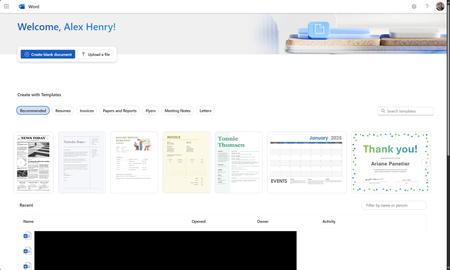
So I found out this week that MS is piloting new landing pages for the core Office apps (again). Instead of loading in the M365 Home page, they now load in an entirely new page. Why was this necessary? We've already been here before and MS spent years moving everything to the Home app. The dust has finally settled and things are working great. Why move things out again?477Views1like3Comments
Guest accounts and groupchats
Hello everyone, I recently received a support request regarding adding a person with a guest account to a group chat. Unfortunately, Teams refused to add that account. Copilot explained that this is due to the restrictions guest accounts have when it comes to communicating within the tenant they are invited to. Apparently—and this is what I’d love for you to verify—guests are only able to communicate within channels (e.g., threads in a channel) and in 1:1 chats. After we deleted the guest account, we were able to add that person to the group chat. Are the following informations correct? Guest user in tenant: Added as a guest in your tenant’s Azure Active Directory Access: Teams channels, files, meetings Restriction: No regular group chats outside of Teams channels External user (federation): Remains in their own tenant, connected to yours through federation Access: Chats and calls like regular Teams users Advantage: Can be added to regular group chats Thank you for your help. Best Hisham281Views0likes3CommentsAll-in-One Content Creation with the New Microsoft 365 Dashboard
🎨 Discover the new Microsoft 365 Dashboard creation experience! In this video, I’ll walk you through the redesigned interface that makes it easier than ever to create and manage content—whether it’s images, posters, documents, videos, and more. Microsoft is transforming M365 into a true creative hub, perfect for both personal productivity and professional branding. ✅ Learn how to navigate the new dashboard ✅ Explore templates for visuals, documents, and multimedia ✅ See how AI and design tools integrate into your workflow ✅ Tips to boost your productivity with Microsoft 365 💬 Don’t forget to like, subscribe, and share your thoughts in the comments! 📌 Perfect for creators, marketers, educators, and business users. #Microsoft365 #ContentCreation #ProductivityTools #MicrosoftDashboard #M365Tips #Office365 #WorkSmarter #MicrosoftTemplates #DigitalCreativity #CreateWithMicrosoft234Views0likes0CommentsSeattle Conference
Join TechCon 365 coming to Seattle, June 23-27, 2025. Hear from Microsoft Product teams and Microsoft MVP's and community contributors in keynotes, sessions and ask the experts. Over 130 sessions on M365, Security and Compliance, Copilot, Power Platform, Data, Power BI and more. Register today at https://techcon365.com/Seattle/246Views0likes0CommentsWhat is the best place inside Office 365 to store MXF files which have sizes between 35-50 GB
We have many large MXF files which have sizes between 35-50 GB. currently we are storing those files inside SharePoint online document libraries:- but seems SharePoint online is not designed to handle such large files. so my question is what is the best place to store those large files inside Office 365?192Views0likes1CommentSemi-automated newsletter?
Hi I have ambitions to create a monthly newsletter for our +8,000 users about changes to the most used M365 tools, and I would like to do with as little effort for me and my teammates as possible - of course. So, I want to try to use Copilot for that, but I have been unsuccessful in asking Copilot to use the messages from M365 Admin Center. I am therefore interested in any ideas about how this can be achieved. Thanks!137Views0likes1Comment