Office 365
16287 Topics
How to disable Excel function triggered by a leading hyphen
I frequently need to place data into excel cells that have leading hyphen. An example would be copy and paste a list my animals - a dog - a cat from a word document into excel. Doing this however generates a formula for the third cell that I do not want. Can I switch off this feature. To me it is an irksome problem.Solved40KViews0likes7Comments
Need help with conditional fomatting formula based in text on cells
Hi everyone, I have a list of owners' names in column C. C2 contains 1+1 CAR CORPORATION C3 contains 8-J ENTERPRISES, LLC C4 contains LOYD RENTALS LLC C5 contains SMITH PAUL & PAULA C6 contains DOE JHON & JANE C7 contains MENENDEZ JAMES C8 contains BROWN INVESTMENTS, INC. And so on I'd like to highlight the whole row for the cells that have CORPORATION, LLC, INC, ENTERPRISES in their names. Hope this makes sense and someone can help me. Thank you.32Views0likes3Comments
Word: Performance and functionality concerns
Hi! Is this happening to you, too? I work on a team that has incorporated co-authoring in a way that it has become an instrumental part of our workflow and processes. We are the only team in our organization to have significant issues with Word: Comments are ghost multiplying (from under 50 to over 4,000) Mark-up is inconsistently available Changes are not always saving for various contributors Formatting, especially custom table styles, are auto-reformatting to something illegiable Important documents are slow to load, if they do Real-time editing is, on occasion, impossible . . . and more. I researched and found some insights. I can't find anything "out there" that would suggest others are experiencing these types of roadblocks. Are you? I am sorry if you are, but I'd be happy to know we're not alone. Do you have any tips or things you've done to improve your experience? Some context: We actively and regularly contribute to documents asynchronously (large and small), apply custom branding styles, comment (and @ team members in comments), share links in team chats, channels, and provide access to others through Outlook links. The majority of the team uses PC, but likely accesses and edits files through chats, channels, emails, Teams, Online, and OneDrive. We also have one Mac, which handles the heavy load for branding and formatting as well. I appreciate any perspectives! Thank you.31Views0likes1Comment
Excel not able to write to Documents Folder
Hello, I was asked to help a family member who was having trouble writing files with Excel, and I have to admit their problem has me totally flummoxed; so, I was hoping for some help myself. When they open any Excel file, it says it is Read Only. Looking at document info confirms this, but we can't turn it off. Trying a Save As on the file generates a 0-byte file in the Documents folder and we then get a message that the file already exists, and we can't overwrite it. I set up a new folder and added it to their Documents library. This works perfectly with Excel being able to Read/Write any file in there. I thought it might be user permissions in Documents, but Word and Notepad can Read/Write in there without issue. The permission settings look good, and the problem is limited to Excel. The problem started when they downloaded a CSV file, so the first thought was it was a virus. They sent me a copy of the file which I checked in an isolated VM environment, and it appeared OK. Both of us ran virus scans that came out clean. Key differences between our environments are: that they are using Microsoft 365 and Norton antivirus, and I'm using Office 2016 and Avast antivirus. But both can out of scans clean. They have done a full reinstall of Microsoft 365 but the problem with Excel persists. If worse comes to worst, then there might be a full PC rebuild (ouch), or migrate everything to the new folder I set up and delete the old Documents folder. Ideally, I would like to remedy the cause of this issue which is why I'm asking for help.80Views0likes2Comments
New Outlook client - view online archive of shared mailbox
Hi there, I have a user who has an Office 365 E3 license and is using the new Outlook client. He has access to a shared mailbox and it is appearing on the client. The shared mailbox has an in-place/online archive but it is not appearing on the client. The archive of the shared mailbox appears on the old Outlook client and on OWA. Is anyone else having the same issue? I checked and found the below: https://support.microsoft.com/en-us/office/new-and-classic-outlook-for-windows-feature-comparison-de453583-1e76-48bf-975a-2e9cd2ee16dd It mentions that shared mailboxes are supported and online archives also, but no mention of the online archive of a shared mailbox. Does anyone have more info? e.g. an official technote from Microsoft on whether it is supported or not.Solved2.5KViews1like6CommentsOneDrive on Linux
I would like to use OneDrive on Ubuntu, May be working with all or some folders. Since there is no office OneDrive client in Linux, I've searched online and found "https://rclone.org/onedrive/" but not sure how secure it is or is there any other alternative out there?1.6MViews28likes41Comments
Excel sharing, New Outlook and Outlook 2016
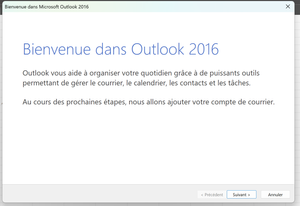
Hello, when I try to share an Excel file (File => Share => Send as attachment), Excel opens Outlook 2016 (Office 365). But I only use New Outlook (the native Windows application). I've changed the default application, but it doesn't make any difference. Do you know how to force Excel to share files through New Outlook? I'm French and I used a translator. I hope you understand.109Views0likes2Comments
Changing the default @onmicrosoft domain
We recently have started to use sharepoint and noticed that the domain is our old business name. It is using the @onmicrosoft.com domain. Is there a way to change the domain that was created when we made the O365 account? The main reason this is wanted is because our sharepoint sites will show the old company name, that was used to signup for O365, and not the new domain that we added. If we share out a sharepoint site or folder to a client, having the new company name would be better. Anyone have any thoughts on a way to change this, besides creating a new O365 account?35KViews0likes7Comments