Forum Discussion

Teams auto starts DESPITE disabling it

Thanks! I found the registry entry and deleted it! However...
I restarted my laptop and voila... Teams auto launched again. What kind of sorcery is this 

Jule_Marie Hello again, I know that it's frustrating as the key needs to be deleted with a script. To prevent the behavior there's a GPO you can use and it has to be created before Teams is installed. But once you've started Teams after that it's going to start automatically again. There are a couple of UserVoice request you can vote on, this is one of them:
https://microsoftteams.uservoice.com/forums/555103-public/suggestions/33728680-disable-startup-option
How about using Teams on the web if you don't want the Teams app to auto-start?
 Musicmaker1981Dec 10, 2021Copper Contributor
We've create a group policy (in user context) to remove de com.squirrel.Teams.Teams key from the current user section. It should apply to the use that is logging in. But Teams keeps starting.
I manually deleted the key. Logged off en back in. Teams started again, so I went in Regedit again. And.... the key was back! So what triggers the key to get created again? Ni_user_DoJun 12, 2021Copper Contributor
ChristianBergstromWhy is this aggressive behaviour, that MS Teams definitely has (otherwhise this subject wouldn't exist), even allowed? Reputation goes down the drain. And with the last update, their team has successfully managed to produce once again several BSODs on many different computers. There is something horribly wrong with this company and its aggressive data/uusage policies. It is a shame.
- Jun 12, 2021
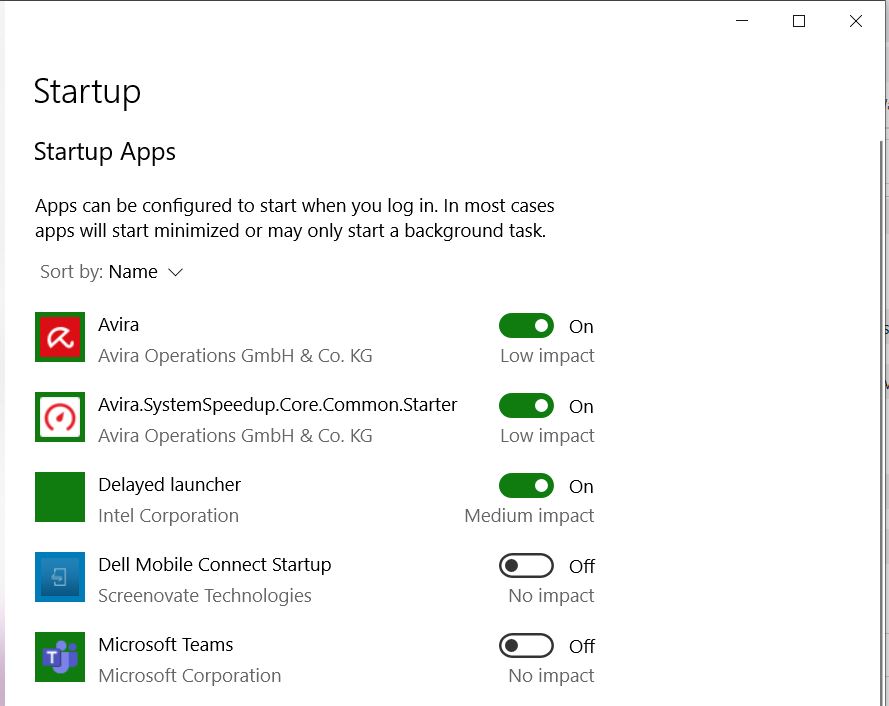
Hello, it's really not about being aggressive. I would say it's more about the code and how SSO and modern authentication works. But you should be able to control the autostart setting of course and you actually have these options within the Teams settings, the W10 app autostart setting and you can enter task manager and disable Teams. That should do it really. If not I would probably just use the online app if finding this being a problem.
Btw, I've never heard of BSOD caused by Teams and I have no idea what you're insinuating about the data and usage policies as you have so many options to adjust telemetry/diagnostics data over the entire suite. And they are actually very open about it as well.
Let me just add that I right now just disabled the autostart of Teams and it works like a charm, this was done from the Teams settings using two different laptops. One personal and one work computer.
 MrCWillyJun 25, 2021Copper Contributor