Forum Discussion

AidenWalker
Nov 21, 2025Iron Contributor
Leaving Windows Insider Program
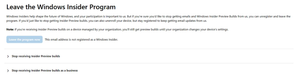
I wanted to leave the insider program since 25H2 is already out but after clicking "Leave the program now", my account still says the following (check screenshots). How do I fully remove this wit...

KapilArya
Nov 24, 2025MVP
Hello,
Exit from Insider Preview builds depends upon channel you're in.
If you're in Dev or Canary channel, you need to make clean install to switch to 25H2:
https://www.kapilarya.com/how-to-make-clean-install-of-windows-11
If you were in Beta or Release Preview channel, you can exit by turning On Unenroll this device when the next version of Windows releases option at Insider settings page.
Let us know if this helps!
Note: Included link in this reply refers to blog post by a trusted Microsoft MVP.