Forum Discussion

Dec 22, 2020
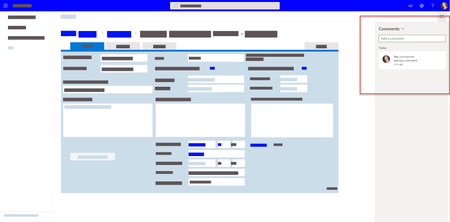
Comments on list DispForm.aspx and EditForm.aspx
Hello,
I have a SharePoint list form customised with PowerApps. I just noticed a new feature. When the form is showing full screen, for example when the link to the item is clicked in a list we...
 Jan 20, 2021
Some Tiny Explanations:
https://support.microsoft.com/en-us/office/add-and-reply-to-comments-in-list-items-9407aab9-6d43-4756-af72-d38177814a6e
Good news that
Note: If you don’t see comments, check with your admin who may have disabled commenting.
Admins can configure this option.Regards,
Keti

ganeshsanap
Jan 20, 2021MVP
Here are the answers to your questions:
- Documentation: Add and reply to comments in list items
- The comments are stored inside list schema itself.
- You will see a colored comments icon at the right side of "Title" column in list view if someone commented on item (or you can see the comments in details pane & list forms).
- You can turn off this feature using PowerShell - Currently you can disable it at tenant level not site/list level.
- @mentions is not yet supported, it is in development currently - Roadmap
You can find all this information in detail in below blog:
SharePoint Online: All you need to know about Commenting in Lists
Please click Mark as Best Response if my post helped you to solve your issue. This will help others to find the correct solution easily. It also closes the item. If the post was useful in other ways, please consider giving it Like.