Forum Discussion

teamsuser270
Apr 01, 2021Tin Contributor
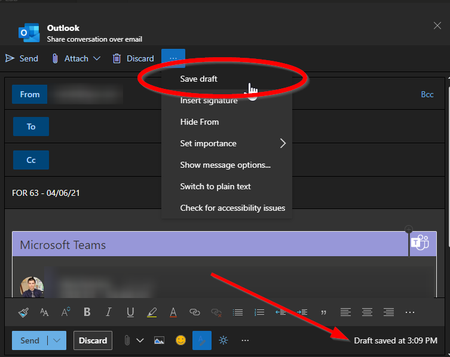
"Share to Outlook" - Where does a saved draft go? [Update] They are being automatically deleted. ???
When composing a "Share to Outlook" email from a Teams channel post, it appears to auto-save your draft and even give you the option to "Save Draft". However, I cannot for the life of me figure...

teamsuser270
Apr 01, 2021Tin Contributor
On a closer look, it does show up in my Drafts, but then is automatically deleted a few moments later.

StevenC365
Apr 02, 2021MVP
teamsuser270 The test I did hasn't been deleted by the next day, so I suggest maybe some kind of outlook rule, sweep etc might be clearing it in your mailbox. Do other drafts stay put?
- teamsuser270Apr 02, 2021Tin Contributor
StevenC365, appreciate the follow up. Yeah, it is rather odd: all the other drafts stay put.
I cannot think of anything that I intentionally setup. However, I will review for rules, and follow up.
 IvyH2021Jul 18, 2021Copper Contributor
teamsuser270 I have the same problem. Have you found the root cause?
- teamsuser270Jul 19, 2021Tin ContributorUnfortunately, no. I have not found a way to dismiss the "Share conversation over email" Teams dialog that does not also automatically delete the corresponding draft from my Drafts folder.
I cannot find anything apparent that is leading to the behavior.
At least now I know it is not just me.