Forum Discussion

eanastasio
Mar 20, 2023Copper Contributor
Work Schedule Help
I have a work Schedule, I have it set up where I use to show a person name as White if they are on the schedule and red if not on the schedule. This issue I am having is sometimes we need to show tex...


Riny_van_Eekelen
Mar 20, 2023Platinum Contributor
eanastasio You don't show the conditional formatting formula that you have used nor do you mention on which Excel version you are working. The type of formula shown in the picture below works an all versions and I believe it does what you need.
CF formula used:
=NOT(SUM(IF(ISNUMBER(FIND(D3,$A$3:$A$5)),1,0)))

eanastasio
Mar 20, 2023Copper Contributor
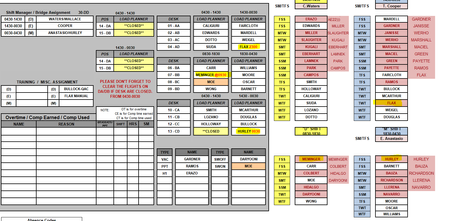
I attached the Conditional Formatting picture and I am using version 365 MSO (Version 2202 Build 16.0.14931.20648) 32-bit
- Riny_van_EekelenMar 21, 2023Platinum Contributor
eanastasio Thanks! It seems you are looking for Duplicate Values and that, of course, will not work as "FLAX" is not a duplicate of "FLAX 23:00".
Therefore you need to use a FIND function as that allows you to find partial text strings as shown in my example. FIND will return a number if a sub-string is found or an error if not. Using the IF(ISNUMBER(....) allows you to return a 1 if found and 0 if not.
But it's difficult to give you the exact solution without your file.