Forum Discussion

Rob__James
Nov 25, 2023Copper Contributor
need help using header reference to pull data from worksheet
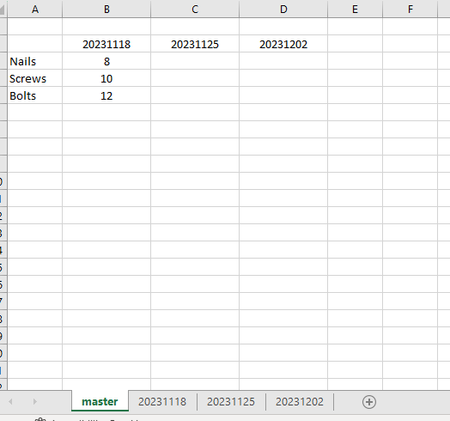
Hello everyone, thanks to those who take a moment to read this. I might be overthinking but I'm trying to setup a Master Inventory style sheet. Using date format as yyyymmdd or 20231125 if in...

PeterBartholomew1
Nov 26, 2023Silver Contributor
If you have Office 365 there are now other approaches to assembling data from multiple sheets. If the data is held within a 3D range then VSTACK will append the datasets. From there one would need to separate attribute names from the value columns and arrange to taste.
Calling the 3D range ='20231118:20231202'!$A$2:$B$4 by the name data
= LET(
    stacked, VSTACK(data),
    values,  TAKE(stacked,,-1),
    WRAPCOLS(values, 3)
  )
returns the value array, whilst
= LET(
    stacked, VSTACK(data),
    UNIQUE(TAKE(stacked,,1))
  )
provides a list of attribute names.
These could be combined into one formula and the result presented as a Lambda function
APPENDHλ(data)

= LET(
    stacked, VSTACK(data),
    items,   UNIQUE(TAKE(stacked, , 1)),
    values,  TAKE(stacked, , -1),
    HSTACK(items, WRAPCOLS(values, 3))
  )
To return column headers from the names on the sheet tabs, it is common practice to extract the sheet name to cell A1 using the formula
= TEXTAFTER(CELL("filename", A1), "]")and then, identifying that as a 3D range sheet
= TEXT(VALUE(TOROW(sheet)), "0000-00-00")returns column headers in a slightly more readable format.