Forum Discussion

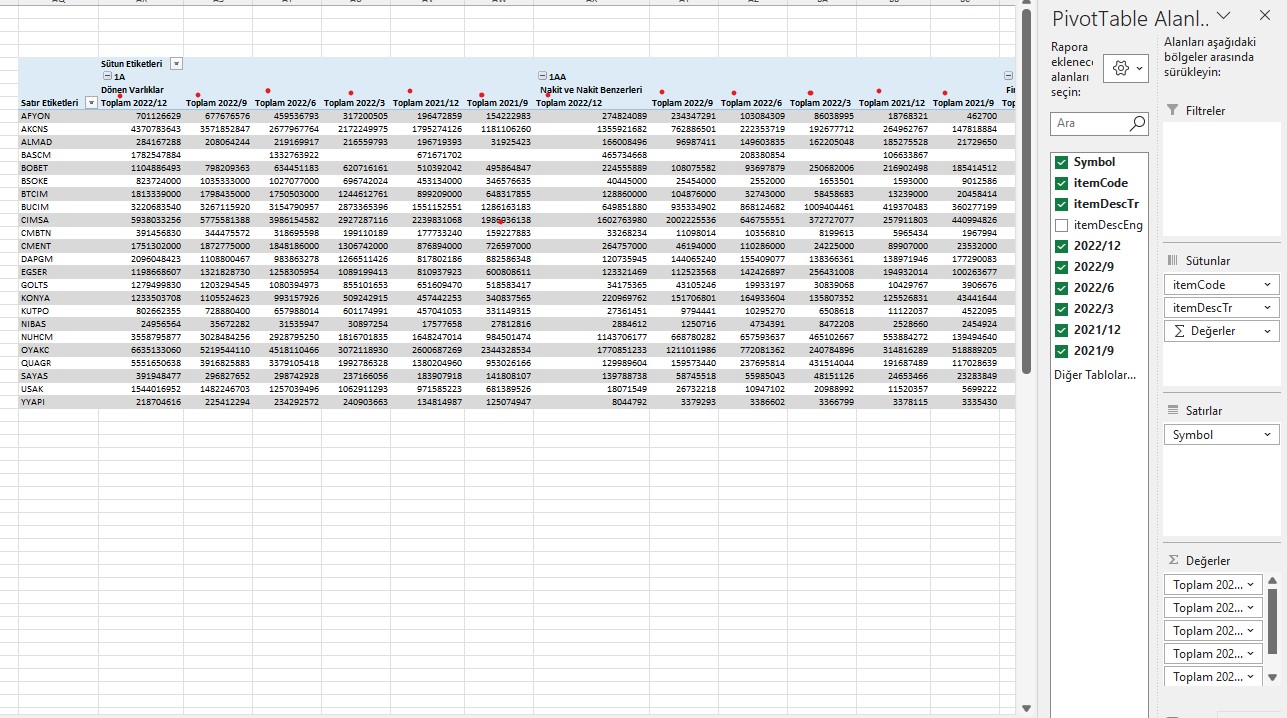
Added Total to header in pivot table
- Apr 07, 2023
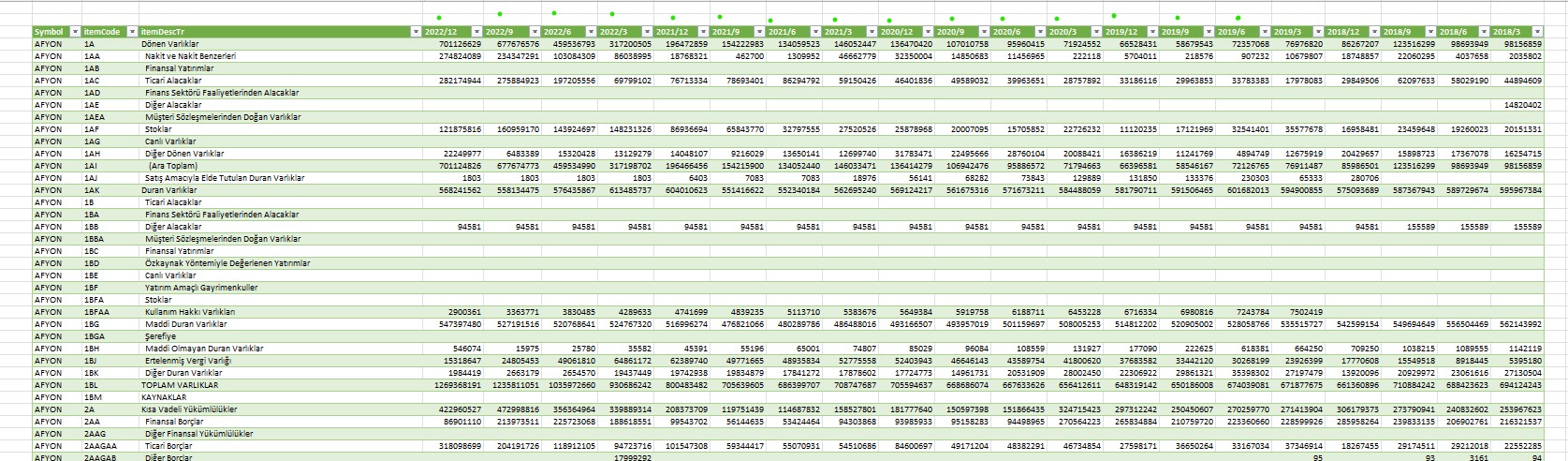
In your case you just have to delete the last query step "Pivoted Column".
And then recreate the pivot table.

Detlef_Lewin I don't know the process you are talking about. I'm sending my Excel spreadsheet. Can you implement the solution?

In your case you just have to delete the last query step "Pivoted Column".
And then recreate the pivot table.
- deniztopcuApr 07, 2023Brass Contributor
Detlef_Lewin
As you said, the "total" text was deleted, but it also created its own problems.
The dates seem mixed.- Detlef_LewinApr 07, 2023Silver Contributor
You have three options:
Hover over a date-cell until the cursor changes into the move-cursor (four arrows). Move the cell into the correct order.
Edit the query to change the date into YYYY/MM. Then sort the date field in the pivot table.
Edit the query to change the date into a real date like 2022-09-01 (also change the data type into Date). Then sort the date field in the pivot table. A real data also allows for grouping in years, quarters and months.
- deniztopcuApr 07, 2023Brass Contributor
Detlef_Lewin
I have said before.
My query is constantly being renewed.
For this reason, I do not want to do manual transactions every time.
Thank you for your efforts. I will mark it solved.